File archiving software will help you carry out retention policies securely and efficiently while protecting your document storage from additional costs. Discover the 5 best tools.
They have incorrect management and storage and, above all, they are failing to produce an appropriate archiving system.
File archiving software takes your structured and unstructured data and archives it once you no longer need those documents.
What Is File Archiving Software?
File archiving software is a tool designed to store and preserve your digital files over long periods of time in a dedicated archive that is both secure and retrievable.
Unlike basic file storage systems, archiving software is built around governance, to ensure that data is retained and disposed of according to business and regulatory requirements.
These platforms store inactive or infrequently accessed files outside of production systems while maintaining quick retrieval capabilities. This allows organizations to reduce operational clutter without losing historical records, legal evidence, or institutional knowledge.
For example, signed customer contracts can be archived once it has been approved and completed by all parties.
Instead of storing it in active storage where it creates clutter and excess files, it is archived in a secure location where it will b retained for 5-7 years.
Archival software can automatically delete these documents permanently once they are no longer relevant thank to automated triggers.
What Does File Archiving Software Do
File archiving software captures files from multiple data sources, including file servers, email platforms, cloud applications, and business systems. Once ingested, files are indexed using metadata, timestamps, and content analysis, making them easily searchable even years later.
Archival platforms also manage the full data lifecycle.
Retention rules determine how long content must be kept, whether it should be preserved in a read-only format, and when it can be deleted.
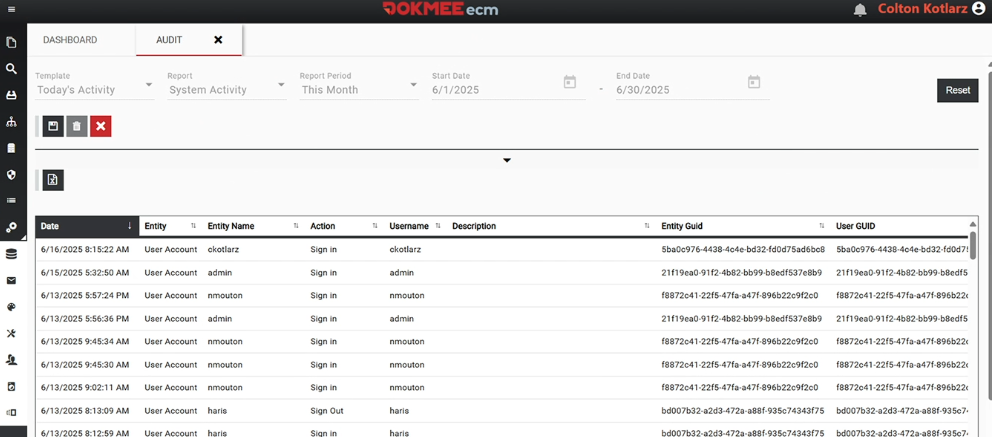
Security features such as encryption, access control, and audit logging guarantee archived data remains protected and traceable throughout its lifecycle.
Why You Need Archival Software
You may believe that archival can be done manually. And in some cases, it can.
However, if you handle archival manually you face several issues such as lack of scalability and increase of human error.
Although there are many reasons to implement archiving software into your tool stack:
Regulatory Compliance
Many industries are required to retain documents for specific periods and produce them on demand during audits or legal proceedings. Archival software enforces retention policies automatically and saves immutable records. This guarantees your documents are always legally defensible.
Without archiving software, organizations often rely on manual retention processes that increase legal risk and make eDiscovery costly and time-consuming.
Faster Audits
When records are properly archived and indexed, audits and legal searches become faster and less disruptive.
Authorized users can retrieve exact records without manually searching through multiple systems or backups.
Data Governance and Risk Reduction
Unmanaged data creates risk.
Old files, duplicated records, and uncontrolled access can expose organizations to compliance violations and security breaches. Archiving software brings structure and governance to data by enforcing policies around access, retention, and deletion.
Business Continuity and Knowledge Preservation
Archived data preserves institutional knowledge, historical decisions, contracts, and communications.
This ensures continuity during staff turnover, mergers, or system migrations and prevents critical information from being misplaced or worse, lost.
Reduced Storage Costs
Active storage systems can be expensive to maintain, especially if documents keep on stacking up.
By moving inactive data to a dedicated archive, businesses significantly reduce storage overhead, backup sizes, and infrastructure costs. Archival storage is optimized for long-term retention rather than frequent access, making it more cost-effective.
Improved System Performance
Large volumes of outdated data slow down file servers, email systems, and other platforms.
Archiving reduces the load on production systems, improving speed, reliability, and user experience across the organization.
Why a Cloud Data Storage System Falls Short
Almost every business (around 98%) relies on some sort of cloud service to manage and store information. However, many still depend on basic cloud storage.
While they are quite decent for very small businesses and personal file storage, these platforms lack services, such as automated archival, necessary to manage files efficiently, and most importantly, legally.
While cloud storage platforms are effective for collaboration, they lack the governance and compliance controls required for long-term data retention.
Cloud storage does not enforce retention policies, legal holds, or audit trails by default.
Additionally, cloud platforms treat all files equally, offering little insight into what data is critical, outdated, or legally required. This leads to uncontrolled data growth, higher costs, and increased risk. Archiving software complements cloud storage by adding structure, policy enforcement, and compliance oversight.
Best File Archiving Software
Below is a detailed breakdown of leading file archiving solutions, highlighting their capabilities, limitations, and ideal use cases.
1. Dokmee
⭐⭐⭐⭐⭐ Rating
G2 4.5/5 | Capterra 4.7/5
Overview
Dokmee is a full DMS and ECM platform that includes (in both products) automated file archival.
Dokmee combines automated document capture, intelligent indexing, and long-term archival storage into a single system. The platform supports on-premises and cloud deployments and integrates seamlessly with scanners, email systems, and line-of-business applications.
What sets Dokmee apart is its ability to merge document management workflows with compliant archiving. Files can be automatically categorized, versioned, and retained based on predefined rules, ensuring data is both accessible and governed.
Who Is It For
Dokmee is ideal for small to mid-sized businesses and growing enterprises that need enterprise-grade archiving without excessive complexity.
It is widely used in healthcare, legal, finance, manufacturing, and professional services.
Pros
Full DMS capabilities
Granular access controls
Audit log
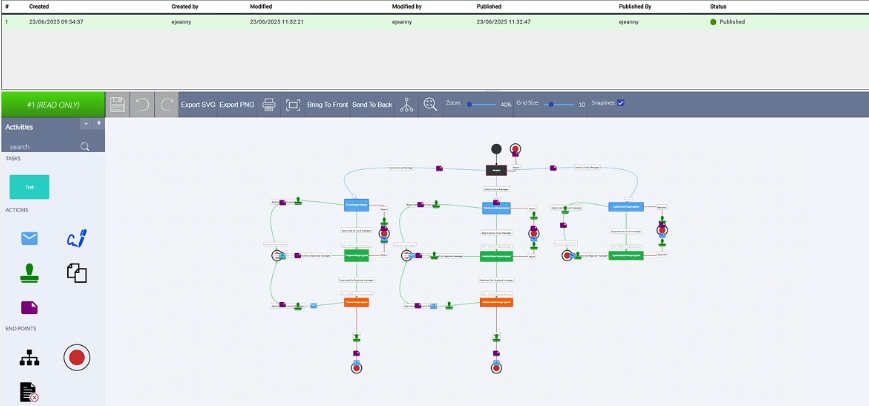
Automated archival based on customized retention policies with advanced workflow triggers
Cons
Initial configuration may require planning to align retention and workflow policies
Advanced features may require onboarding
2. Archive360
⭐⭐⭐⭐⭐ Rating
G2 4.3/5 | Gartner 4.5/5
Overview
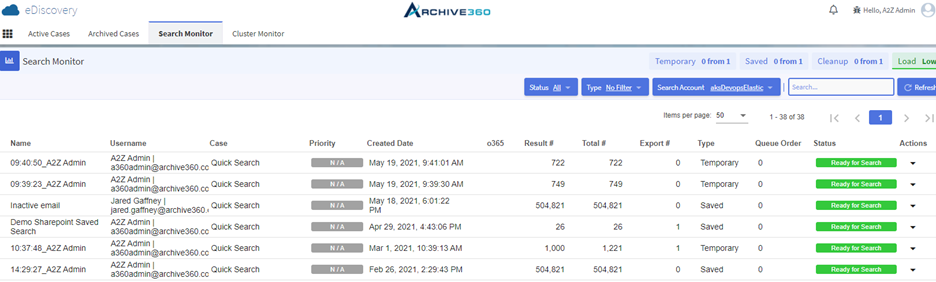
Archive360 is a file management platform that specializes in archiving and governance.
It is focused on long-term retention, compliance, and large-scale data migration. It is commonly used to archive emails, files, and legacy system data while preserving chain-of-custody and audit integrity.
Archive360 is particularly strong in regulated environments where data must remain immutable and legally defensible for decades.
Archive360 offers robust compliance controls, legal holds, eDiscovery tools, and migration support from legacy archives. It scales efficiently for massive datasets and complex regulatory environments.
Best suited for large enterprises, government agencies, and regulated industries with complex compliance obligations and large data volumes.
Pros
Customizable and scalable
Easy retrieval
Compliance controls
Cons
Can be expensive for smaller organizations
Required dedicates IT support
Cannot separate/match the search results when multiple custodians are run in the same search
3. Arctera Enterprise Vault
⭐⭐⭐⭐⭐ Rating
G2 4.2/5 | Gartner 4.6/5
Overview
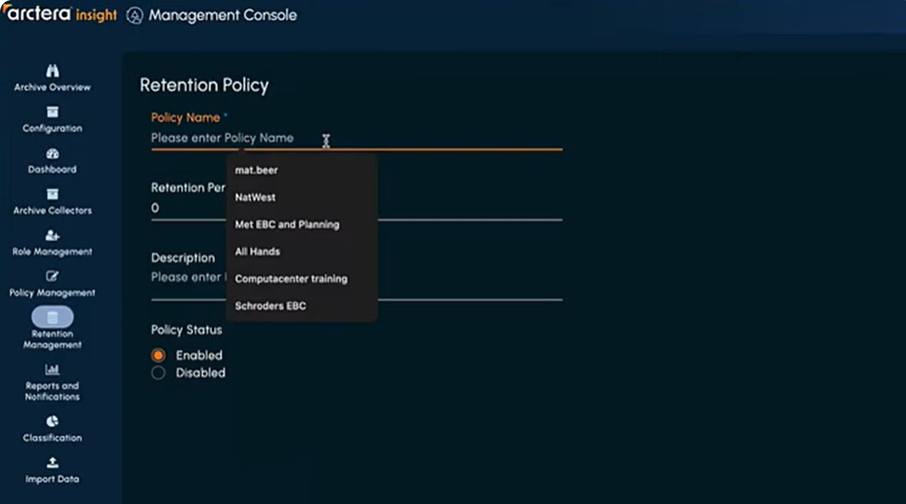
Arctera Enterprise Vault is an enterprise-class information archiving platform designed to handle large volumes of data across email systems, file servers, collaboration platforms, and more.
Arctera was previously a part of Veritas’s broader information governance suite. It was created in 2024 and became a standalone product at the end of 2025 as a Data Compliance tool.
The platform excels in environments where regulatory compliance, structured data retention, and long-term preservation are vital.
Enterprise Vault can archive email, files, SharePoint content, and other unstructured data, classifying and indexing it while supporting hybrid and multi-tier storage environments.
Who Is It For
Enterprise Vault is ideally suited for large organizations, government agencies, and regulated industries such as finance, healthcare, and legal services that require deep compliance support, flexible deployment options, and eDiscovery tools.
It’s particularly valuable when organizations need to retain data across diverse platforms and formats for long durations.
Pros
Scalable architecture
Has recently included capture software
Fast retrieval and eDiscovery
Cons
Is currently in the startup phase
Complex for small teams
Occasional search and retrieval frustrations
4. ShareArchiver
⭐⭐⭐⭐⭐ Rating
G2 4.5/5 | Capterra 4.7
Overview
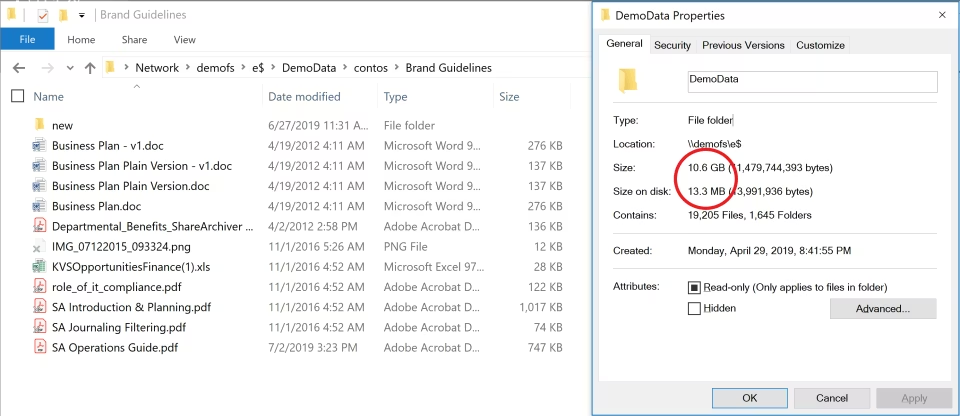
ShareArchiver is an enterprise data archiving solution that focuses on intelligent, policy-driven archiving of unstructured data. Especially from file servers, NAS devices, and SharePoint environments.
The platform automates the identification and relocation of inactive or infrequently accessed files into secure archives, while keeping these files instantly accessible to end users through stub files that behave like the originals.
ShareArchiver supports both on-premises and cloud deployments and is designed to help organizations slash storage costs, shorten backup windows, and stay compliant with regulatory requirements.
Who Is It For
ShareArchiver is particularly well-suited for small and mid-sized organizations, distributed enterprises with remote office/branch office (ROBO) environments, and compliance-conscious businesses in finance, healthcare, government, and legal sectors.
It’s a strong choice for IT teams that want a scalable archiving solution that works across hybrid infrastructures without disrupting end-user workflows.
Pros
ShareArchiver’s strengths lie in its broad compatibility, flexibility, and user-centric design:
Integrates well with storage platforms
Advanced data analysis
Documents can be retrieved easily
Cons
Document categorization could be improved for large amounts of files
Lacks support in audit log export
Some users report they couldn’t decide where the files would be archived in
5. Mimecast
⭐⭐⭐⭐⭐ Rating
Overview
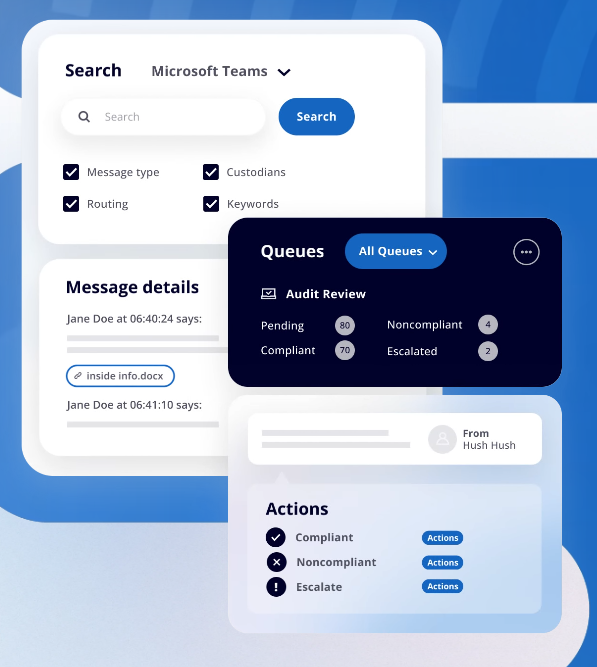
Mimecast’s Cloud Archive is a cloud-based archiving solution designed to store and govern email, file data, and collaboration content in a single secure repository. Built on a scalable cloud platform, Mimecast’s archive provides fast search, retention automation, and support for compliance, e-discovery, and legal holds.
Its unified architecture lets organizations manage archived email, files, and even IM conversations together, simplifying administration while reducing the cost and complexity associated with on-premises archive systems.
Who Is It For
Mimecast is suited for mid-sized to large organizations, especially if you use cloud-based email platforms (like Microsoft 365) that need a central archive for both email and related file data.
It’s particularly valuable for industries with strong compliance and e-discovery requirements, including legal, finance, and regulated sectors.
Pros
Supports email, files, and IM conversations in a single platform
Industry-competitive search performance
Built-in tools for legal holds, case management, and data export help meet regulatory and litigation demands
Fully cloud-based solution
Cons
More specific for emails
Not specifically an archiving platform, it is a Human Risk Management Platform
Complex initial setup
Choose the Best DMS Platform
Choosing the right file archiving solution depends on your compliance requirements, data volume, system complexity, and long-term growth plans.
Enterprise platforms like Archive360 and Quest excel in highly regulated environments but often require significant investment and IT resources. Solutions like ShareArchiver offer simplicity but limited scalability.
If you’re looking to reduce the amounts of solutions in your tool stack, find a DMS or ECM that can effectively manage both storage and archival. It delivers enterprise-grade archiving, document management, and workflow automation in a flexible platform that grows with your business.
Dokmee provides a secure, compliant, and scalable archiving solution that simplifies document management while protecting your data long-term. Book your free demo today.
Summarize with AI Here
Résumez avec l’IA ici
Resume con IA aquí
Resuma com IA aqui


 Christina Miranda

 Christina Miranda
  Christina Miranda