
OnBase (Hyland) Analysis 2025: Features and User Reviews
 5 min read
 Christina Miranda

OnBase is a DMS from the Hyland platform. In this OnBase analysis, we review its best features, pros and cons, and the best alternative.
Are you considering OnBase as your ECM to manage your content and automate your processes?
Choosing the perfect option is as complicated as it is important.
In this Hyland OnBase review, we gather all the information you need to know before committing.
What is Hyland OnBase?
>
OnBase is an enterprise content management (ECM) platform and process automation developed by Hyland. Like most ECM solutions, it is designed to automate workflows and centralize your company’s content throughout its lifecycle.
OnBase captures information from documents, emails, forms, records, and files to organize it and make it accessible and protected.
The tool combines storage, workflow automation, case management, records retention, and real-time analytics.
OnBase connects content directly with the business processes it supports.
Are you considering OnBase as your ECM to manage your content and automate your processes?
Choosing the perfect option is as complicated as it is important.
In this Hyland OnBase analysis, we gather all the information you need to know before making a decision.
What is Hyland OnBase?
OnBase is an enterprise content management (ECM) platform and process automation developed by Hyland.
Like most ECM applications, it is designed to automate your workflows and centralize your company’s content from the moment you receive (or capture) it until it is completely deleted.
OnBase captures information from documents, emails, forms, records, and files to organize it, make it accessible, and keep it protected.
The tool combines storage, workflow automation, case management, records retention, and real-time analytics.
OnBase directly connects content with the business processes that sustain it.
This allows you to automate manual tasks (such as approvals or data entry), apply compliance policies, and offer your team (or your customers) instant access to the information they need to make decisions.
The platform offers low-code configuration tools to adapt workflows and interfaces to your needs, and connects with your ERP software, CRM, and human resources applications.
OnBase supports direct (“point-and-click”) integrations with tools such as Microsoft 365, SAP, Salesforce, Workday, Epic, and Oracle.
With this ECM’s APIs and web services, you can review invoices from your ERP, view customer documentation from your CRM interface, or retrieve employee records without switching applications.
The interface is intuitive, although it can occasionally feel a bit outdated.
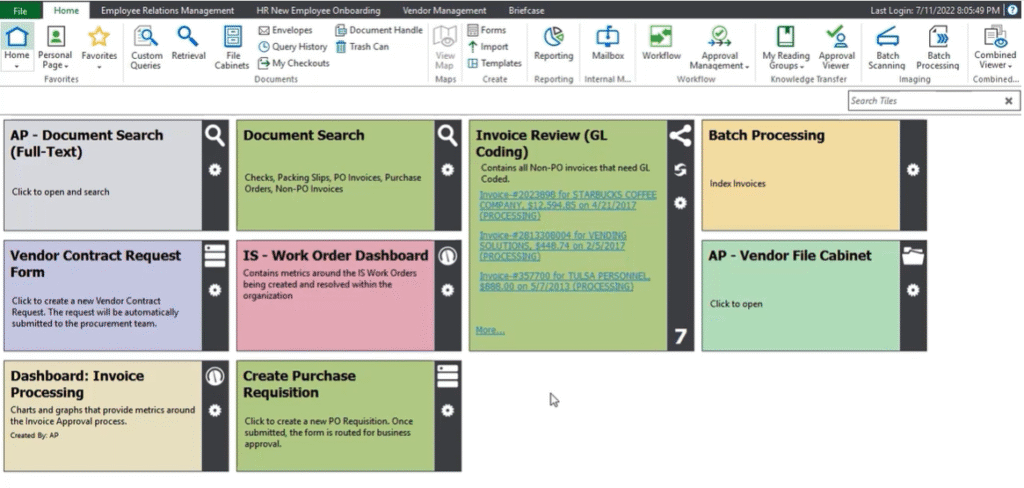
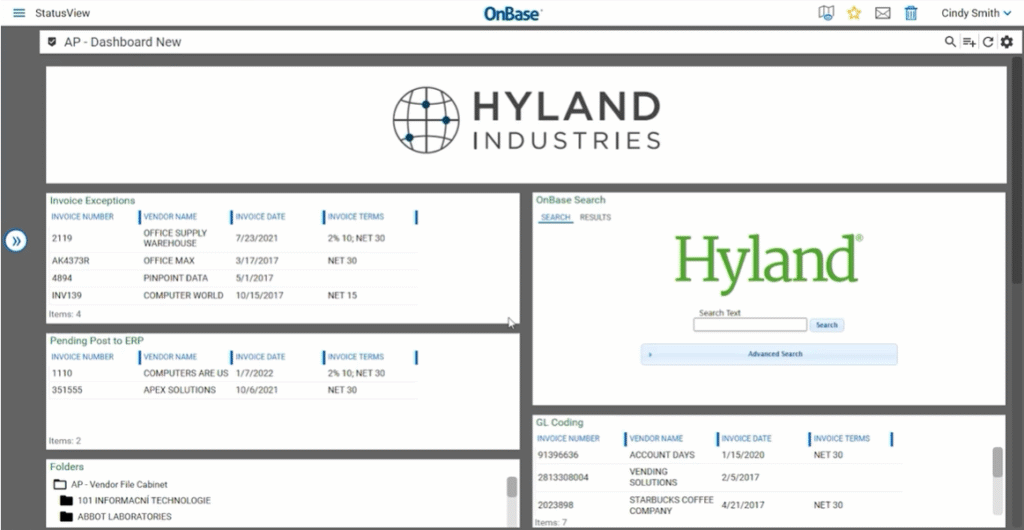
You can access OnBase from desktop, web browser, or mobile app, and build custom dashboards, shortcuts, and configurable task panels.
The Best Features of OnBase
The true strength of an ECM lies in its features, beyond simple document storage.
Automated Multichannel Capture
OnBase captures your documents from multiple sources, including scanners, email inboxes, fax servers, digital forms, mobile devices, and other applications.
This information is captured, classified, and validated as structured business data.
OnBase uses OCR and intelligent capture algorithms to automatically identify metadata and index documents for later retrieval.
OnBase is a good option if you manage large quantities of invoices, claims, or HR documents.
Advanced Process Automation
OnBase’s process automation engine allows you to automate workflows and reduce repetitive manual tasks.
The system uses configurable workflows, integrated business rules, and low-code design tools, with which you can visually map processes and automate actions such as routing, approvals, and notifications.
OnBase can automatically route your documents and tasks to the right users based on defined business logic.
If there are irregularities or missing information, the tool will flag and alert you to the error for review.
OnBase can also work alongside robotic process automation (RPA) tools to manage data entry or updates between systems automatically.
Case Management
OnBase offers a total view of any case or activity, where all data, documents, communications, and activities related to a specific case are consolidated into a single interface.
For example, in a customer service department, interactions, forms, and approvals related to a customer request are accessible from one place.
You can track progress, view case history, manage deadlines, and set automatic priority order when a case requires immediate attention.
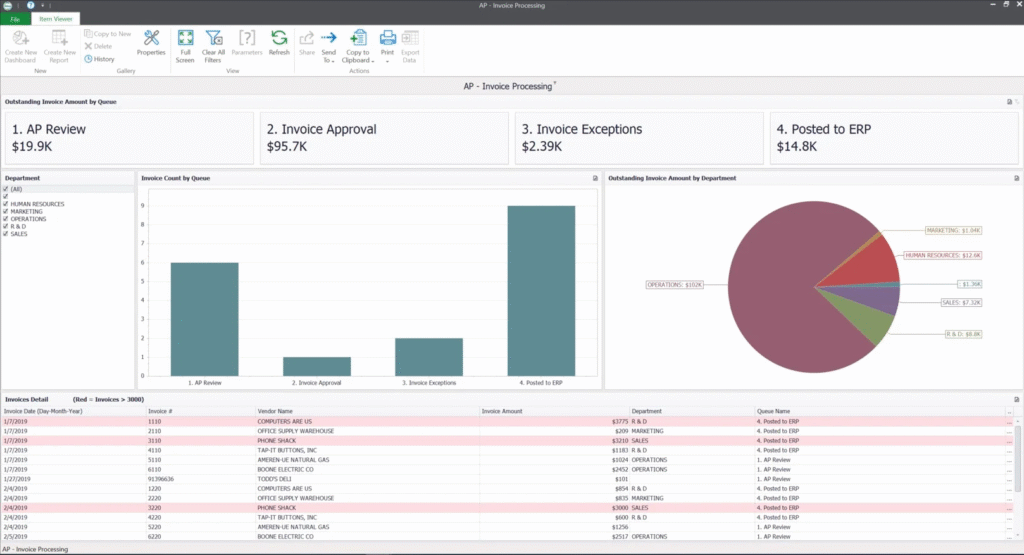
Case management includes a centralized dashboard that updates automatically, task tracking and activity logging, as well as automatic alerts and reminders.
To build your case management dashboard, you can use case templates from different departments.
Collaboration and Document Control
Collaboration and document control features include secure document sharing, co-authoring, and version management, where team members can edit the same document (if they have the appropriate permissions).
OnBase offers version control to ensure users always work with the most recent document, while maintaining a detailed history of previous changes through audit trails.
Integrated notifications and task lists keep teams aligned with deadlines, comments, and approvals.
Security features, such as role-based access controls (RBAC) and audit trails, ensure all collaborative actions are recorded and comply with corporate and regulatory standards.
Records Retention and Management
OnBase offers a records retention and management system that governs the entire lifecycle of your company’s content.
Once documents are captured, they are automatically tagged with retention policies and metadata according to their type, department, or regulatory requirements.
This makes it easier for anyone to search for a document without needing specific keywords.
With this feature, you can also schedule the automatic retention, archiving, or deletion of files.
This automation reduces legal risk and ensures compliance with regulations such as GDPR and HIPAA.
User Reviews
Rating ⭐⭐⭐⭐
G2 4.4/5 | Capterra 4.3/5
Most users highlight that OnBase is fairly easy to use and has an intuitive and friendly interface.
However, there are numerous negative comments highlighting update issues and technical glitches, suggesting that this solution may be useful if you don’t need very advanced automation or if you don’t handle large amounts of documents or content within the ECM.
Users also mention that prices can increase quickly due to add-ons, although many highlight that features like Unity Forms are worth it and work well with OCR technology.
Some users also point out that, although OnBase has grown a lot in recent years and added many advanced features, it has fallen behind in its most basic feature: document storage.
✔️ Pros
- No-code platform to create natural language solutions
- Automated file retention
- Solid integrations
- Easy-to-use interface
- Document capture from emails
✖️ Cons
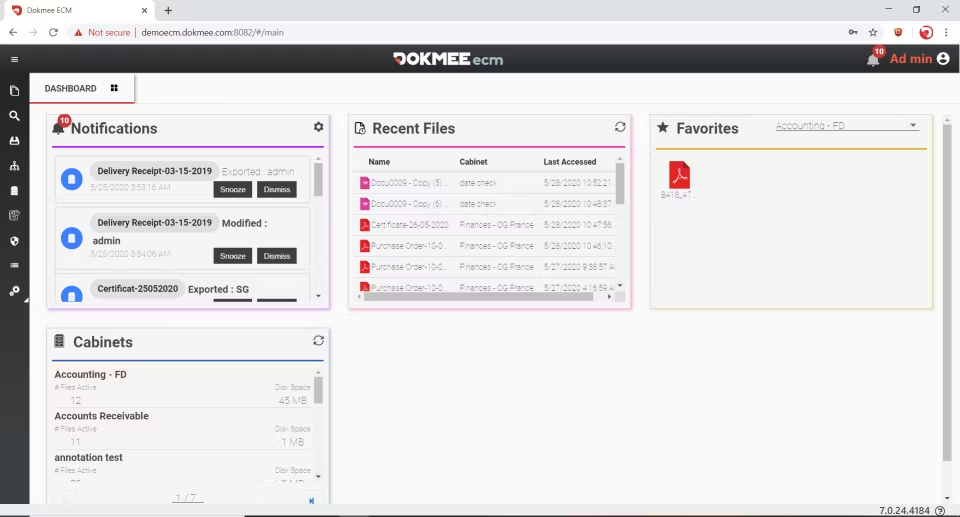
- Unlike other ECMs like Dokmee, OnBase does not allow comments or replies directly on documents
- It does not have on-premise implementation, so it is not ideal for governments or law firms; the cloud solution is the main complaint from users
- Slow updates (especially with Microsoft)
- User controls are too scattered
- Unity Forms does not work on mobile devices
Hyland OnBase vs Dokmee
An alternative to OnBase is Dokmee.
Both are ECM platforms that offer automation, workflows, and automated file retention.
However, Dokmee keeps the content management part updated and protected, in addition to offering deep customization in organization and in roles and permissions.
OnBase positions itself as a full-scope ECM and content services platform, aimed at large companies, regulated industries, and global operations.
It offers extensive document capture capabilities (including OCR, multi-channel ingestion, and metadata extraction), extensive workflow and case management engines, robust governance and records management tools, and strong integration with enterprise systems such as ERP, CRM, and industry-specific applications.
However, this functional depth comes with trade-offs: a steeper learning curve, greater need for technical support and configuration, longer implementation periods, and relatively high costs.
Furthermore, OnBase can only be hosted in the cloud, while Dokmee offers hybrid implementation, facilitating a simpler transition or providing an additional layer of security for highly regulated industries.
Dokmee emphasizes user adoption, speed to value, and simpler implementation.
It is designed to seamlessly capture, store, search, and manage documents and content, and offer workflow and retention features with less operational burden.
OnBase can require months of planning, adjustments, and training before a full deployment, especially if it involves custom applications.
Dokmee, on the other hand, usually offers a faster start, allowing organizations to implement document management and workflows with greater agility and less overhead.
In summary:
If you are looking for fast implementation, ease of use, lower initial cost, and a faster return on investment, then Dokmee could be the most practical option.
Is Hyland OnBase the Right Choice?
OnBase is a very comprehensive enterprise content management (ECM) platform.
It combines intelligent data capture, low-code process automation, case management, and cross-application integration.
It is a good choice if you need to unify your content strategy with effective team collaboration.
OnBase provides a scalable and secure environment that evolves with the organization’s needs.
However, initial setup and customization can be complex, and the lack of an on-premise implementation makes it unsuitable for highly regulated industries, such as law firms or government entities.
A solid alternative that offers a greater focus on document management, automated retention, flexible implementation, and collaboration is Dokmee.
If you are ready to try it, contact the team now.
Get in Touch with Our
Enterprise ECM Experts
Schedule Your Free Demo—Anytime, Anywhere
Experience enterprise-grade ECM with zero hidden fees and instant ROI:
- Instant 24-hour callback—you choose the time.
- Tailored to your workflows—no cookie-cutter pitches.
- ROI in 60 days—most enterprises recoup costs fast.
“Dokmee cut our retrieval time by 70%—we saw ROI in 45 days.”
Chad P., CTO