Full DocStar Review 2026
Considering investing in DocStar ECM? This Docstar review covers its features, pros, and cons objectively to help you see if it beats modern alternatives like Dokmee.
DocStar belongs to a category enterprise vendors love: platforms that promise to solve every content problem you'll ever have. They assume if you're investing in content management, go all-in.
However, it is not always the best fit for every business.
With this DocStar review you can objectively take a look into the tools features, pros and cons.
What is DocStar?
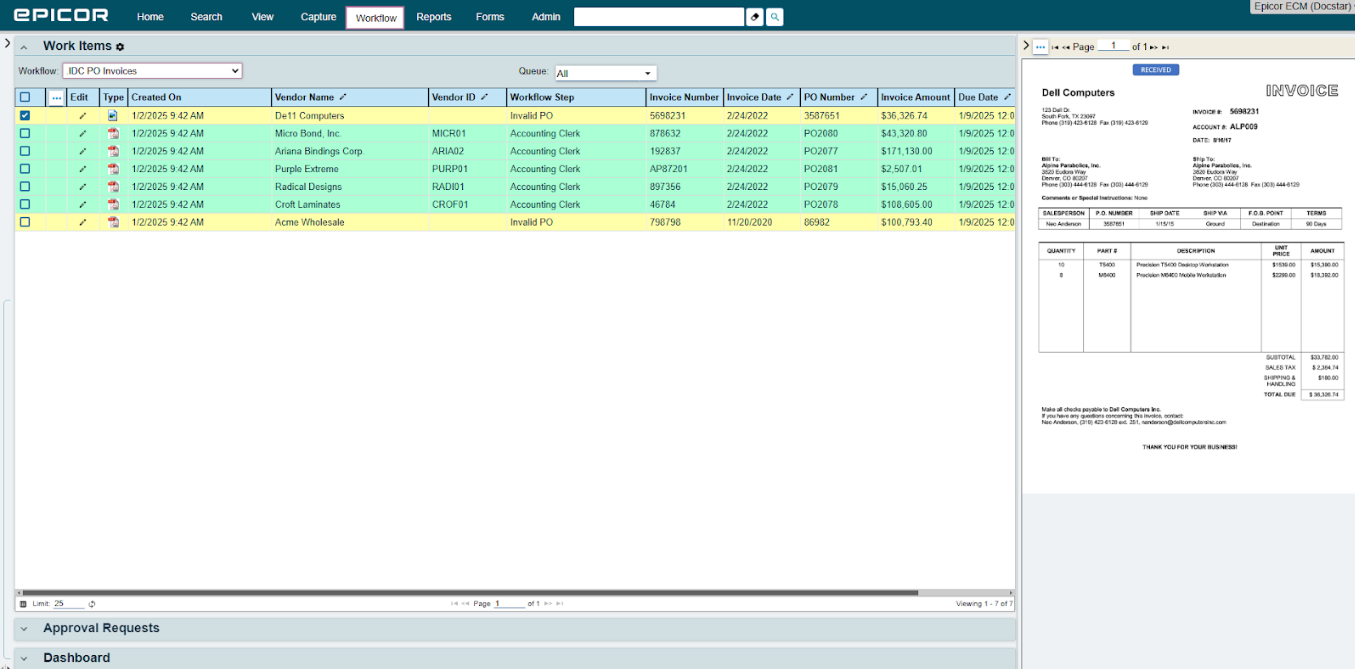
DocStar is an ECM platform developed by Epicor. It's designed primarily for midsize and enterprise organizations that need tools to manage content across multiple departments and business processes.
The platform combines several ECM capabilities, including document capture with OCR, workflow automation, electronic forms, records management, version control, and secure document storage.
DocStar also integrates with a range of ERP and business applications, including Epicor ERP, Microsoft Dynamics, Sage, Infor, SAP, and Oracle.
DocStar includes features such as role-based permissions, audit trails, document retention policies, and records management. These capabilities can support governance initiatives, although the specific compliance standards an organization can meet will depend on its implementation and internal processes.
DocStar places greater emphasis on workflow automation, enterprise integrations, and document governance than on storage. Whether those additional capabilities are necessary largely depends on the complexity of your organization's document processes.
Who is DocStar for?
DocStar ECM is designed for organizations that manage high volumes of documents, complex workflows, and strict compliance requirements.
DocStar is a good fit for:
Large organizations that need to process high volumes of invoices
Businesses that need intelligent document capture, workflow automation, and ERP integration
Organizations in regulated industries
Enterprises that require audit trails, records management, retention policies, and role-based security
Companies with cross-department workflows involving finance, HR, legal, operations, and executive teams
However, not every ECM platform is the right fit for every business, and choosing the right one will determine if the platform helps your organization or wrecks your productivity.
DocStar might not be the best fit for:
Individuals or freelancers with basic document storage needs
Small businesses that primarily need secure file storage and document sharing
Teams with simple workflows that don't require automation or compliance controls
Organizations that prefer an inexpensive, easy-to-deploy cloud storage solution
If your organization simply needs a place to store, share, and collaborate on documents, a traditional document management system (or even a cloud storage platform) may be a more practical and cost-effective choice.
DocStar delivers the most value when document governance, workflow automation, and compliance are central to your business operations.
If you already feel like DocStar is not the right fit for you, check these DocStar alternatives to find a better option.
DocStar's best features
DocStar ECM brings together a range of enterprise content management capabilities within a single platform. Rather than focusing solely on document storage, it combines data capture, workflow automation, content management, electronic forms, reporting, and integrations to support document-driven business processes. While the platform offers a comprehensive feature set, many capabilities require configuration and are best suited to organizations with established workflows.
Data capture and extraction
DocStar uses OCR and intelligent data extraction to capture information from invoices, purchase orders, receipts, forms, and other structured or semi-structured documents before routing them into business workflows.
his functionality is commonly used in accounts payable, where organizations need to process high volumes of invoices while maintaining accuracy and visibility.
As with most enterprise capture solutions, extraction accuracy depends on document quality, consistency, and configuration. Organizations that need to process different document formats should expect an implementation period to configure extraction rules and validation processes.
Workflow automation
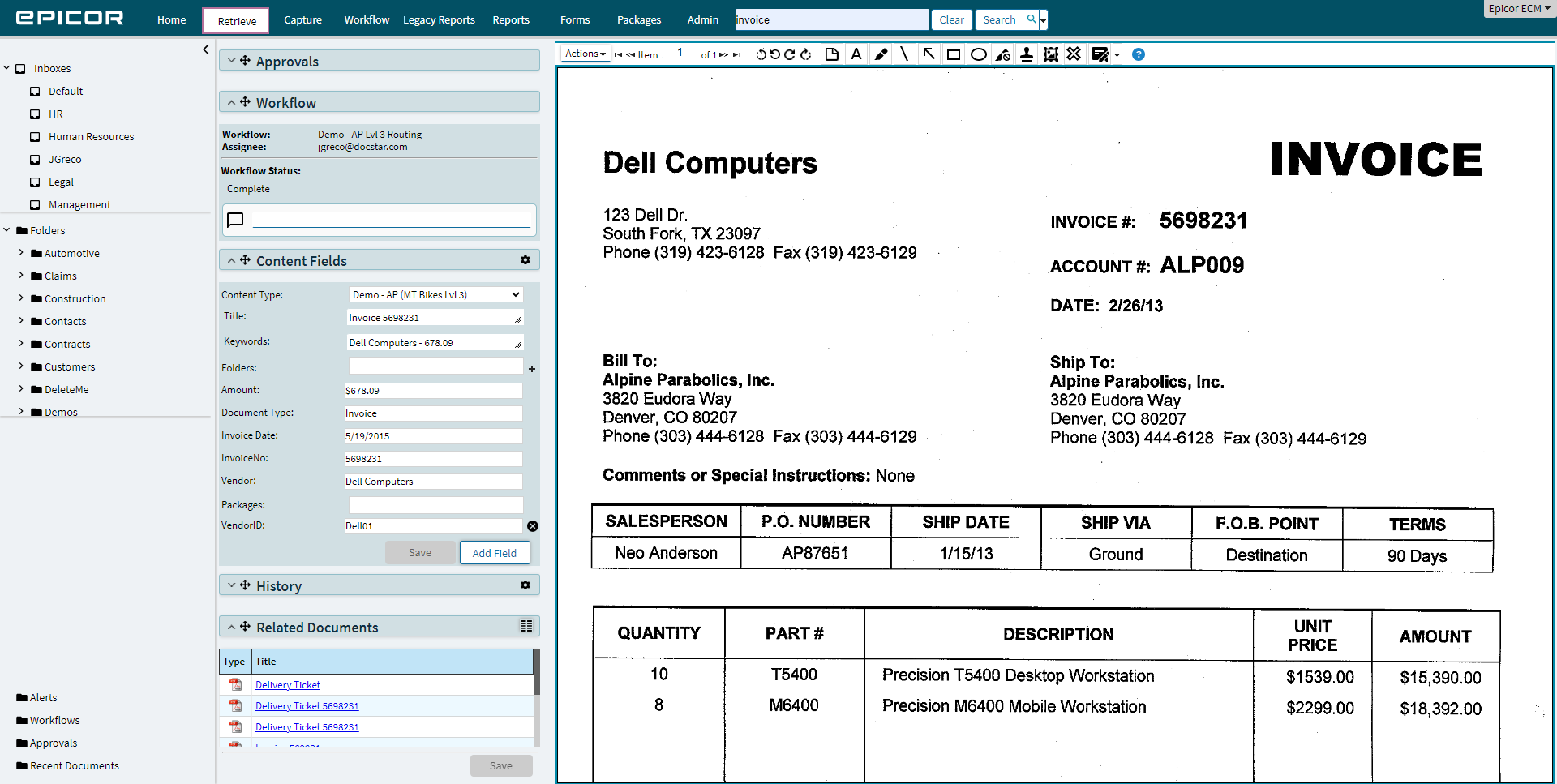
DocStar’s workflow engine supports configurable approval hierarchies, conditional routing, notifications, exception handling, and parallel approvals.
It also integrates with ERP and other business applications, allowing documents to move alongside related business transactions rather than through manual email chains.
DocStar is best described as a configuration-first platform rather than a developer-focused one. Most workflows are created by configuring business rules instead of writing custom code, making routine workflow design accessible to business administrators.
However, implementing more sophisticated workflows still requires careful process mapping and ongoing administration, particularly in larger organizations where multiple departments and exception scenarios are involved.
Content management
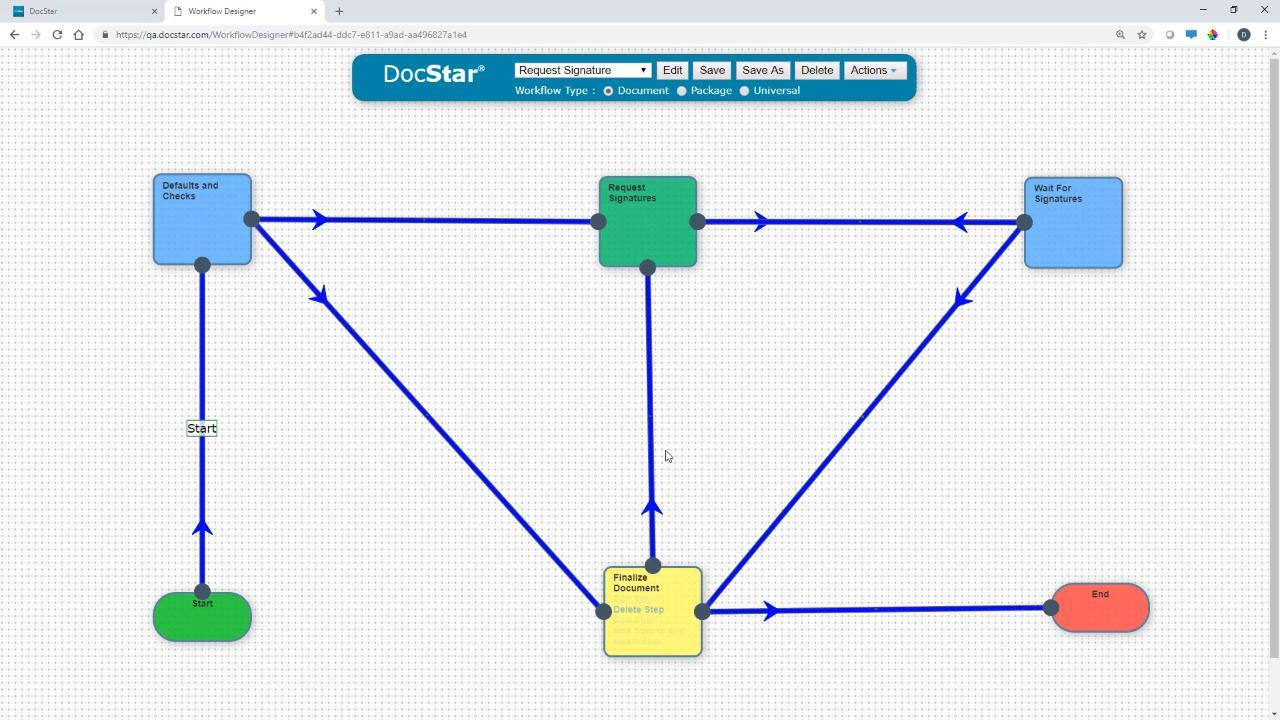
The content management feature contains your basic document management tools for successful document storage and retrieval.
The platform includes version control to track document revisions, ensuring users can access previous versions while maintaining a record of changes.
Role-based permissions allow administrators to control who can view, edit, or approve documents, while encryption and security controls help protect sensitive information.
DocStar also supports document check-in and check-out to reduce editing conflicts, along with commenting and annotations that enable teams to collaborate directly within the platform.
While the platform offers comprehensive document management capabilities, it does require some time to design metadata structures, permission models, and document taxonomies during implementation.
Integrations
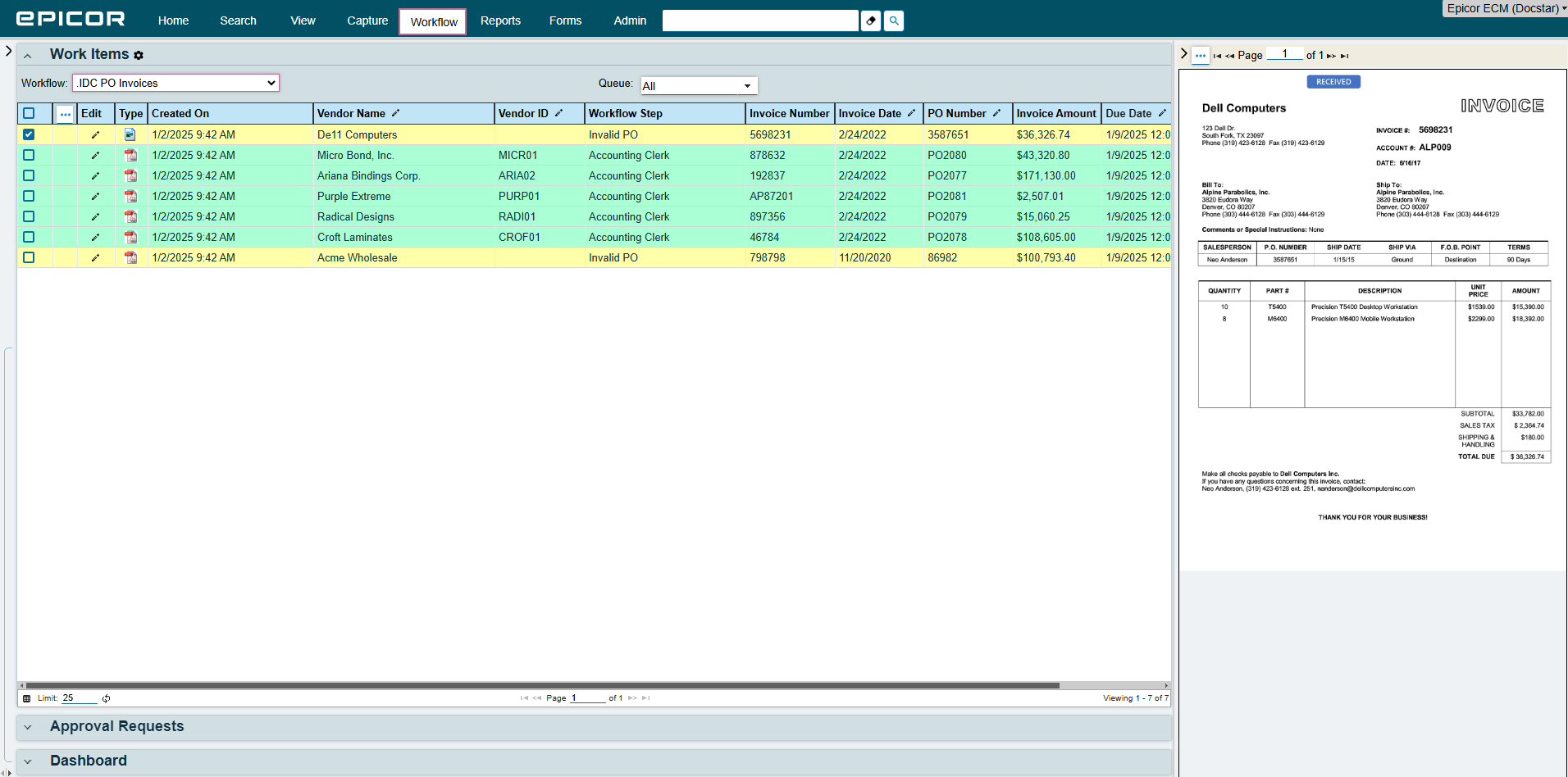
A key component of DocStar is its integration with business applications, especially with ERP and CRM platforms.
The platform offers native integration with Epicor ERP and also supports Microsoft Dynamics, Sage, Infor, SAP, Oracle, and other enterprise systems.
These integrations allow organizations to associate documents with business transactions, reduce duplicate data entry, and access supporting content directly from their primary business applications.
DocStar’s user reviews
⭐⭐⭐⭐
G2 3.8/5 | Capterra 4.0/5 | Software Advice 4.0/5
Many reviewers say DocStar delivers the functionality needed to manage complex business processes, particularly in accounts payable and other document-intensive departments.
At the same time, usability is a recurring theme. While users generally appreciate the platform's feature set, many describe the interface as dated and note that new users can face a steep learning curve.
Overall, DocStar receives positive feedback for its functionality but mixed reviews for its user experience.
✔️ Pros
Configurable workflow automation
Reliable document storage, organization, and retrieval
Strong search functionality for locating business documents
Helpful customer support and implementation assistance
✖️ Cons
Outdated interface compared to newer ECM platforms
Steep learning curve for new users and administrators
Navigation can feel cumbersome, requiring multiple clicks to complete common tasks
Limited drag-and-drop functionality
Lacks extensive customization features
DocStar vs. Dokmee
DocStar ECM and Dokmee are both enterprise content management platforms, but they target different priorities.
DocStar focuses heavily on document-centric business processes, particularly AP automation and ERP-connected workflows.
Dokmee offers a broader document management platform with AI-assisted document processing, flexible deployment options, and an emphasis on usability.
Some differences include:
Feature | DocStar | Dokmee |
|---|---|---|
Primary Focus | Enterprise content management with workflow automation and AP processing | Document management and enterprise content management with AI-assisted document processing |
Document Capture | Intelligent Document Capture (IDC) with OCR and automated data extraction | OCR, barcode recognition, zonal OCR, and AI-assisted indexing |
Workflow Automation | Configurable rule-based workflows with approvals, routing, notifications, and ERP integration | Visual workflow designer with configurable approvals, routing, notifications, and document automation |
Search | Metadata search, full-text search, and document indexing | Metadata search, full-text search, AI Search, and AI Document Summary |
Document Management | Version control, records management, retention policies, audit trails, and permissions | Version control, metadata management, audit trails, retention policies, and document lifecycle management |
Integrations | Strong ERP integrations, including Epicor ERP, Microsoft Dynamics, Sage, SAP, Oracle, and Infor | Integrates with Microsoft Office, Outlook, SharePoint, and business applications through APIs and connectors |
AI Features | Intelligent document capture and data extraction | AI-assisted indexing, AI Search, AI Document Summary, and AI-powered document insights |
Best Suited For | Organizations with ERP-centric workflows and high-volume document processing | Organizations looking for an intuitive document management platform with AI capabilities and flexible deployment |
Both platforms provide the core capabilities expected from an ECM solution, including OCR, workflow automation, version control, audit trails, and records management.
The main difference lies in their emphasis.
DocStar is particularly well suited to organizations that need deep ERP integration and document-driven process automation, while Dokmee places greater emphasis on usability, AI-assisted document management, and flexible deployment options.
The better choice depends on your existing technology stack, document workflows, and long-term content management requirements.
Should you choose DocStar?
DocStar is a capable ECM platform that combines document capture, workflow automation, records management, and ERP integrations.
Its feature set is particularly well suited to organizations that manage high volumes of business documents and rely on structured, document-driven processes.
The platform is a strong fit for midsize and enterprise organizations with established workflows, particularly those that already use Epicor ERP or other supported ERP systems.
That said, DocStar isn't the ideal solution for every organization. Its breadth of functionality comes with additional implementation, configuration, and administration compared to simpler document management platforms.
Smaller businesses or teams with straightforward document storage and collaboration needs may find that a lighter-weight DMS better matches their requirements.
If you're evaluating DocStar against other ECM platforms, the decision should come down to your document processes rather than the length of the feature list.
However, if your priority is faster deployment, simpler administration, or a more intuitive user experience without sacrificing core document management capabilities, it's worth evaluating alternatives such as Dokmee to determine which platform best aligns with your organization's needs.