If M-Files’ metadata-centric approach doesn’t work for you, there are many M-Files alternatives that can be a your perfect DMS. These are 5 of our favorites.
If you’re considering M-Files but aren’t looking forward to designing entirely new governance policies, you probably should consider other options.
Here you can find 5 M-Files alternatives that vary between DMS and ECM and include metdata tagging, indexing, and workflow automation.
What is M-Files?
M-Files is a metadata-driven document management system that has redesigned how document can be stored in a DMS.
Instead of filing documents in assigned folders, for example, by project, documents are stored by “what they are”, for example, contracts, inventory, etc.
The goal with this intelligente information management sytem is you make it easier to search, organize, and retrieve documents.
M-Files is a valuable tool if your oganization shares and reuses documents across several teams or projects.
For example, law firms, consulting companies, accounting offices, and manufacturers all use the same documents even though they are used in different contexts.
For example, engineering drawings can move from design review to compliance checks to production planning, all while being searchable by each department.
Beyond storage, M-Files supports AI-powered search and capture, workflow automation, collaboration, and compliance, making it suitable for both simple file sharing and complex enterprise document handling.
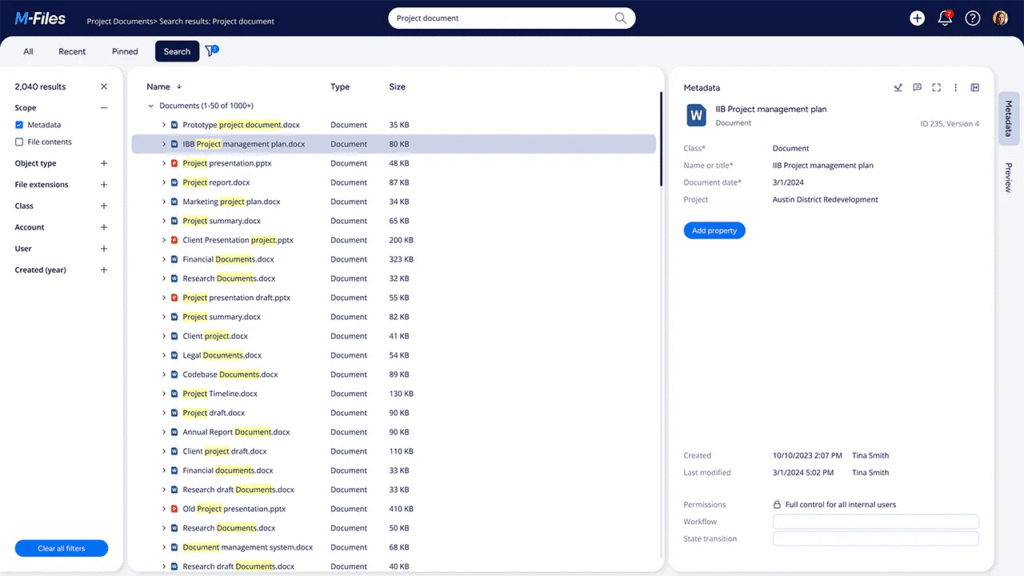
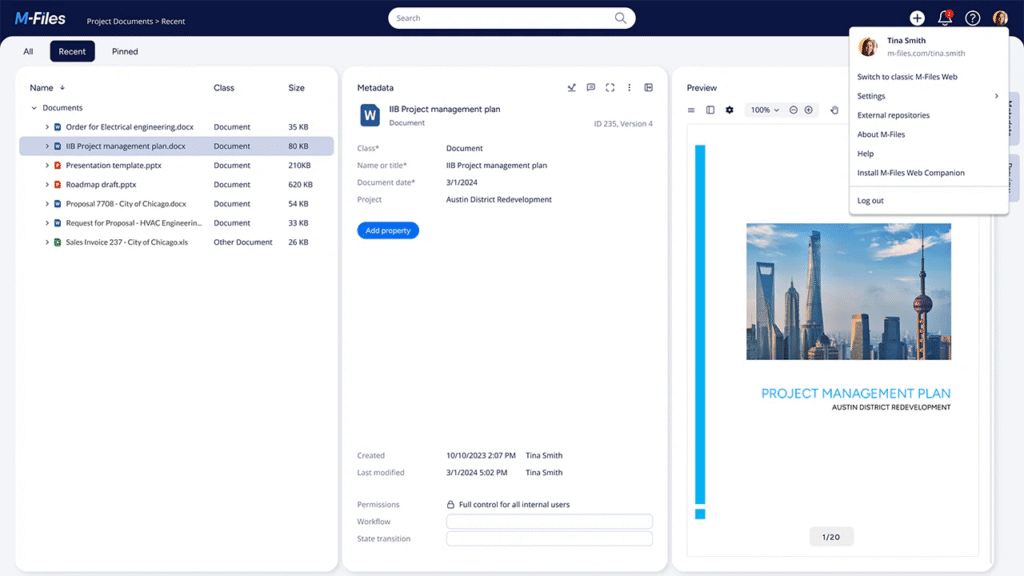
Its interface resembles Windows File Explorer, meaning most users can adapt quickly without steep training curves, however, many users have reported that M-Files has an outdated interface and a stepp learning curve due to the organization system.
So, if you’re looking to switch from one DMS to M-Files, take into conseration that you will have to establish entirely new governance.
M-Files Features
M-Files combines ease of use with powerful enterprise-grade features. Its core strengths include:
Metadata-based organization
As you can probably imagine, this is M-Files’ most characteristic feature.
Files aren’t stored in fixed folders but categorized by properties such as document type, project, client, date, or approval status.
This allows the same document to appear under multiple searches without duplication. For organizations struggling with overlapping folders, this approach can feel transformative.
However, it requires cultural change, as you will have to consistently tag files with metadata for the system to work effectively.
AI-powered document capture
M-Files uses OCR and AI to extract key information from invoices, contracts, and other structured documents, then auto-suggests metadata.
Over time, it uses machine learning to learn from user corrections and becomes more accurate.
This reduces manual data entry and speeds up high-volume document processing, though the setup phase requires effort to train the AI effectively.
Workflow automation
M-Files includes a visual workflow builder for automating processes like approvals, notifications, and document routing.
Non-technical users can set up simple workflows, while more advanced organizations can manage multi-stage approval chains.
It integrates with tools like DocuSign for e-signatures, though its automation features aren’t as advanced as full Business Process Management (BPM) platforms.
User interface and usability
One of M-Files’ biggest advantages is usability.
The desktop interface looks similar to Windows File Explorer, reducing the learning curve.
Most users can start working with minimal training. The mobile app is equally streamlined, offering full functionality on smartphones and tablets.
This makes adoption easier compared to other enterprise DMS platforms with clunky or complex UIs.
Integrations
M-Files integrates with widely used business tools such as Microsoft Office, Google Workspace, Salesforce, SharePoint, and Adobe products. This ensures files remain accessible within the applications people already use daily, improving adoption and minimizing disruption.
M-Files has a native integration with the Microsoft package including Microsoft Copilot, Microsoft 365, Sharepoint, Excel, Word, PowerPoint, Outlook, and Teams.
Emails, attachments, and files can be saved directly into M-Files with metadata applied automatically, while Copilot enhances productivity with AI-powered insights and search.
5 best alternatives to M-Files
Users enjoy M-File’s powerful search and discovery functions and enjoy its document storage.
However, there are some challenges that M-Files can present including disciplined metadata tagging, outdated development environment, and high pricing.
If these are challenges you with to avoid or are currently experiencing, you may be interested in discovering 5 alternatives to M-Files that can take care of your document management and storage without M-Files’ challenges.
Product
Best Feature
Who It’s For
Indexing / Search
Automation / Workflow
M-Files
Metadata-driven tags
Organizations with heavy document overlap, compliance needs, who want to move away from rigid folder structures. Mid-to large-size.
Full metadata + full-text + OCR; intelligent search across multiple contexts.
Visual workflow builder; rules-based routing; AI suggestions; automated notifications and conditional approval chains.
Dokmee
Full customization in security and workflws
Businesses that want ECM/DMS functionality but with less disruption. Departments or small-to-mid sized orgs.
Good search + metadata; OCR capture for scanned documents; full-text capabilities.
Workflow automation; practical automation; rules based triggers. Less of a steep conceptual shift.
Workflow tools; lifecycle / retention automation; document sharing / collaboration; some automation of approvals etc.
1. Dokmee
Rating ⭐⭐⭐⭐⭐
G2 4.5/5 | Capterra 4.7/5
Overview
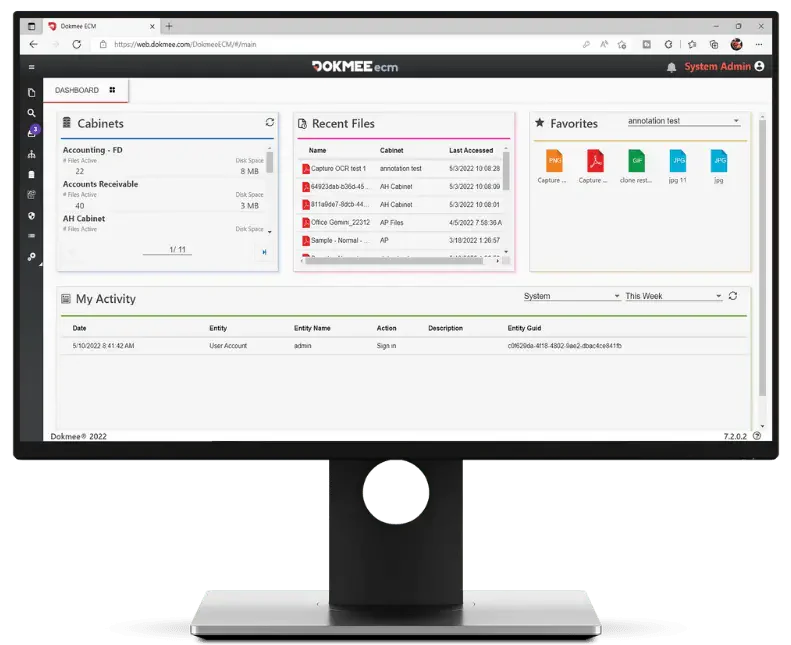
Dokmee is a DMS and ECM system that is built with a granular subscription so you include only what you need in your plan.
Dokmee offers (in all plans) fully customizable document storage with advanced indexing, metadata tagging, version control, roles and permissions, and workflow automation.
Additionally you can include OCR document capture, ECM capabilities, electronic forms, AI Chatbot software, page counter…
Dokmee aims to provide powerful document handling tools but with a gentler learning curve than strictly metadata-first systems.
When should you choose Dokmee over M-Files?
If your team already has a strong and effective folder structure in place. With Dokmee you can keep your folder navigation system alongside metadata.
If cost is a concern for smaller deployments. Entry plans are usually cheaper than M-Files in smaller user count scenarios.
If you want faster deployment with less retraining of staff. Additionally, you can begin your deployment with a hybrid implementation to guarantee a seamless transition.
If you work in regulated industries, such as healthcare, governments, etc.
If you need advanced workflows that triggers actions so your whole team can collaborate easily.
2. Laserfiche
Rating ⭐⭐⭐⭐⭐
G2 4.7/5 | Capterra 4.5/5
Overview
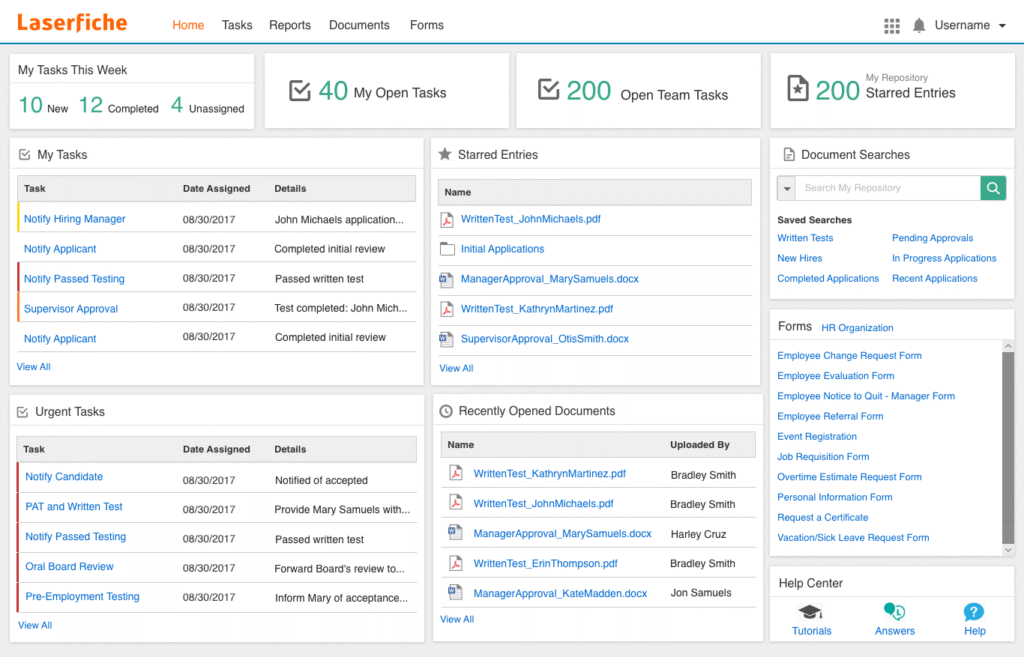
Laserfiche is an ECM that is focused around process automation and governance. This tool is designed for larger organizations that have multi-stage process and strict regulations.
With Laserfiche you can build workflows such as employee onboarding or insurance claims, and include automation and e-forms.
It is ideal for environments that rely on clear rules and structured procedures.
However, this tool has an added complexity and cost, so if you’re looking for simple file storage, this may not be the tool for you.
When should you choose Laserfiche over M-Files?
If your organization operates in highly regulated industries, requires strong compliance or needs workflow templates.
If you prioritize support, vendor stability, and lower hidden costs.
If you can’t afford to waste time building metadata schemas from scratch.
3. DocStar
Rating ⭐⭐⭐⭐
G2 3.8/5 | Capterra 4/5
Overview
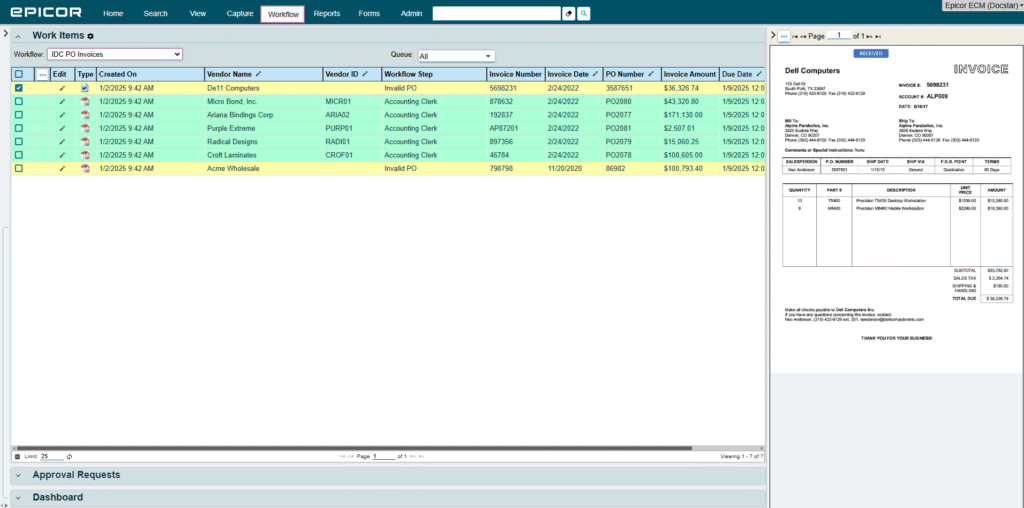
DocStar is an ECM desgined for medium an large enterprises that need strong file storage but also document capture, automation, compliance, and integrations with ERP systems.
DocStar offers a centralized system to manage different content types through data capture, workflow automation, and strict compliance controls.
It’s a good options for manufacturers or healthcare providers who process thousands of invoices across many locations.
DocStar works well in multi-department environments where content must trigger simultaneous workflows across HR, legal, finance, and operations, ensuring accuracy, compliance, and process efficiency.
When should you choose DocStar over M-Files?
If you need very heavy integration into accounting systems (ERP, AP etc.).
When audit, retention, and regulatory tracking are major drivers.
If the documents processed are high-volume, scanned, and need strong OCR + indexing.
If you already have internal IT capabilities to handle setup and customization (often steeper implementation).
4. FileHold
Rating ⭐⭐⭐⭐⭐
G2 4.6 | Capterra 4.7/5
Overview
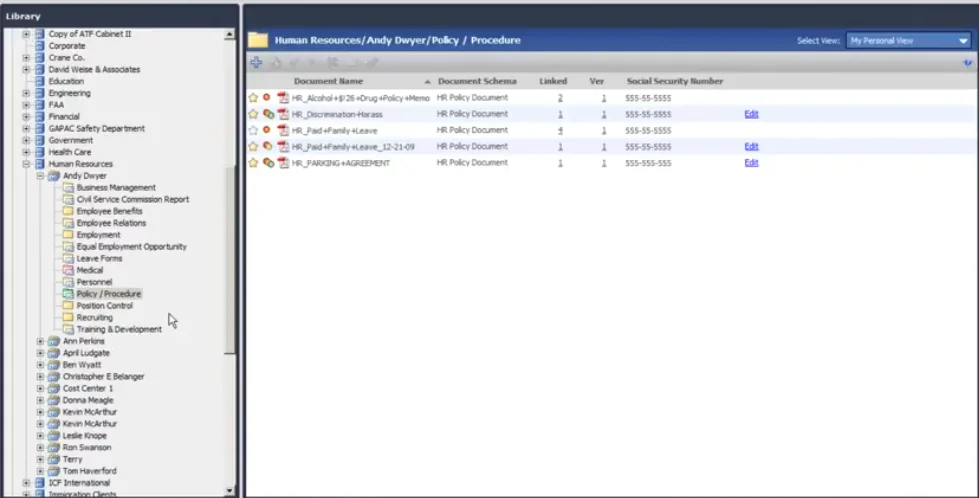
FileHold is a classicc DMS that can be implemented on the cloud or on-premises. IT is better suited for smaller businesses who want to digitize their files without needing irrelevant and overly-complicated features.
It supports repository automation (automatic importing, repository carve-outs), OCR, and workflows, although less based on metadata than M-Files.
FileHold offers hierarchical document libraries with granular metadata tagging, role-based access, and full version history. It also has retention schedules and automated archiving.
Workflow automation is built into the tool, allowing users to design and manage documents with multi-step approvals, compliance checks, or contract reviews.
When should you choose FileHold over M-Files?
If you prefer folder structures or want a hybrid model rather than fully metadata-centric.
If you have a mid-sized business and want strong document management without the larger conceptual shift or training burden.
If you want more predictable pricing for smaller user counts.
5. DocuShare
Rating ⭐⭐⭐⭐
G2 4.5/5 | Capterra 4.3/5
Overview
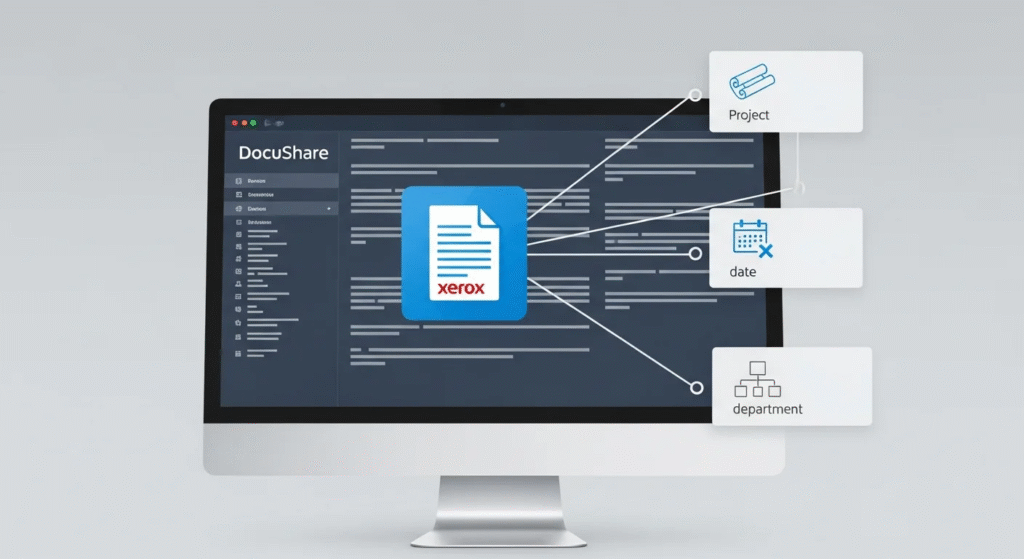
DocuShare (by Xerox) is an ECM that evolved from a basic DMS that can be implemented on-premise and on the cloud.
It manages your company’s content with document retention, tagging, scanning and imaging, sharing, and collaboration.
DocuShare is designed to scale from small businesses to global enterprises, DocuShare is best suited for organizations that need secure, centralized content management and are willing to work within a structured, enterprise-grade system.
When should you choose DocuShare over M-Files?
When you have large archival or retention needs.
When you want a solution from a vendor with experience in large-scale content and imaging workflows.
When your budget or internal resources favor more conventional DMS/ECM structures rather than investing heavily in defining metadata schemas.
If existing infrastructure or workflows align better with the way DocuShare handles lifecycle, archival, and content sharing.
So, what DMS do you need?
Whatever industry you’re in, you need a DMS that can effectively manage your documents throughout their entire lifecycle.
Your DMS or ECM should also support automated workflows to ensure that your whole team can work together, even if they are working remotely.
Lastly, choose a DMS or ECM that can scale with your business. Bonus points if you it offers granular subscription so you can add features and tools as you need them.
While M-Files is a solid choice, Dokmee includes all of these features.


 Christina Miranda


 Christina Miranda
  Christina Miranda