Complete DocuShare Review for 2026
Written by Christina Miranda · Reviewed by  Dokmee
This DocuShare review breaks down its key features, including intelligent capture, AI search and insights, workflow automation, archival solutions, real user feedback, and comparison with Dokmee.
If your organization already relies heavily on Xerox printers and scanners, you may have already considered DocuShare as your document management system.
The platform is designed to connect document capture with storage, indexing, search, and workflow automation, giving Xerox users a way to move paper-based processes into a digital environment.
But how well does it work beyond the Xerox ecosystem? This DocuShare review looks at the platform from both sides, including its capabilities, user experience, pricing, and alternatives.
What is DocuShare?
DocuShare is Xerox's ECM platform, but its approach reflects the company's long history in document technology.
DocuShare is designed around the idea that business information should be captured as soon as it enters the organization, regardless of whether it originates on paper or in digital form.
This philosophy is most apparent in the platform's intelligent capture capabilities. Documents can enter DocuShare from Xerox multifunction printers, desktop scanners, monitored folders, email inboxes, or business applications.
Once captured, the platform uses AI-assisted extraction to identify the type of document, recognize important business information, and assign metadata before routing it to the appropriate repository or workflow. Instead of asking users to manually upload, rename, and file every document, much of that process happens automatically.
With DocuShare documents can move through configurable workflows, be secured with role-based permissions, and remain searchable through both full-text search and metadata, allowing users to retrieve information without navigating deep folder structures.
DocuShare remains integrated within Xerox's document ecosystem.
Organizations that already use Xerox multifunction printers can scan directly into DocuShare, reducing the number of manual steps between receiving a paper document and making it available digitally. At the same time, integrations with Microsoft 365 and other business applications allow digital documents to enter the same repository through everyday workflows.
DocuShare focuses on creating a consistent process that simplifies document capture and organization from the moment it arrives to the organization.

Who is DocuShare for?
DocuShare is best suited to organizations that manage a steady flow of business documents and want to replace manual, paper-based processes with more structured digital workflows.
Although DocuShare states that the platform is suited for businesses of all sizes, including SMBs, it's generally best suited to midsize and large organizations where multiple departments need secure access to shared content.
DocuShare is a good fit for:
Organizations that are transitioning from paper records to digital document management
Businesses that use Xerox multifunction printers and scanners
Human resources departments managing employee records and onboarding documents
Government agencies, educational institutions, and healthcare providers that need secure document storage and controlled access
DocuShare, however, is not the best fit for everyone. For example:
Individuals or freelancers who need simple cloud storage
Teams that already manage documents effectively through Microsoft 365 or Google Workspace
Organizations looking for highly customized enterprise workflow or business process management platforms
If your biggest challenge is finding files or replacing paper-based processes, DocuShare offers a structured approach to managing documents from the moment they're captured.
If your needs are limited to storing and sharing files, a cloud storage platform or lightweight document management system will likely be a more practical and cost-effective option.
If you find DocuShare is not, in fact, the right fit for you, check out the best alternatives.
DocuShare's best features
DocuShare offers many of the features you would find in any ECM platform in order to manage all of your organization’s content from the moment it arrives.
Some standout features include:
Intelligent capture
DocuShare's Intelligent Capture is designed to reduce manual document indexing rather than simply convert paper into searchable PDFs.
Documents can be captured from Xerox multifunction printers, desktop scanners, monitored folders, email inboxes, or uploaded directly through the web interface.
Once imported, the platform uses OCR together with AI-powered extraction to identify the document type and extract relevant business information.
Data can also be extracted from handwritten documents and be indexed and included in their appropriate file.
For example, when processing an invoice, DocuShare can recognize fields such as the supplier, invoice number, purchase order number, invoice date, and total amount. Instead of requiring users to manually rename the file or complete metadata fields, the extracted information is used to classify the document, populate metadata, and prepare it for the next step in the workflow.
AI search and insights
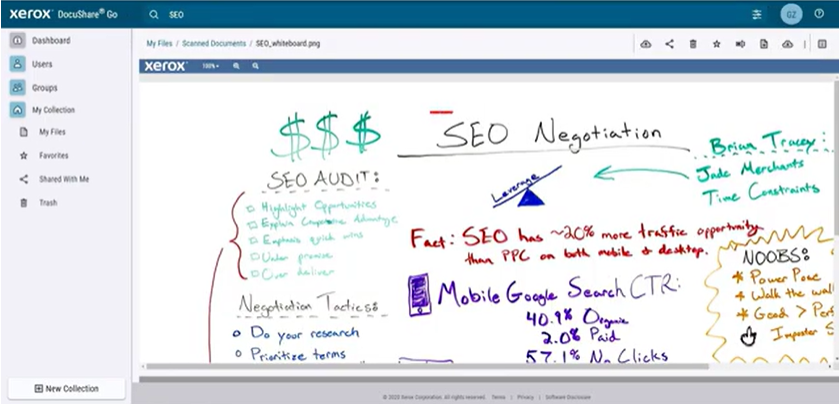
AI search and insights allows users to search using natural language instead of relying only on filenames or exact keywords.
The platform can generate concise summaries of lengthy documents, highlight important information, and answer questions based on a document's contents before you open the file.
This can be particularly useful when reviewing contracts, policies, reports, or other long-form documents where finding specific information manually would be time-consuming.
These capabilities complement DocuShare's existing full-text search and metadata filtering.
Workflow automation
DocuShare uses document events and metadata to automate business processes once information has been captured.
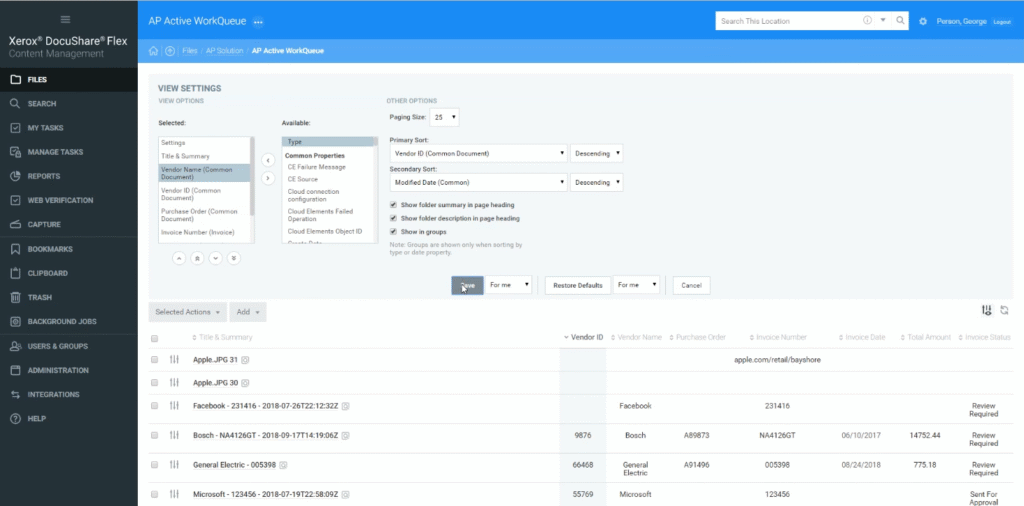
Documents move through configurable stages based on business rules. Metadata such as document type, department, invoice amount, or approval status can determine who receives the document next, whether additional approvals are required, or when reminders and notifications should be sent.
A typical accounts payable workflow might automatically capture an invoice, extract supplier information, route it to the appropriate manager for approval, notify finance once approved, and archive the completed record without requiring employees to manually move documents between folders.
The workflow engine supports approvals, notifications, reminders, escalations, and parallel routing, making it suitable for common document-centric processes.
While most standard workflows can be configured without software development, more sophisticated business processes typically require planning and administrative configuration.
Go archival scan solution
For organizations with extensive paper archives, Xerox offers the Go archival scan solution, a cloud-based service built on DocuShare Cloud. It's designed to simplify the process of converting paper records into searchable digital documents.
Documents are scanned using Xerox multifunction printers or compatible devices before being uploaded to a centralized repository. During capture, OCR creates searchable text, allowing users to retrieve archived records without manually searching through physical filing systems.
The solution is aimed at organizations that need to preserve historical documents while reducing paper storage, improving accessibility, and making archived records easier to search.
Unlike DocuShare's intelligent capture, which extracts business data to support ongoing workflows, the Go Archival Scan Solution focuses primarily on digitizing and preserving existing paper records for secure, long-term access.
DocuShare user reviews
⭐⭐⭐⭐
G2 4.0/5 | Capterra 4.3/5 | Software Advice 4.3/5
User reviews paint DocuShare as a capableECM platform with a well-rounded feature set for document storage, search, workflow automation, and access control.
Many reviewers appreciate its ability to centralize business documents and manage information securely, particularly in organizations with established document management processes.
The most common criticisms relate to usability and scalability. While users generally view the platform as reliable, some report that performance can decline as document repositories grow or workflows become more complex.
Pricing is another recurring concern, particularly for organizations planning larger deployments or additional user licenses.
Although DocuShare does not personally disclose pricing, it is esteemed to start at a $220 monthly rate for base plans.
✔️ Pros
Reliable search and document retrieval
Workflow automation for common document approval processes
Granular user permissions and access controls
Desktop and web access for managing business documents
Straightforward administration for day-to-day document management
✖️ Cons
Performance may slow when managing large document repositories or complex workflows
Navigation can become cumbersome
Filtering and search refinement could be more flexible
Licensing costs can become expensive as organizations add more users
Pricing is not publicly available
Some users feel the interface is outdated
DocuShare vs Dokmee
DocuShare and Dokmee both provide enterprise document management capabilities, but they prioritize different areas of the document lifecycle.
DocuShare places a strong emphasis on document capture, Xerox device integration, and structured business processes. On the other hand, Dokmee focuses on flexible deployment, AI-assisted document management, and complete customization.
Feature | DocuShare | Dokmee |
|---|---|---|
Deployment | Cloud and on-premises | Cloud, on-premises, and hybrid |
Document Capture | Intelligent Capture with OCR, AI extraction, and Xerox scanner integration | OCR, barcode recognition, zonal OCR, and AI-assisted indexing |
Search | Full-text search, metadata search, AI Search & Insights | Full-text search, metadata search, AI Search, and AI Document Summary |
Workflow Automation | Rule-based document workflows, approvals, notifications, and routing | Visual workflow designer with configurable approvals and automation |
Records Management | Built-in records management, retention policies, and audit trails | Retention policies, audit trails, and document lifecycle management |
Electronic Forms | Integrated digital forms | Digital forms and workflow integration |
Integrations | Strong integration with Xerox devices, Microsoft 365, and business applications | Microsoft Office, Outlook, SharePoint, APIs, and third-party business applications |
DocuShare is best suited to organizations with established document processes, particularly those already invested in the Xerox ecosystem. Its strengths lie in intelligent document capture, structured workflow automation, and records management.
Dokmee is a better fit for organizations that need a more intuitive document management experience with faster deployment and less administrative overhead. It offers AI-powered search, document summaries, flexible deployment options, and user-friendly workflow tools.
Find the right fit for your document strategy
DocuShare is a mature ECM platform with a clear focus on document capture, workflow automation, and records management.
It delivers the most value to organizations that process large volumes of business documents, particularly those already using Xerox devices and looking to digitize paper-heavy workflows. However, implementing and managing the platform often requires more planning, configuration, and investment than simpler document management solutions.
For many businesses, the decision comes down to how documents fit into everyday operations.
If your organization needs deep integration with the Xerox ecosystem and enterprise-grade document governance, DocuShare is a solution worth considering.
However, if your priority is an intuitive UX, faster deployment, flexible deployment options, and AI-assisted document management, it's worth comparing platforms that take a different approach, such as Dokmee.