What is Document Scanning Software? Best Tools With Integrated Capture
10 Dec. 2025
6 min read
By Christina Miranda
Still scanning documents manually? Explore the top DMS solutions with integrated document scanning software and OCR to reduce errors, and simplify document management.
While most documents are created and shared online, 90% of organizations still handle some sort of physical documents that need to be scanned and imported into your document management system.
For some, this means having to invest in additional document scanning software.
Smarter teams use scanning or capture software fully integrated into their DMS that allows them to immediate action without extra steps.
What is document scanning software?
Document scanning software is a tool or app that helps you convert any physical document into a PDF or other format of electronic document.
This process allows you to store your documents in the same format on the cloud, on your servers, or in your document management system where it can then be used and added into your workflows.
The software essentially captures an image of the document using a scanner, multifunction printer, or mobile device. It then processes the image to ensure readability.
The more advanced tools include more than simple image scanning. They include Optical Character Recognition, auto-cropping, image cleanup, document splitting, and metadata tagging.
OCR technology converts the scanned image into editable, searchable text.
This allows users to search within documents, copy and paste text, and integrate the content into digital workflows. OCR is essential for document-heavy environments such as accounting, legal, healthcare, HR, and compliance-driven industries.
Advanced scanning software can automatically identify key information, such as invoice numbers, dates, client names, or totals, and categorize documents without manual input.
This significantly speeds up retrieval and reduces human error.
Most scanning tools follow a simple workflow:
Capture the document using a scanner, multifunction printer, or mobile device.
Convert the scanned file into a standard format, usually PDF or TIFF.
Apply OCR to recognize text within the image and convert it into searchable data.
Save or export the file to a computer or cloud location.
DMS with Built-In Document Scanning
There are many standalone document scanning systems such as Adobe, for example, however, these tools usually can only import the document into your server leaving you to then send it into the platform (or platforms) where you need.
The solution here is choosing a DMS or ECM that has a built-in and fully integrated document scanning feature. Bonus points if it also includes OCR.
This means that as you import your physical document it can be automatically indexed and routed into its appropriate file and workflow.
Standalone apps require users to download files locally and manually upload them into the DMS. This increases the chance of files being misplaced, saved in the wrong folder, or never imported at all.
Integrated scanning ensures that documents go directly from the scanner into the correct location inside your DMS.
Guarantees version control
In a separate app workflow, employees may upload multiple versions or create accidental duplicates.
Integrated tools maintain a single source of truth, with each new scan or update captured in your DMS’s version history, keeping collaboration clean and organized.
Simplifies team collaboration
Documents scanned directly into the DMS can be immediately viewed, edited, routed, or shared with team members.
Standalone scanning tools require manual transfer steps that slow down workflows and create fragmentation across systems.
Best document scanning software
Although there are many useful tools, we will be analyzing the best document scanning software that is already integrated into DMS or ECM platforms.
These systems allow you to scan, classify, store, and collaborate on documents in one unified environment, without switching tools or risking data loss.
Below are some of the top platforms offering integrated scanning and OCR capabilities.
Use Case / Organization Type
Recommended DMS
Small / medium business; needs easy scanning + search + lightweight workflows
Folderit, Dokmee
SMB or mid‑size firm; needs balance of features, workflows, moderate compliance
Dokmee, DocuShare
Legal / finance / professional services that need strong security, client‑centric document organization, remote work
NetDocuments
Mid‑size to large enterprise, regulated industry, heavy document volumes, compliance, process automation
Laserfiche, DocuShare, Dokmee (with full modules)
Organizations that need audit trails, version control, records retention, complicated approval workflows
Laserfiche, DocuShare
1. Dokmee
Dokmee is an advanced DMS and ECM with separate a document capture product that natively integrates with your platform.
It allows you to scan and import paper files directly into the system. Its advanced OCR technology instantly converts scanned documents into searchable and editable digital files, making retrieval and indexing significantly easier.
Because the scanning tools are fully integrated into the DMS, you can immediately categorize files, assign metadata, apply security rules, or route documents into automated workflows.
Dokmee also supports live document editing, annotations, and e-signatures, this means you can easily collaborate and take action on documents without leaving the platform.
Best for: small to medium‑sized businesses (SMBs) and organizations that want a balance between cost, flexibility and core functionality; also those who want to avoid overpaying for features they don’t use.
Features
Document capture, scanning / OCR, indexing, metadata tagging, search, version control, workflow automation, and audit trails
Flexible deployment
Integration with common enterprise tools
Mobile access available
✔️ Pros
Accurate scanning, OCR, indexing, and full‑text search
Highly customizable workflows
Modular architecture
Multilingual interface
✖️ Cons
Simple interface
Built‑in reporting and analytics are limited compared with heavy enterprise‑grade ECM tools
2. NetDocuments
NetDocuments offers a cloud-first DMS with integrated capture tools that can digitize paper documents and store them securely in its centralized repository by connecting your scanner to the system.
With automatic OCR, all scanned documents become fully searchable, enabling quick retrieval and efficient organization.
It also provides strong compliance features, version control, and workflow automation, making it a preferred choice for legal, financial, and professional services firms that rely heavily on secure document processes.
Best for: legal firms, financial services, consulting agencies, or any organization with client‑ or case‑centric workflows and high demands on security/compliance.
Features
Full-text search
OCR for scanned or imported documents
Integrations with productivity suites
✔️ Pros
Security, compliance and governance
Reliable full‑text search
Organization around “workspaces”
Good scalability
✖️ Cons
As a cloud-only solution, performance can lag
Interface, while functional, may feel less modern or intuitive
Licensing and subscription costs can be expensive
Specialized for professional services
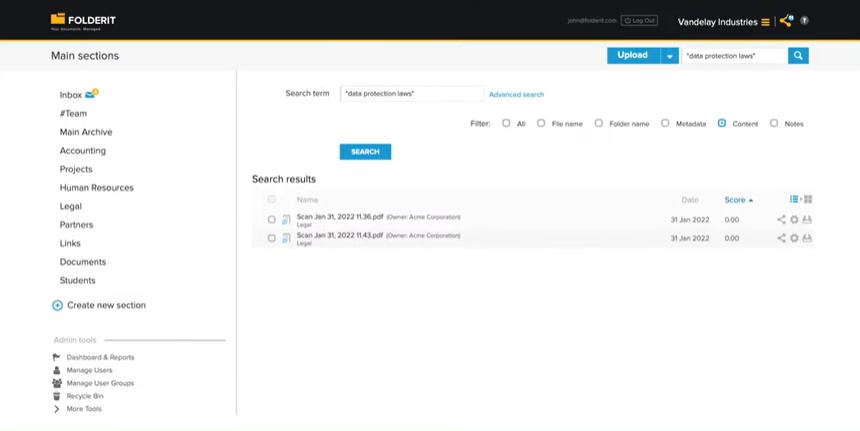
3. FolderIt
Folderit is a user-friendly DMS designed for small and medium-sized businesses.
It supports direct document scanning, allowing you to upload physical documents straight into predefined folders or workflows. OCR is applied automatically to create searchable PDFs, making navigation and organization simple.
With features like approval workflows, metadata tagging, retention policies, and access controls, Folderit helps you keep digitized documents secure and well-organized without the need for additional scanning apps.
Best for: small to medium companies or teams needing an easy-to-use DMS with scanning and basic workflow features; good fit for smaller-scale operations without heavy compliance or high volume demands.
Features
Direct document scanning
Upload / import
OCR
Auto-indexing
Metadata tagging
✔️ Pros
Simple and intuitive
Quick deployment and lower complexity
✖️ Cons
Lacks advanced enterprise‑level features
Falls short in automation
4. DocuShare
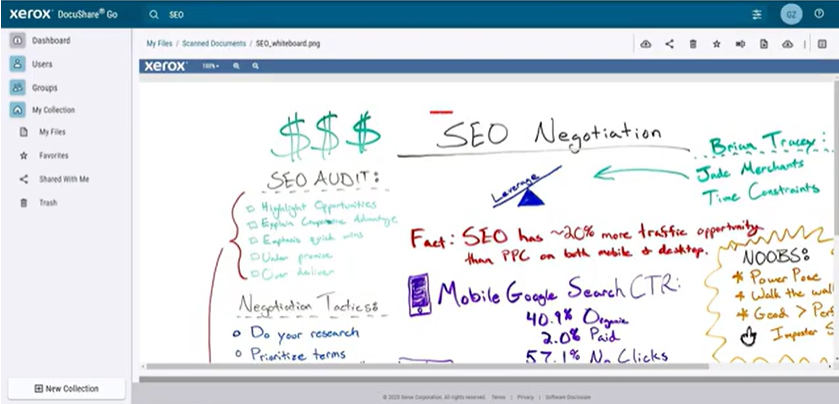
DocuShare is an ECM platform by Xerox printers that provides strong document capture and scanning capabilities.
You can scan documents right into the system through multifunction devices or desktop scanners, with OCR used to identify and extract text.
The platform offers workflow tools, version control, metadata management, and role-based permissions.
Its integration with Xerox hardware makes it especially appealing to organizations that already rely on multifunction printers.
DocuShare also includes searchable handwriting capture.
Best for: organizations that require robust records management, compliance, auditability, and document‑centric workflows.
Mid-sized to large companies, enterprises, or institutions with moderate to high document volumes.
Features
Metadata‑driven indexing and search, version control, audit trails, and document sharing
Document capture and scanning (via scanners or multifunction devices)
Offers flexibility in deployment
✔️ Pros
Advanced search and metadata-driven organization
Strong version control and audit trail
Secure access management
Mobile and remote access
✖️ Cons
Workflow builder and customization for complex processes can get technical
For heavy document volumes or frequent simultaneous users, performance may suffer
Integration capabilities are limited for specialized business systems
5. Laserfiche
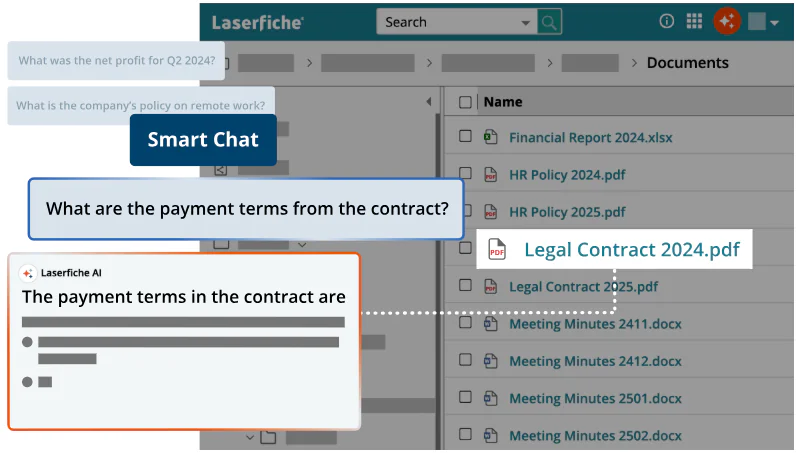
Laserfiche is an ECM platform with strong document capture, data extraction, and workflow automation capabilities.
Its integrated scanning tools allow documents to be captured from scanners, email, or mobile devices, with OCR applied to produce fully searchable content.
Laserfiche also includes document classification and metadata assignment, that can organize and index large volumes of documents with minimal manual effort.
Best for: large organizations, public institutions, regulated industries (healthcare, government, finance), or any setting needing robust governance, compliance, automation, and ability to handle high-volume document flows.
Not suitable for smaller organizations or simple use‑cases
Licensing and implementation costs tend to be high
Do you need document scanning software?
In most cases, the answer is yes.
But how can you assess if you need a standalone document scanning software or a DMS with integrated document capture and OCR technology?
Choose document scanning software if:
You don’t mind downloading documents locally
Have a very small team
Handle a very small amount of physical documents
In other cases, it could lead to misplaced documents, tough version control and slow collaboration.
Choose a full DMS if:
You need seamless team collaboration
You need to organize your documents efficiently
You have complex workflows
You can’t afford to waste time jumping between apps
If you’re looking for a solution that combines advanced scanning, OCR, intelligent indexing, secure storage, and workflow automation (all in a single, easy-to-use system) Dokmee is built exactly for that.


 Christina Miranda


 Christina Miranda
  Christina Miranda