What is Automated Data Extraction in Document Management
Written by Christina Miranda · Reviewed by  Dokmee
Manual data entry slows down workflows and introduces transcription errors as document volumes grow. Automated data extraction solves this by instantly identifying and organizing key fields like invoice numbers and dates. This transforms buried file data into searchable, secure assets.
Invoices, contracts, application forms, and other business documents contain information your team needs to act on. Finding that information manually takes time, especially when it is spread across thousands of files.
Automated data extraction uses software to identify relevant details and make them available for indexing, search, and further processing. Modern document management systems can go further, combining OCR and intelligent document processing with AI-powered search to help you find answers across your document collection.
What is automated data extraction?
Automated data extraction uses software to identify specific information within a document and capture it in a usable format.
Depending on the document and the technology involved, that information includes a name, date, amount, invoice number, contract term, keyword, or piece of text.
For example, imagine your accounts payable team receives 5,000 invoices.
Someone could open each invoice and manually enter the vendor name, invoice number, invoice date, due date, amount, and purchase order number into a system. With automated data extraction, document capture software can identify those fields, extract the information, and associate it with the relevant document.
The information you extract can take several forms. A system may capture structured fields such as an invoice total, text from a scanned document, entities such as people or organizations, metadata such as document type and date, or broader context that helps you find and understand information later.
That makes automated data extraction particularly useful in document management. Once information has been captured and indexed, you can organize large collections of documents and retrieve the information you need without opening files one by one.
Automated vs. manual data extraction
The difference becomes more noticeable as your document volume grows.
Manual extraction | Automated extraction |
|---|---|
A person reads each document | Software identifies relevant information |
Information is entered manually | Fields can be captured automatically |
Processing slows as document volume increases | Large volumes can be processed more efficiently |
Manual entry can introduce transcription errors | Validation can help identify extraction errors |
Information buried in documents can be difficult to find | Extracted information can be indexed and searched |
Automated data extraction doesn't stop at document capture
Extracting predefined fields is useful when you know exactly what information you need. But what happens when you have thousands of documents and want to answer a question that spans the entire collection?
AI-powered document search can help you retrieve information on demand, even when you haven't created a separate metadata field for every detail you want to find.
Imagine asking your DMS: “Find all invoices above $10,000 that have been paid in 2026.”
To answer, the system needs to identify invoices, find their amounts, and determine their payment status and relevant dates across multiple documents. You can then locate the records that match your criteria without opening each file individually.
The difference comes down to how you request the information.
With predefined extraction, you might capture the invoice amount from every invoice as it enters the system. With AI-assisted search, you can ask a question about your existing documents and retrieve information that matches the conditions you've specified.
Dokmee's AI Search allows you to ask questions in natural language and find relevant information across your document collection, making existing records easier to search and analyze.
This extends the value of automated data extraction beyond the initial capture process. You can retrieve specific details, investigate information across multiple files, and find answers without having to anticipate every search requirement when documents are first added to your DMS.
How automated data extraction works in document management
Automated data extraction typically happens as part of a wider document management workflow. A document enters the system, its contents are made readable, the document is identified and relevant information is extracted and indexed. Depending on the type of document and the technology available, AI can then help you search, interpret, or summarize that information.
Here’s what that process can look like.
1. Capture the document
First, the document needs to enter your document management system. It might arrive through a scanner, email, file upload, digital form, or an integration with another business system. Existing electronic documents can also be added directly to the repository.
At this stage, the DMS brings documents into a central environment where they can be processed, organized, and retrieved. The format matters, too. A digitally created PDF already contains machine-readable text, while a scanned invoice may be little more than an image until the system processes it.
2. OCR converts images into text
Optical character recognition allows software to recognize characters within scanned documents and images and convert them into machine-readable text.
For example, OCR can turn the text on a scanned invoice into information that software can read and process. That gives the system access to the words and numbers on the page.
OCR has a specific job, though: it recognizes text; it does not necessarily understand what that text means.
A scanned invoice might contain the words “Total Due” followed by “$12,450,” but recognizing those characters alone does not tell the system that $12,450 is the invoice total. Further processing is needed to identify the role and context of the information.
3. Classification identifies the document
Once the content is readable, the system can determine what type of document it is.
A document management system might classify files as:
invoices
contracts
purchase orders
medical records
application forms
employee documents
Classification gives the system useful context for the next stage. An invoice has different fields and indexing requirements from a contract, for example. Knowing the document type helps the system determine which information matters and how it should be organized.
4. Intelligent document processing extracts relevant information
For more complex documents, document management platforms can use intelligent document processing to identify and extract information. IDP can bring together OCR, document classification, machine learning, and AI to process documents that may not follow a single predictable template.
For example, invoices from different vendors can use different layouts while containing many of the same types of information. IDP can help identify the relevant fields even when their position on the page changes.
5. Extract and index the information
The system can then associate the extracted information with the document and store it as metadata or searchable fields.
For an invoice, that might look like:
Vendor → Invoice number → Date → Amount → PO number → Payment status
You can use those fields to organize documents and retrieve them later. A user looking for a particular vendor's invoices, for example, can search using the extracted information rather than relying on the document's filename or remembering where it was filed.
This is where extraction starts to become particularly useful within a DMS. Information that was previously buried inside individual files can become part of a searchable document collection.
Automated data extraction and document security
Automated data extraction makes information easier to access, but that access needs clear boundaries.
Documents often contain financial records, employee details, patient information, and confidential business agreements. Your DMS should ensure that extracting or searching this information doesn't expose it to people who aren't authorized to see it.
Look for role-based permissions, access controls, and audit trails that help you manage who can view documents and track relevant activity.
These protections should also apply to AI-powered search and extraction. If an employee doesn't have permission to view a confidential HR file, they shouldn't be able to retrieve its contents by asking an AI tool a question.
Aside from internal authorization, you should understand how your platform processes and protects document data, including whether information leaves your controlled environment when AI features are used.
Dokmee's AI capabilities are designed to work within a permission-aware document management environment, helping organizations use AI while maintaining document access controls.
What technologies are used for automated data extraction?
Automated data extraction relies on different technologies depending on the document format, the information you need, and how much variation exists between files. A DMS may combine several of these technologies within a single workflow.
Technology | What it does in document extraction |
|---|---|
Optical character recognition (OCR) | Converts text in scanned documents and images into machine-readable content. |
Document classification | Identifies document types, such as invoices, contracts, and application forms, so the system can process and organize them appropriately. |
Template- and rule-based extraction | Captures predefined fields from documents with predictable layouts, using set positions, patterns, or validation rules. |
Intelligent document processing (IDP) | Combines technologies such as OCR, classification, and AI to extract information from documents with varying layouts and levels of complexity. |
Machine learning | Recognizes patterns in document content and helps systems classify files or identify relevant fields across different formats. |
Natural language processing (NLP) | Helps software identify entities, relationships, and meaning in human language, including information that doesn't appear in predefined fields. |
Generative AI | Helps users interpret document content, summarize long files, and ask questions about information contained within a document collection. |
These technologies have overlapping roles, and their capabilities depend on how a platform implements them.
For example, IDP can incorporate machine learning and NLP, while a DMS may combine traditional extraction with AI-powered search and summarization.
The key distinction is that OCR makes document text readable to software, while AI can help interpret that content and respond to questions about it. OCR might recognize a contract's renewal date; an AI-powered tool could help you find contracts renewing within the next 90 days or summarize the relevant renewal terms.
Automated data extraction use cases in document management
Automated data extraction is particularly useful when your organization handles large volumes of documents that contain recurring information. In a DMS or an ECM platform, extracted data can support indexing, retrieval, reporting, and everyday business processes.
You can apply data extraction to different situations, these are simply four examples.
Invoice and accounts payable processing
Accounts payable teams often receive invoices in different formats, from digitally generated PDFs to scanned paper documents. Each one contains information that someone needs to capture, check, and route for processing.
Automated extraction can identify fields such as the vendor name, invoice number, invoice date, due date, total amount, and purchase order number. The DMS can associate these details with the original invoice, making it easier to search by vendor, date, or amount.
For example, if a finance team needs to investigate an invoice from a particular supplier or find invoices above $10,000, indexed fields can narrow the search considerably. When payment information is available in a connected system or recorded in the documents, that information can also help the team identify invoices that need follow-up.
Contract data extraction
Contracts contain information that remains important long after an agreement is signed. Renewal dates, notice periods, fees, termination provisions, and contractual obligations can all affect business decisions, but finding those details across hundreds of agreements can be time-consuming.
Automated extraction can identify key fields such as the contracting parties, effective date, expiration date, renewal terms, contract value, and relevant clauses.
The DMS can index this information alongside the original agreement, giving legal, procurement, and finance teams a more practical way to retrieve contract details.
Consider a procurement team reviewing its supplier agreements before the next quarter. The team could search for contracts approaching renewal within 90 days, then review the relevant notice periods and termination clauses to determine which agreements need attention.
AI-powered search and summarization can support the review by locating relevant provisions or summarizing termination terms across selected contracts. The original wording should remain available for verification, especially when a decision depends on the precise language of an agreement.
Healthcare document management
Healthcare organizations handle varied records, including patient intake forms, referral letters, laboratory reports, insurance documents, and discharge summaries. These records can contain a mix of structured fields and information embedded in paragraphs or scanned pages.
Automated extraction can help identify details such as patient identifiers, provider names, document dates, and relevant record categories. Once captured and indexed, these details make it easier for authorized staff to locate the correct records and organize documents across different workflows.
For example, a medical records team processing incoming referrals could use document classification and extraction to identify referral documents, capture key administrative details, and route them for review. Staff would spend less time sorting files and could retrieve the documents more efficiently.
Healthcare information requires particular care. Extraction results should be checked where accuracy matters, and access controls must protect sensitive patient data.
Forms and applications
Many business processes rely on information submitted through forms, from employee onboarding and customer applications to insurance claims and registration documents. When these arrive as PDFs, scans, or uploaded files, staff may otherwise need to re-enter the same details into another system.
Automated extraction can capture information such as names, addresses, application dates, reference numbers, and selected responses. A DMS can then index the documents using those fields, making individual applications easier to retrieve and helping teams organize incoming submissions.
For example, an HR team that needs to process new-hire paperwork could extract employee names, document types, and submission dates to organize records and identify files that require follow-up. Information can be checked against required fields, with incomplete or unclear submissions flagged for manual review.
This approach is useful whenever information arrives in document form and needs to be organized consistently. It also works alongside digital forms, which can capture structured information at the point of submission and reduce the amount of extraction required later.
What to look for in automated data extraction software
When evaluating automated data extraction software, start with the documents your organization handles and what you need to do with the information inside them. A platform that captures invoice fields can be enough, but if you’re looking for advanced data extraction, you will need a platform that can search contracts, summarize reports, and, basically, retrieve the information you need at any given time.
So look out look for these capabilities when choosing your DMS platform.
OCR and document capture
Can the platform process scanned documents, images, and digital files?
Check whether it can convert scanned content into searchable text and handle the formats your team receives regularly.
Intelligent classification and indexing
Can the system identify document types and assign relevant metadata?
Automated classification and indexing help keep documents organized and make them easier to retrieve without relying entirely on manual filing.
Structured field extraction
Can the platform capture specific fields, such as invoice numbers, dates, amounts, supplier names, and contract terms?
Check how it handles documents with different layouts and what options are available to validate extracted values.
AI-powered search
Can users search the contents of documents using natural language, or are they limited to filenames, keywords, and predefined metadata?
AI-powered search can help users locate relevant information even when they don't know the exact document name or where a detail appears.
Summarization and Q&A
Can the system summarize lengthy documents and answer questions about their contents?
These capabilities are necessary when you need to review contracts, find relevant data in reports, and gather information across different file cabinets or clients. Check whether answers link back to the source documents so users can verify the information.
Human validation
Can users review and correct extracted information when needed?
Look for validation rules, review workflows, or confidence indicators where available. This matters when incorrect values could affect payments, compliance, or contractual decisions.
Security and permissions
Do extraction, search, and AI features respect existing document permissions?
Check how the platform protects sensitive information, logs relevant activity, and handles data when AI features process document content.
Integration with business workflows
Can extracted information support the processes your team already uses?
Depending on your requirements, this might mean connecting document records with finance, HR, procurement, or other business tools like you CRM or ERP. Also consider whether digital forms can capture structured information at the point of submission.
How does Dokmee support automated data extraction?
Dokmee is a DMS with 20 years of experience in document management that still strives to keep up with the higher demands of buisness’ contet management.
The platform combines document capture, organization, and AI-powered information retrieval in a single system. This gives you several ways to work with information, from making scanned files searchable to finding relevant details across an existing document collection.
Document capture and OCR helps you bring paper records, scanned files, and electronic documents into accessible file cabinets. OCR converts text in scanned documents into machine-readable content, providing a foundation for indexing and retrieval.
AI Search and AI Chat extend how you retrieve information after documents have been stored. AI Search helps you find relevant content through natural-language queries, while AI Chat lets you ask questions about document content. Both features are useful when you need to locate a specific detail or understand information without manually opening every file.
Document summarization helps users identify key points in longer documents, reducing the amount of material they need to read in full before deciding what requires closer attention. Source documents remain important for checking details and confirming context.
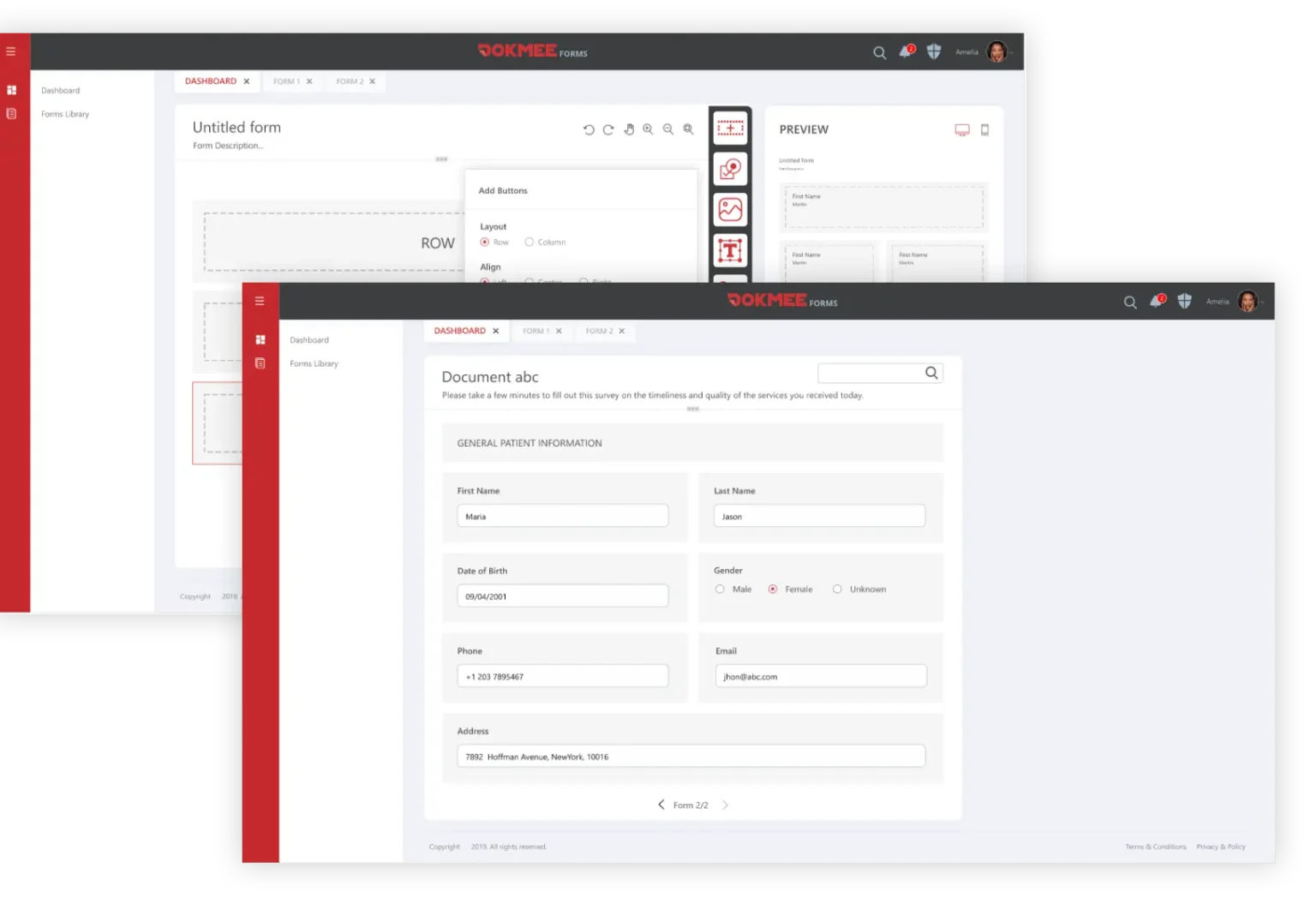
eForms collect information in a structured format at the point of submission, digital forms can reduce manual re-entry and complement extraction from existing documents.
AI-powered indexing helps organize documents and their associated information, making records easier to categorize and locate. Combined with centralized document management, this supports more consistent access to information across large document collections.
Security matters throughout this process. Dokmee's permission-aware AI capabilities are designed to respect document access controls, helping your organization make information more accessible to authorized users while protecting confidential records.
Dokmee supports a broader document information lifecycle: capture documents, make their contents searchable, organize records, retrieve relevant information, and use AI to help interpret what those documents contain.
Essentially, Dokmee takes over the meaningless extraction, so you can work on the meaningful tasks.
The future of automated data extraction
Data extraction has progressed from manual data entry to OCR, structured field extraction, intelligent document processing, and AI-powered search and analysis. Each development has made it easier to work with information stored in documents.
The current stages of automated data extraction use AI to search across document collections, identify relevant details, compare information, and summarize findings in response to specific questions.
For document management, this means extracting information can become part of everyday work, from locating supplier contract terms to reviewing financial records across multiple files. Accuracy, source verification, access permissions, and human review will remain essential, particularly when decisions depend on the information retrieved.
The value of automated data extraction will ultimately depend on how reliably organizations can turn document content into information they can find, verify, and use.
Choose a platform that handles repetitive paperwork for you so you can concentrate on what bring values. Book your free Dokmee demo today.