Top 5 Electronic Form Software Solutions of 2026: Reviewed and Compared
Best electronic form software for 2025: Compare Dokmee’s secure ECM integration with Jotform, Formstack, and more for enterprise workflows.
What Is Electronic Form Software?
Electronic form software is a tool for creating and deploying digital forms. But unlike simpler online form builders that just collect submissions in a spreadsheet, such as Typeform, its primary purpose is to offer automation capabilities or integrate with a central system, like a Document Management System (DMS).
This connection allows a form submission to automatically trigger business workflows, update records, and route information without any manual intervention.
What to Look for in Electronic Form Software
A diagram comparing a simple form builder that requires manual data entry versus an integrated e-form system that automates the entire workflow.
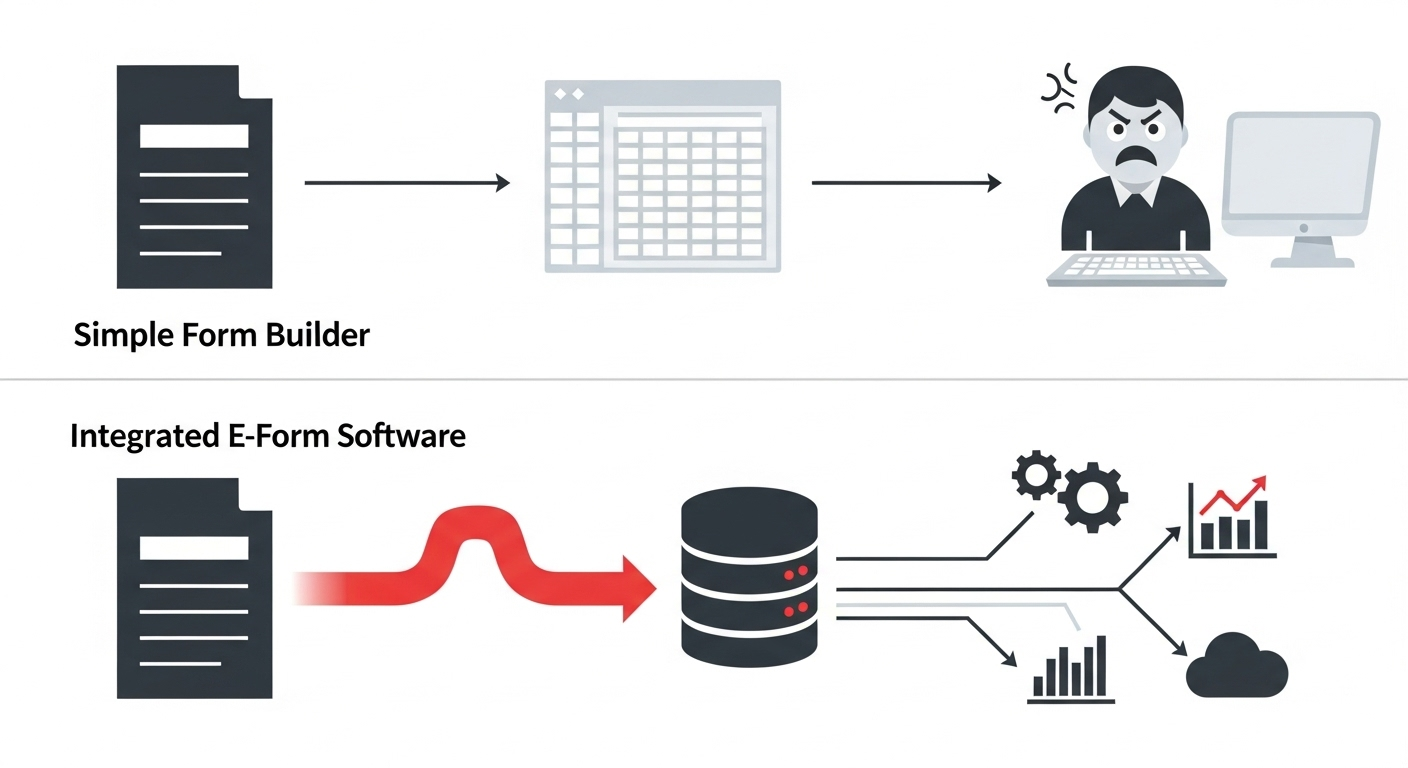
Before we review the specific tools, here are the criteria that separate basic form builders from true business automation platforms:
A drag-and-drop form builder that doesn’t require coding skills. It should allow teams to create and modify forms quickly.
The ability to trigger actions after form submission, such as routing data, sending notifications, updating systems, and creating approval processes.
Native connectivity with document management systems for secure, centralized storage and compliance.
Forms that work seamlessly across devices, especially mobile, where many users complete forms today.
HIPAA, GDPR compliance capabilities, encryption, access controls, and audit trails for sensitive data.
Built-in tools to track form performance, conversion rates, and submission data trends.
Connections with CRM, HR systems, payment processors, and workflow tools like Zapier.
Plans that scale with business needs without excessive per-form or per-user limitations.
Top 5 Electronic Form Software Tools
| Dokmee Forms | JotForm | Cognito Forms | Formstack | Zoho Forms |
|---|
Ideal Use Cases | ✓ All business sizes and industries: legal, HR, finance, healthcare, education | SMBs, nonprofits, educators | Analysts, technical users, budget-conscious teams | HR, finance, operations teams | Zoho ecosystem users, field teams |
Form Builder UI | Drag-and-drop with layout control, best for complex workflows | Intuitiv drag-and-drop | Structured, logic-heavy | Modular, workflow-centric | Clean, tabbed interface |
Automation and Workflow | ✓ Advanced routing, multi-step approvals, ECM integration | Conditional logic, basic approvals | Calculations, conditional logic | Workflow builder, approvals | Rules, tasks, email alerts |
Document Management | ✓ Native integration with Dokmee DMS, audit trails, secure archiving | PDF builder, submission inbox | Export options, encrypted entries | Data routing, conditional exports | Reports, Zoho Sheet export |
Security and Compliance | ✓ Role-based access, audit logs, HIPAA-ready, GDPR-compliant | HIPAA, GDPR | Data encryption, GPR | HIPAA, SOC 2 | GDPR, field-level encryption |
Integrations | ✓ Seamless with Dokmee ECM, cloud storage, enterprise tools | 100+ apps including Google and Paypal | Zapier,Microsoft Power Automate | Salesforce, HubSpot, Google Sheets | Zoho CRM, Desk, Campaigns |
Scalability | ✓ Designed for growth: from small teams to global enterprises | Best for small to mid-sized teams | Suitable for growing teams with technical needs | Mid-sized to large organizations | Scales well within Zoho ecosystem |
Strengths | Enterprise-grade compliance, ECM-native automation, industry-agnotic flexibility | Ease of use, rich template library | Deep logic control, affordable pricing | Workflow depth, integration range | CRM synergy, mobile-friendly |
1. Dokmee
G2 4.2 | Capterra 4.7
Best for: Organizations that require secure, integrated form workflows with complete document management
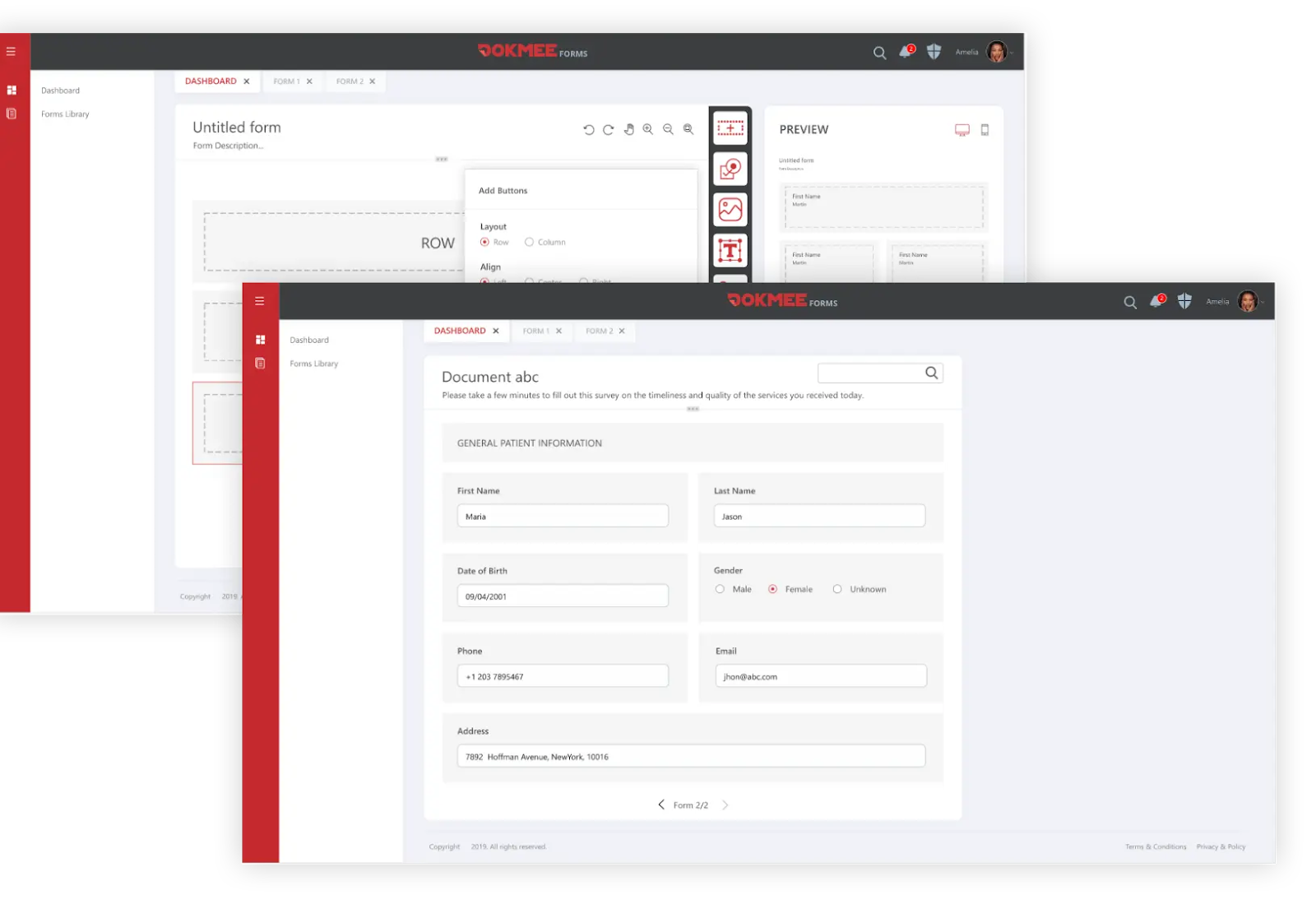
Dokmee takes a fundamentally different approach to electronic forms.
It focuses on enterprise integration instead of standalone data capture.
Instead of isolating form submissions in disconnected silos, Dokmee Forms are built to function as gateways into broader business workflows.
When paired with Dokmee ECM, each submission becomes part of a secure, automated process that includes document routing, indexing, and long-term storage.
This solves many common problems traditional form builders create. There’s no need for manual data exports, redundant entry across platforms, or patchwork security protocols.
Form data flows directly into the ECM environment.
Next, it triggers workflows, populates metadata fields, and ensures compliance from the moment of capture
✔️ Pros:
Native ECM integration and OCR technology
Complete workflow automation
Enterprise-grade security
Intelligent document classification
Advanced reporting
Completely customizable forms
✖️ Cons:
Enterprise-focused solution not ideal for casual use
Requires investment in the broader Dokmee DMS ecosystem
Higher initial setup complexity than simple form builders
Pricing: Contact us for a custom quote tailored for your business’s size and needs!
2. Jotform
G2 4.7 | Capterra 4.7
Best for: Small teams and freelancers looking for template variety.
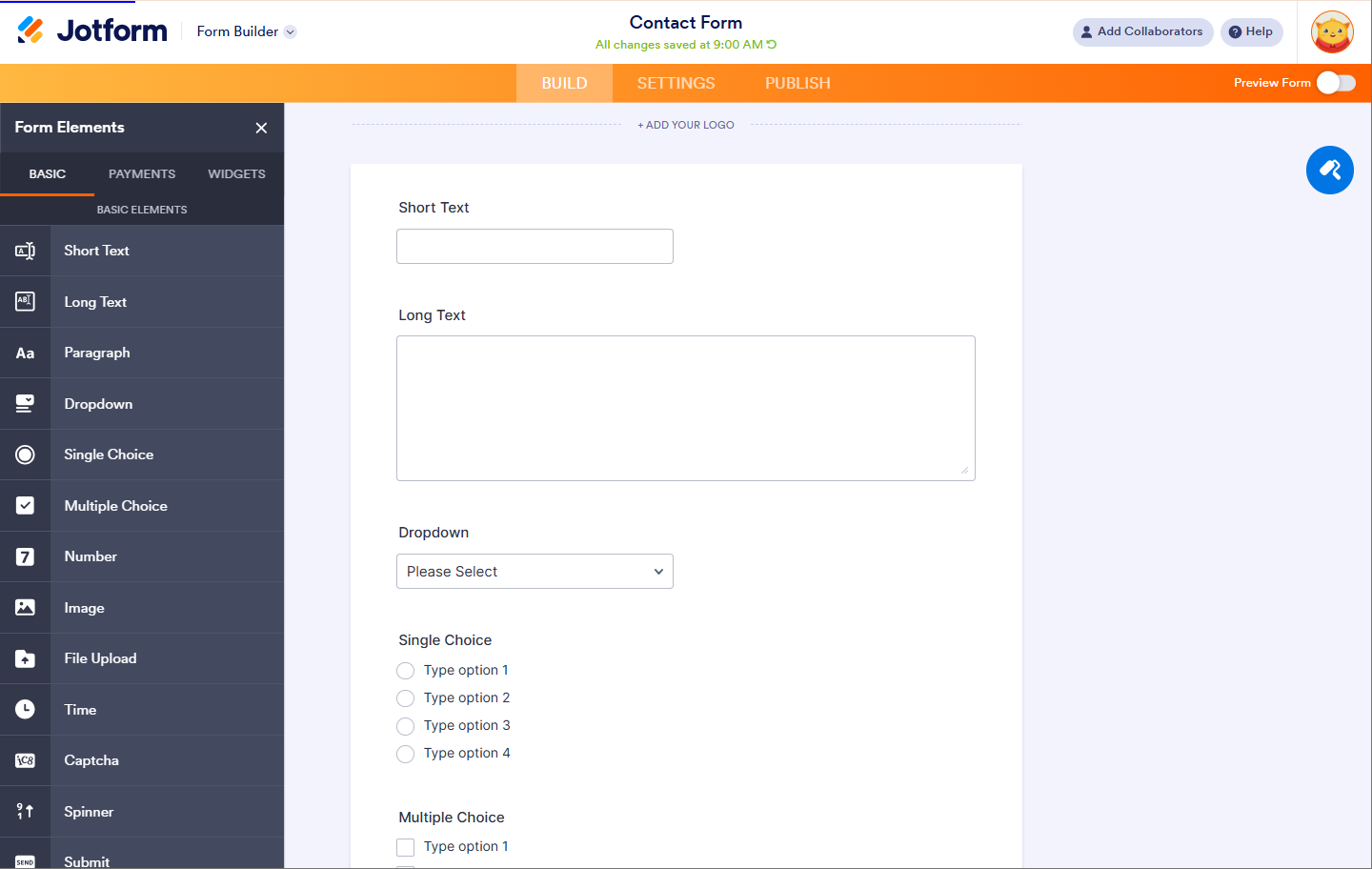
Jotform offers over 10,000 pre-built templates and a drag-and-drop interface that gets forms running in minutes. It handles practical business needs well with direct payment integrations, appointment scheduling widgets, and conditional logic that personalizes user experiences.
However, its simplicity limits serious automation capabilities. It sends basic notifications but won’t create project folders or manage complex CRM updates since it’s built for collecting information, not automating business processes.
✔️ Pros:
Template library with 10,000+ ready-made forms.
User-friendly drag-and-drop interface
Strong payment integration options
Supports more than 100 integrations with popular business apps
✖️ Cons:
Limited automation compared to enterprise solutions
No native document management system integration
Higher-tier pricing can get expensive for advanced features
Form submissions are stored in basic spreadsheet format
Pricing: A free plan is available; paid plans start at $34/month, billed annually.
3. Formstack
G2 4.3 | Capterra 4.7
Best for: Mid-sized businesses that need solid workflow automation.
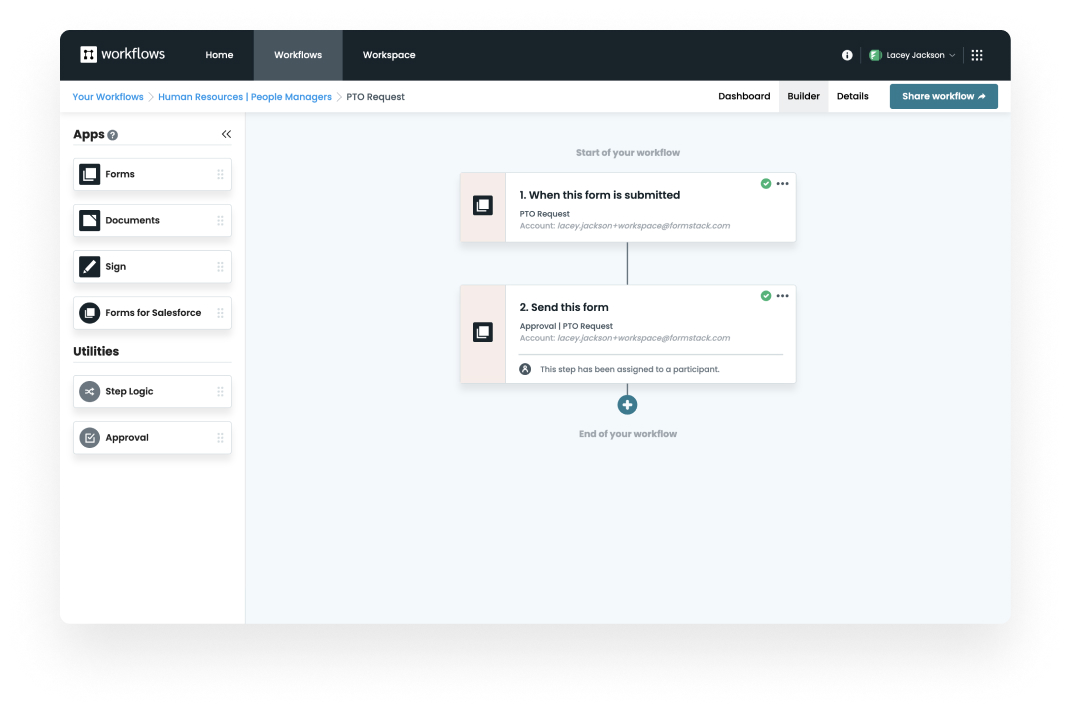
Formstack’s electronic form software showing a PTO Request workflow for human resources, with automated steps for form submission and approval routing, plus integration options like Forms, Documents, and Sign.
Formstack is the sweet spot for growing businesses that have outgrown basic form builders but aren’t drowning in enterprise budgets yet.
Its visual workflow builder creates automated approval chains and task assignments without a single line of code: customer complaints are automatically routed to the right departments while contracts generate, get signed, and file themselves away.
The platform even handles HIPAA compliance for healthcare teams who need both security and automation.
The issue is that this power comes with a learning curve that can overwhelm newcomers, and the pricing definitely reflects those premium features. It’s not the tool for simple contact forms.
✔️ Pros:
Full-scale workflow automation capabilities
Built-in e-signature functionality
Advanced task assignment and progress tracking features
HIPAA-compliant plans are available for healthcare organizations
Strong reporting and analytics dashboard
✖️ Cons:
Steep learning curve
More expensive than simpler alternatives
No native DMS integration for centralized document storage
The complex interface can overwhelm small teams
Pricing: A free plan is available. Formstack’s “Forms” is priced at $83/month, billed annually. The “Suite” plan, which includes other tools and more features, is priced at $250/month, billed annually.
Looking for a platform that combines secure document management with powerful form automation? Check out our Dokmee review to see how it integrates e-forms into a complete enterprise workflow.
4. Zoho Forms
G2 4.4 | Capterra 4.5
Best for: Organizations that already use Zoho ecosystem tools.
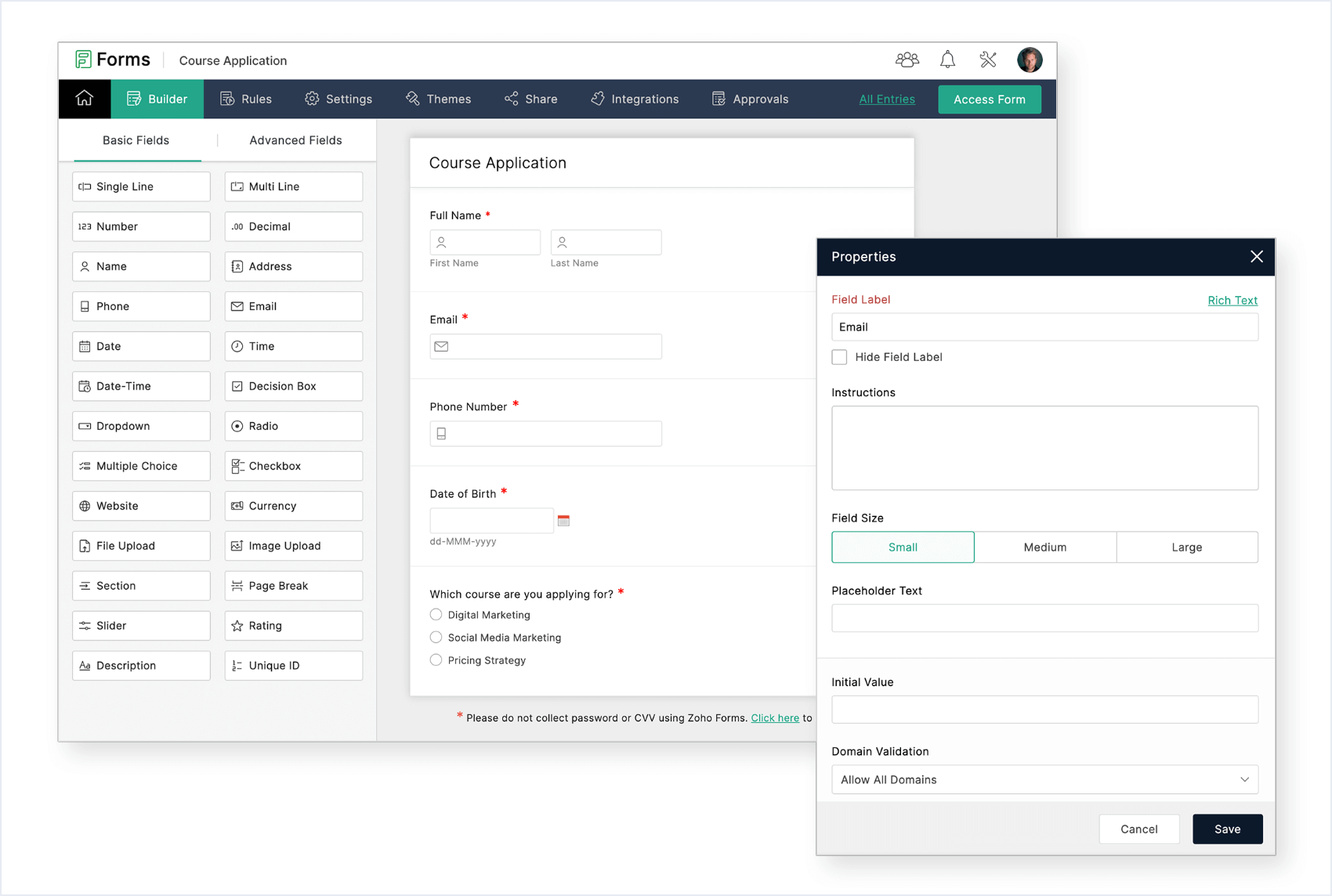
Interface of Zoho Forms electronic form software displaying a Course Application form setup, with drag-and-drop fields, workflow customization tools, and a properties panel for email field configuration
Zoho Forms makes perfect sense if you’re already living in the Zoho universe. If not, it’s an afterthought.
For Zoho users, form submissions instantly update CRM contacts, create projects, and trigger workflows without any setup headaches that plague multi-vendor solutions.
Lead capture forms automatically create tagged CRM records, while event registrations generate calendar entries and send personalized follow-ups.
The platform offers decent automation and conditional logic, but these feel basic compared to specialized tools, and the interface isn’t as sleek as competitors.
Outside the Zoho ecosystem, third-party integrations feel like afterthoughts, and the affordability advantage vanishes when you’re not using other Zoho apps.
✔️ Pros:
Native integration with Zoho CRM, Projects, and other Zoho apps
Affordable pricing within the Zoho ecosystem
Decent automation capabilities for basic workflows
Multi-language support for global teams
✖️ Cons:
Limited value outside the Zoho ecosystem
Fewer third-party integrations compared to competitors
The basic user interface lacks modern design elements
Automation features are limited
Pricing: A free plan is available; paid plans start at $7/month, billed annually.
5. Cognito Forms
G2 4.5 | Capterra 4.6
Best for: Organizations that need affordable automation with advanced calculations.
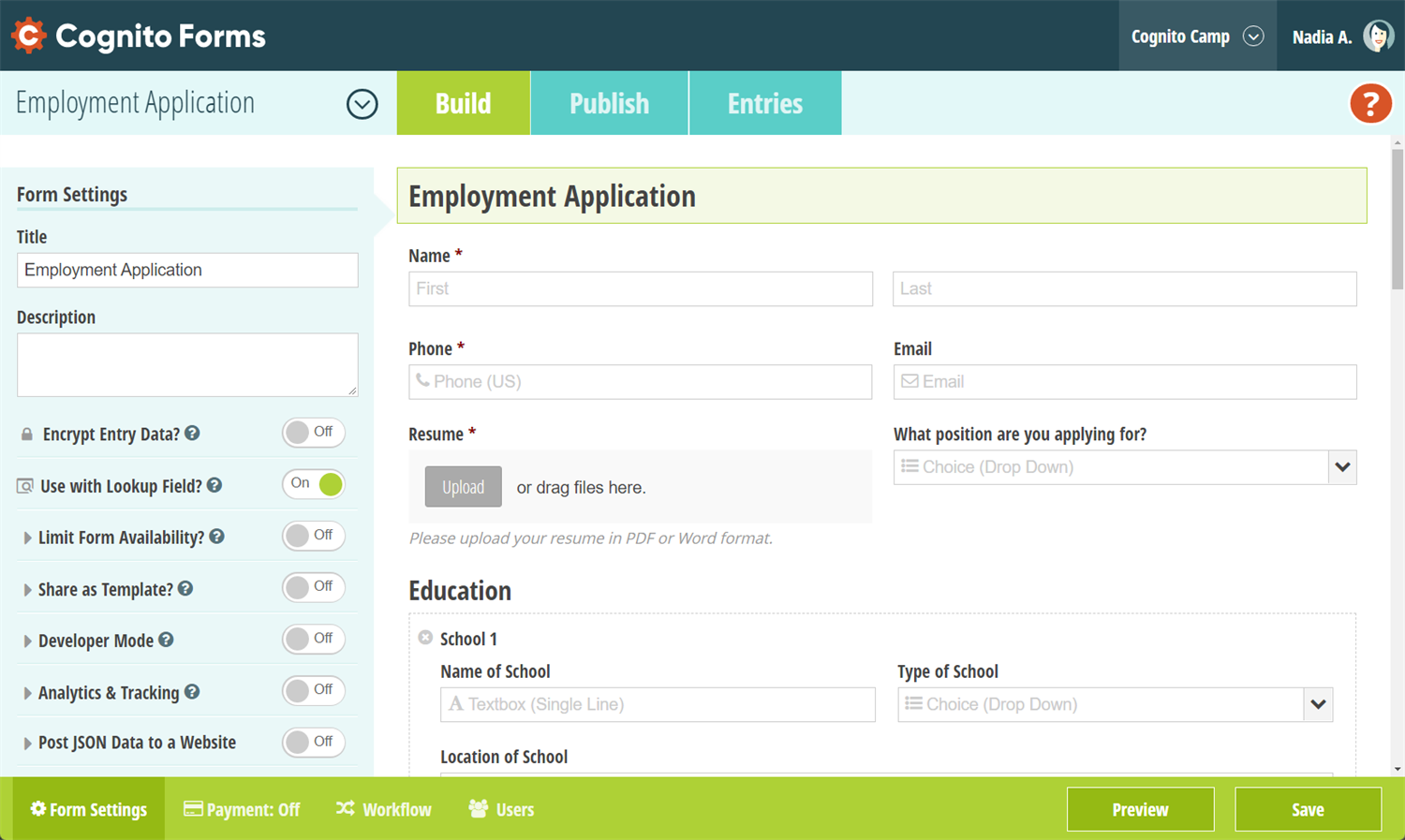
Cognito Forms employment application builder interface showing customizable fields for name, contact info, resume upload, position applied for, and education details, with advanced settings for encryption, lookup fields, and JSON data posting.
Cognito Forms is the hidden gem that brings serious competition to its higher-end alternatives.
While other platforms charge premium prices for advanced features, Cognito delivers sophisticated calculation engines, complex conditional logic, and multi-page forms at surprisingly affordable rates.
Engineers love it because the mathematical complexity it handles would break simple form builders.
Cognito offers solid workflow automation features. Form submissions can trigger approval processes, send customized notifications to different departments, and even generate PDF documents with the collected data pre-filled.
The trade-off is in presentation and user experience. The interface is functional, but it feels somewhat dated compared to design-forward competitors like Typeform. However, for organizations prioritizing functionality over aesthetics, Cognito delivers exceptional value.
✔️ Pros:
Advanced calculation and logic capabilities
Reasonable pricing for automation features
HIPAA compliance is available on paid plans
Repeat entries and multi-page form support
Good integration options for a mid-tier solution
✖️ Cons:
Unpolished user interface
Limited enterprise-level security features
No native document management connectivity
Smaller template library compared to larger platforms
Pricing: Cognito offers a free plan for a single user. After that, you can find 3 more pricing plans that range from $19 to $129 per month.
Which Electronic Form Software Is Right for You?
If your needs are simple, Jotform should be enough.
It excels at basic data collection with its intuitive interface and template library. For mid-level automation, Cognito Forms and Formstack offer great workflow capabilities.
But for complete compliance and document workflows, Dokmee’s electronic form software stands apart with its document-centric automation.
When forms are embedded in larger business processes, especially those involving sensitive data, compliance mandates, and archival needs, Dokmee’s integrated ecosystem streamlines workflows via ECM integration and reduces security risks common in multi-tool setups.
How Does Modern E-Form Software Automate Your Business?
The true power of e-forms is revealed when they’re used to automate your business processes.
Use Case 1: Onboarding a New Employee
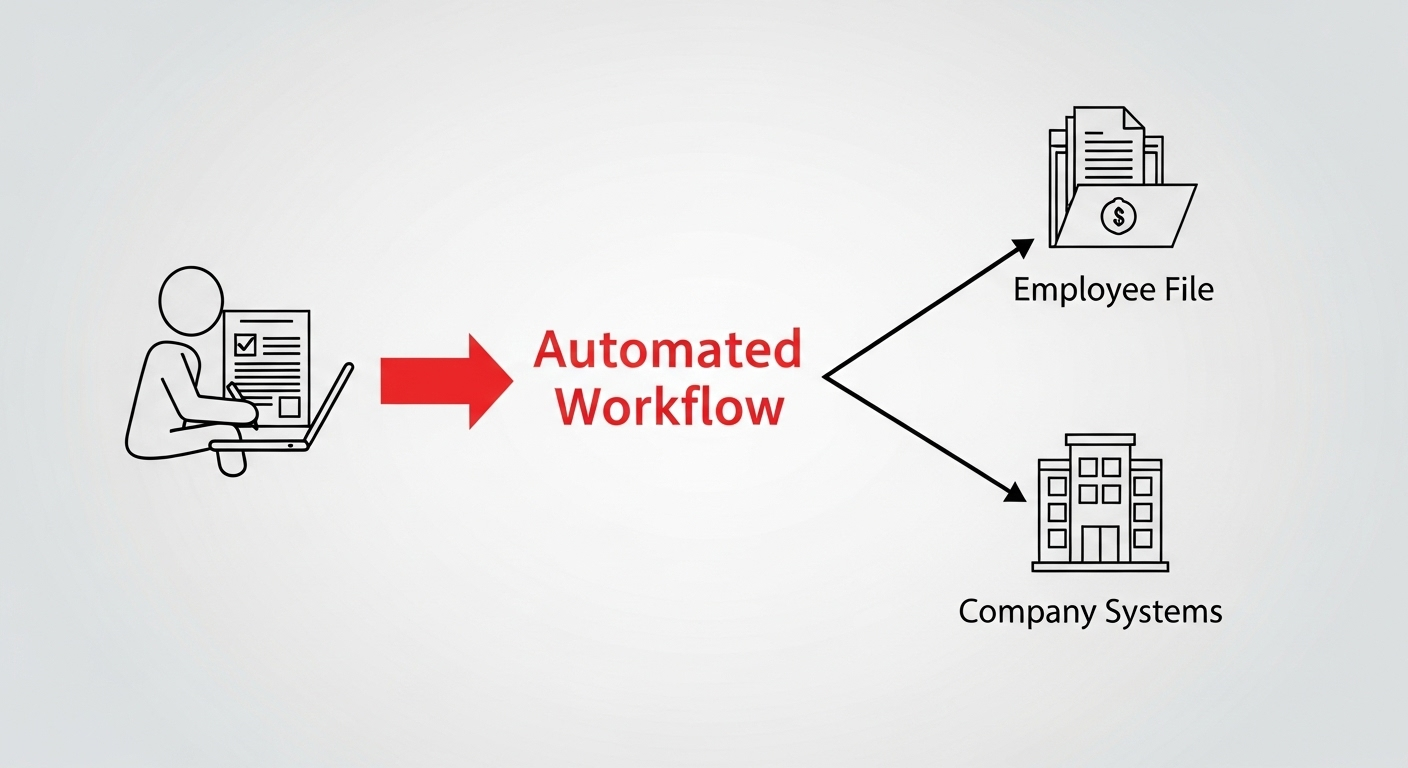
An infographic showing an automated HR onboarding process where a new hire’s e-form data automatically creates their employee file in the DMS.
Traditionally, HR has to email a new hire a pack of PDF forms. The employee fills them out and emails them back, and then an HR coordinator has to manually retype all of that information into the HR system and payroll software.
But with software with integrated e-form features, like Dokmee, the process becomes automatic:
The new hire receives a single link to an online onboarding portal.
When they submit their e-forms, the data is automatically used to create their employee profile in the DMS.
The required information is automatically pushed to the payroll system.
The completed forms are securely filed.
The HR receives a notification informing them that the process is complete.
Use Case 2: Processing an Expense Report
Your employee has to fill out an Excel spreadsheet, attach scanned copies of receipts, and email it to their manager for approval. The manager might miss the email, and there’s no way to track the approval status.
With an integrated e-form, the process is less cumbersome:
An employee fills out an expense report e-form on their mobile device and attaches photos of the receipts.
When they submit the form, it’s automatically sent to their manager for approval.
The manager can approve it with a single click.
Once it’s approved, it’s automatically routed to accounting for payment.
Use Case 3: A New Client Intake Form
When a salesperson closes a deal, they have to send the new client’s information to the operations team in an email. The operations team then has to manually create a new project file and copy over all the client details.
The process is completely different with modern e-forms software:
The salesperson fills out a “New Client” e-form and submits it.
A new client record is automatically created in the DMS.
A standard folder structure for the client’s project is automatically set up.
The project manager is notified that a new client has been onboarded
Pick the Smarter Choice in Electronic Form Software
Integration depth is a key differentiator among electronic form software. While other tools connect to various services through APIs, Dokmee Forms is a native component of a comprehensive document management ecosystem. It provides security, automation, and control that standalone form builders simply can’t match.
Ready to streamline your workflows with enterprise-grade electronic form software?
Request a free demo of Dokmee electronic form software today