How Secure Document Editing Works in a DMS
Written by Christina Miranda
Document editing is more secure and efficient with a DMS. Manage versions, collaborate seamlessly and protect business documents in one platform.
Free online editing tools save temporary convenience but expose your business to version control chaos and expensive compliance fines.
Using a DMS for document editing keeps your files in one central location where you track every change and control user permissions.
Integrating document editing inside a DMS replaces separate PDF editors, cloud storage services, and e-signature applications.
A standard DMS editing workflow uses a 4-step check-out and check-in system to prevent conflicting edits.
Public tools compromise security, while Dokmee uses enterprise-grade encryption and role-based permissions to protect files.
Choose an integrated DMS to maintain a single master file with automated, time-stamped version history.
What is document editing?
Document editing is the process of creating, reviewing, updating and approving business documents.
In dedicated DMS and ECM platforms, these tasks happen directly within the system, without downloading files or switching between multiple applications.
Originally, editing a document involved relying on separate PDF editors, e-signature platforms and cloud storage services. This created (and still does) risks that involved both security and productivity.
With the proper platforms your team can edit Microsoft Word, Excel, PowerPoint and PDF files from a single, secure location.
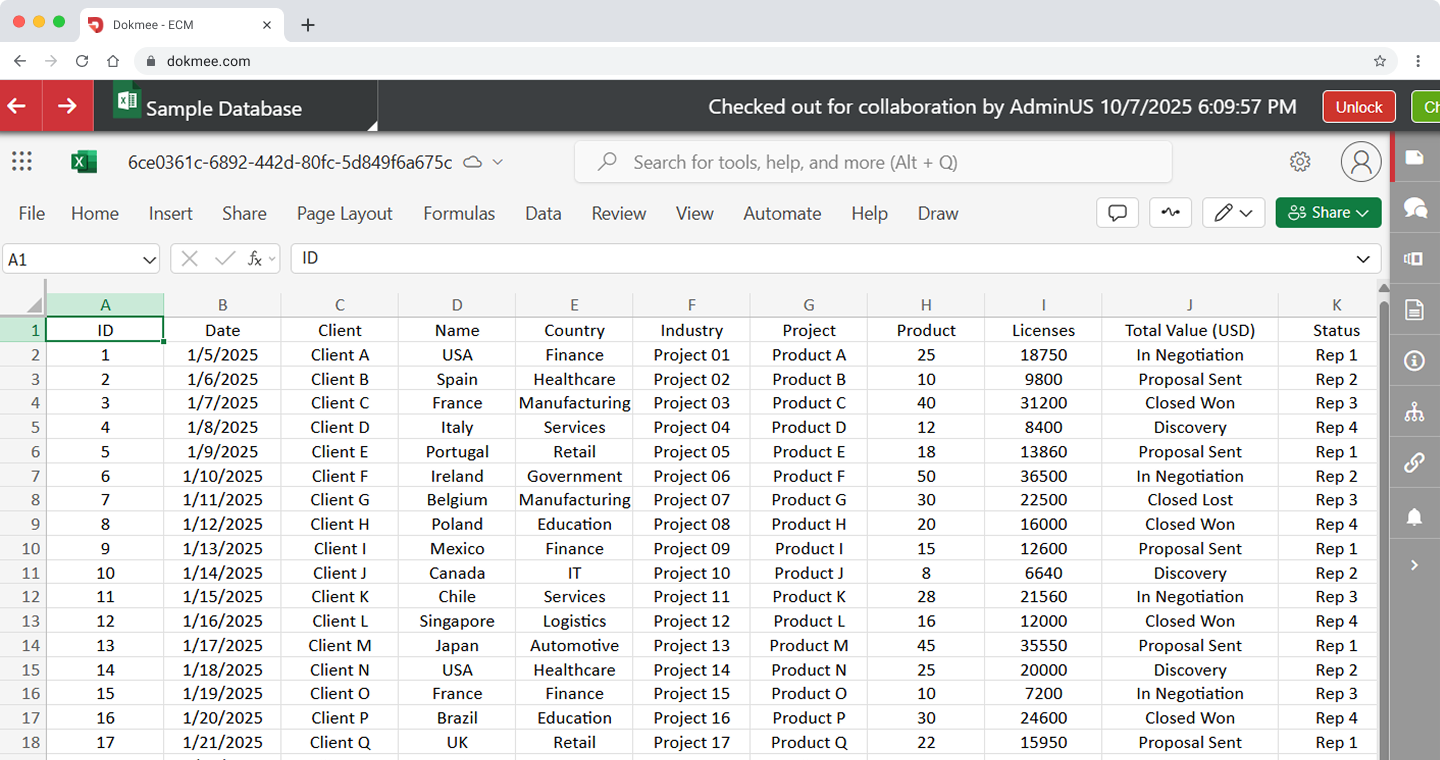
Every change is automatically tracked, previous versions are preserved, and access remains controlled during the full process.
By keeping documents in one central repository, you reduce the risk of duplicate files, improve collaboration and maintain a complete history of every edit.
Book a free demo with Dokmee to see how the Microsoft 365 integration improves efficient document editing
Benefits of editing your documents in integrated workflows
An integrated document editing workflow does more than simplify day-to-day tasks. It helps your team work more efficiently, reduces business risk, and keeps documents secure throughout their lifecycle.
Improve productivity
Editing documents from a single platform avoids having to download files, switch between applications, or search through email attachments for the latest version.
With everyone working from the same document, teams spend less time managing versions and more time getting work done. It also reduces the risk of duplicate files, conflicting edits, and costly rework.
Strengthen document security
Keeping documents within your DMS or ECM reduces the need to upload sensitive files to third-party editing tools.
Role-based permissions, encryption and activity tracking help ensure only authorised users can access or modify business-critical information.
Support hybrid working
Whether your team works from the office, remotely or across multiple locations, an integrated workflow provides secure access to documents from anywhere.
Your team can collaborate using familiar tools like Microsoft 365 while administrators retain full control over document access, version history and governance.
The hidden costs of free editing tools
Free online document editors have been used for many years, and yes, they still appear useful, but only for personal tasks that don’t involve any other external collaboration.
They’re not really designed for business document management.
As documents move between desktops, email attachments, cloud drives and third-party editing tools, it is almost too easy to lose visibility over where files are stored, who has access to them and which version is the most up to date.
What starts as a convenient workflow can quickly create security, compliance and productivity challenges.
In particular, there are three issues that can become huge drains in your organization:
Version control problems
When multiple people edit different copies of the same document, it's easy to lose track of the latest version.
Your team will then be forced to waste valuable time comparing changes, recovering overwritten work or accidentally working from outdated files.
Security risks
Uploading sensitive business documents to public online editing tools means your data is stored outside your organisation's controlled environment.
Depending on the service, you may have limited visibility into how documents are processed, stored or retained.
Compliance challenges
Many industries require organisations to save complete records of document activity.
Without audit trails and version history, proving compliance during an internal or external audit becomes much more difficult.
Compliance failures can be expensive.
In 2024, several healthcare organizations agreed to multi-million-dollar HIPAA settlements after regulators found weaknesses in security controls, risk management and audit processes.
A DMS offers several features to protect your documents:
Feature | Free Online Tools | Dokmee |
|---|---|---|
Version Control | Multiple file copies can lead to confusion and lost work. | Automatic version history with a single master document. |
Security | Limited control over where business data is stored or processed. | Enterprise-grade encryption, permissions and security controls. |
Audit Trail | Limited or unavailable. | Complete, time-stamped history of every action. |
Microsoft 365 Editing | Requires switching between multiple applications. | Edit Word, Excel and PowerPoint directly through Microsoft 365 integration. |
Access Control | Basic sharing permissions. | Granular, role-based access to documents and folders. |
4-Step Document Editing Workflow
Most document management systems follow a similar editing workflow to keep documents organised, maintain version history and ensure changes are fully traceable.
While the exact process varies between platforms (and your own needs), the basic steps are the same:
Step 1. Locate and check out the document
Start by finding the document using the platform's search or folder structure.
Before making changes, many DMS and ECM systems require you to check the document out.
Checking out a document temporarily locks it for editing, preventing multiple users from making conflicting changes at the same time.
This saves a single, authoritative version of the file while clearly indicating who is currently editing it.
Step 2. Edit the document
Once checked out, the document opens in its native application or an integrated editor, depending on the platform.
Many DMS and ECM solutions integrate with productivity tools such as Microsoft 365 or Google Workspace, allowing you to edit Word documents, spreadsheets, presentations and PDFs, or sign documents without disrupting document management or security controls.
Step 3. Save a new version
When you save your changes, the system creates a new version of the document rather than overwriting the existing file.
Most platforms also allow users to add version comments, making it easier to understand what changed and review the document's history over time.
Step 4. Check the document back in
After editing is complete, the document is checked back into the system, making it available to other authorized users.
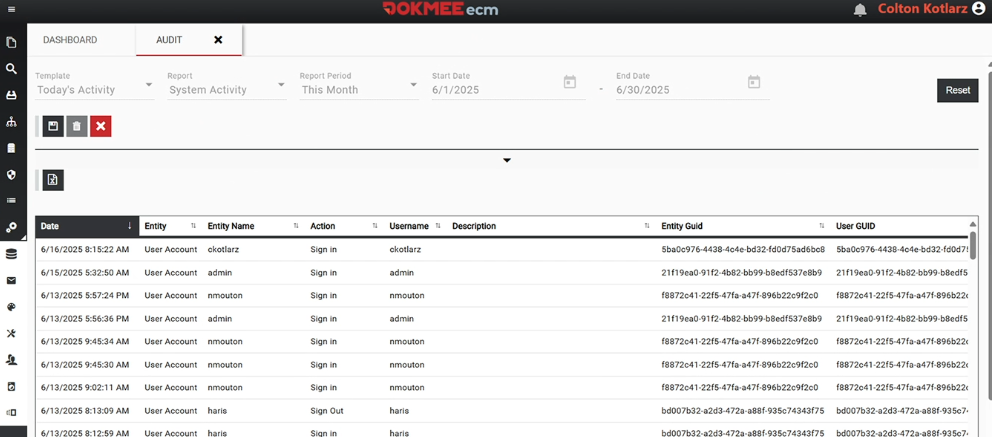
The platform records details such as who made the changes, when they were made and, in many cases, the accompanying version notes.
Combined with version history, permissions and audit trails, this helps organizations keep document integrity, accountability and compliance.
How Dokmee Simplifies Document Editing
Dokmee combines document storage, editing, version control and security in a single platform, allowing your team to work with business documents without switching between multiple applications.
Whether you're reviewing contracts, updating spreadsheets or collaborating on presentations, documents remain securely managed while every change is automatically tracked.
Edit, sign and redact PDFs
PDFs are one of the most common business file formats, but they're often difficult to update without dedicated software.
Dokmee includes built-in PDF editing tools so you can work with documents without leaving the platform.
You can:
Fill in and sign forms directly within Dokmee
Redact confidential information before sharing documents
Add annotations and comments to support reviews and approvals
Use AI to summarize documents
Edit Microsoft 365 documents
Dokmee integrates with Microsoft 365, allowing users to open and edit Word, Excel and PowerPoint files using familiar Office applications.
Instead of downloading files or emailing multiple versions, documents remain centrally managed while edits are automatically saved and versioned.
This helps teams collaborate more efficiently while maintaining complete version history.
Manage images and other digital assets
Dokmee also supports images, videos and other digital assets alongside business documents.
You can organize files using custom metadata, track different versions of creative assets and quickly locate content through advanced search, making it easier to manage marketing materials, training resources and other shared files.
Edit documents without leaving your DMS
Managing documents across multiple applications can quickly lead to duplicate files, version conflicts and security risks.
A document management system keeps editing, collaboration and version control in one place, helping your team work more efficiently while maintaining control over business-critical information.
With Dokmee you can edit documents, manage PDF workflows and track every revision without disrupting the way your team works.
Ready to simplify document editing?
Request a free demo to see how Dokmee helps you manage documents more securely and efficiently.