Full FileBound Review: Features and Real User Reviews
Written by Christina Miranda · Reviewed by  Dokmee
In this FileBound review we analyze a Upland’s cloud-based DMS and workflow automation solution with a solid electronic forms portal. FileBound is a good fit for schools and nonprofits.
In this FileBound review we analyze a Upland’s cloud-based DMS and workflow automation solution with a solid electronic forms portal. FileBound is a good fit for schools and nonprofits.
Only 19% of SMBs have chosen the correct software to digitize their business.
Why does this happen? Lack of research.
In this FileBound review we analyze this DMS and workflow automation software to help you decide if it is the right fit for your small business.
Plus, a great alternative if you decide it doesn’t fit your needs.
What is FileBound Software?
FileBound is an ECM software that belongs to Upland. It combines workflow automation and document management.
It allows you to easily capture, route, review, approve, and access documents at any time, as it is a cloud-based solution.
FileBound is typically used by nonprofits, schools, government agencies, human resources departments, and other businesses to handle accounts payable or administration.
FileBound can help you improve team collaboration by reducing manual tasks and centralizing content management.
It offers and intuitive interface, no-code workflow configuration, and cloud-based access make automation achievable for teams of all sizes.
Among its features you can find a drag-and-drop workflow builder, document storage, multimedia management, document tagging and scanning, file sharing, version control, and an eForms portal.
FileBound partners with integration and service providers to extend functionality, including Dell Boomi and various ERP, HR, and CRM systems.
Best FileBound Features
FileBound breaks features down into 3 main blocks, document management, workflow automation, and electronic forms.
Document Management
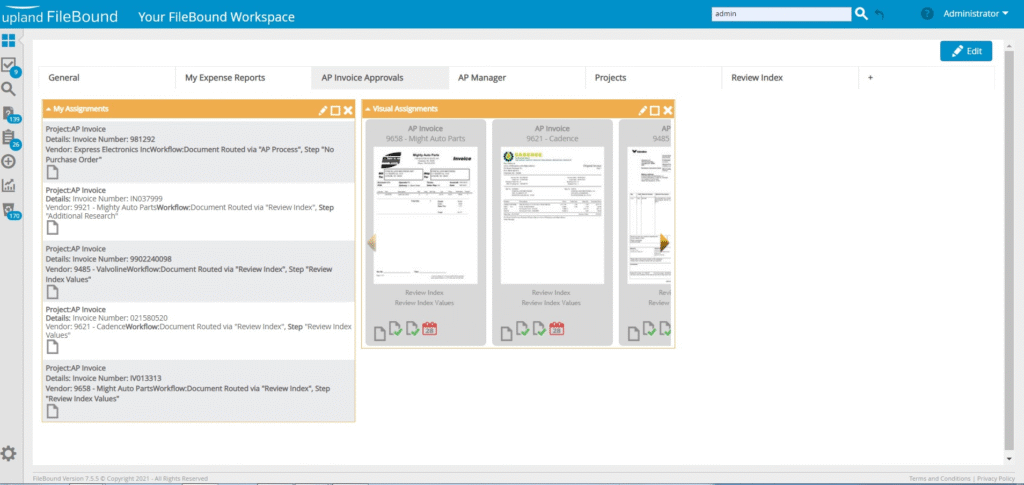
FileBound’s DMS is a cloud-based repository where you can import, manage, and access all of your documents and data.
The platform supports different file types, including scanned images, PDFs, Word documents, emails, audio, and video files.
Thanks to integration with ERPs and CRMs, you can import and retrieve data from your tool stack from one platform by using metadata-based search for quick retrieval.
It includes customizable alerts and user dashboards to keep you informed of all updates.
To protect your documents within the system, administrators can configure user permissions and access controls.
FileBound’s DMS also logs audit trails with version histories where you can track every movement.
This DMS offers a scalable, secure, and user-friendly document management solution that digitizes and protects your business’ content.
Workflow automation
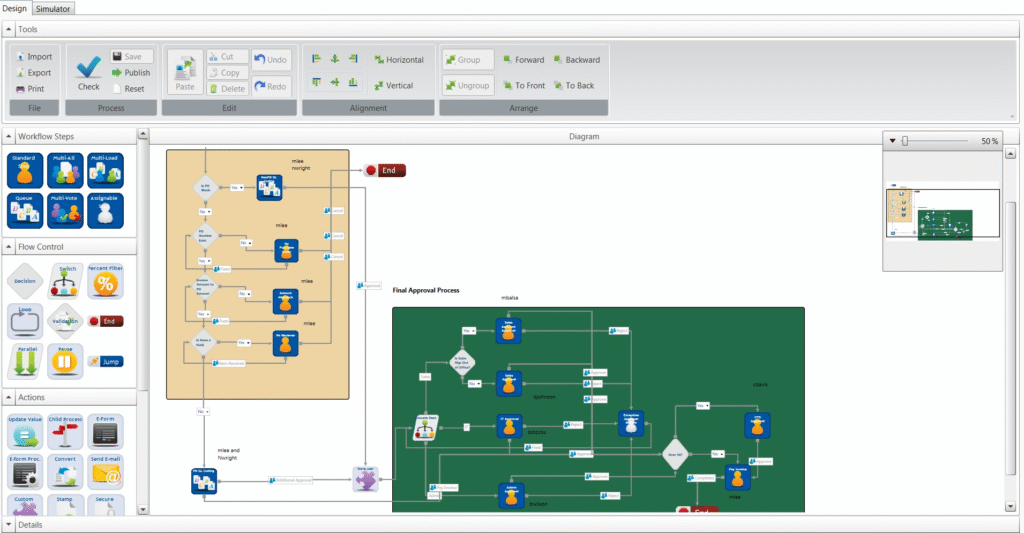
FileBound’s workflow automation has a drag-and-drop builder so you can design and modify workflows with a no-code interface.
You can build your workflow from a template, which is useful for standard tasks or create custom processes that fir your specific needs.
For example, you could take a template in human resources for new members’ onboarding, or you could create entirely new workflows for one-time projects.
Automated rules ensure that documents, forms, and data move between individuals and departments, triggering alerts, eSignatures, and scheduled events as needed.
Every step in the workflow is automatically tracked, in order to keep full audit trails and compliance documentation. Real-time dashboards and analytics also provide visibility into process performance, helping organizations identify bottlenecks and optimize efficiency.
Electronic forms and forms portal
The e-Forms feature also offers a drag-and-drop designer to create customizable forms, convert existing PDF forms into electronic format, and enforce security by limiting access through passwords or usage codes.
Submitters can use any device at any time to complete a form and attach supplementary documents, such as receipts, verification files or photos.
The system supports eSignatures to securely capture sign-offs and speeds up turnaround times.
Once a form is submitted, FileBound automatically routes it into defined workflows or external systems (ERP, DMS, HRIS) based on configured business rules.
The eForms feature is typically used for client service requests, volunteer application, enrolment applications, public forms, onboarding, PTO requests, and other similar processes.
What Do Users Have To Say?
Ratings ⭐⭐⭐⭐⭐
G2 3.9/5 | Capterra 3.8/5
Users use FileBound on a daily basis to automate workflows and store documents. Many users take it as a stepping stone when moving from a paper-based system.
A major benefit that Filebound offers is customization in workflows and electronic forms, where users design their own processes to fit their needs exactly.
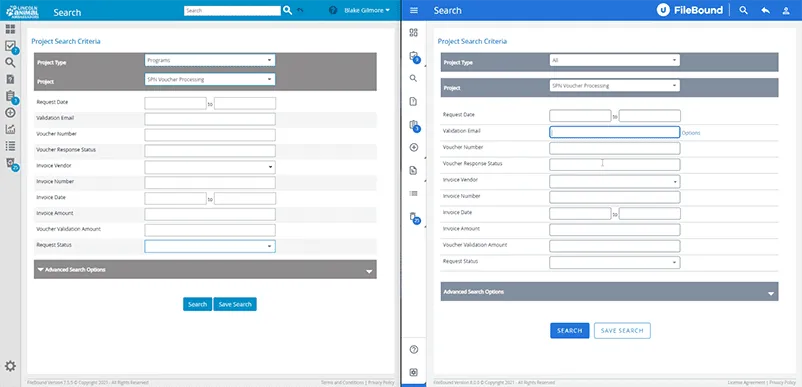
However, for many, the UI seems a bit dated and lacks some modern features like OCR.
Essentially, this is a good DMS if you’re looking for a simple system to make routine processes smoother.
✔️ Pros
Powerful e-Forms engine
Customizable workflows
You can view several documents in one window
✖️ Cons
Limited metadata (20 pieces)
Bugs after every update
Scanned documents aren’t read properly
FileBound vs Dokmee
If you need an alternative to FileBound, you should consider Dokmee. But how exactly are they different?
FileBound focuses much more on workflow automation and electronic forms, using a no-code interface and is based on the cloud.
This makes it a good option if you’re looking for quick digital transformation with minimal IT intervention.
However, FileBound lacks many organizational features that larger businesses need from a DMS or ECM.
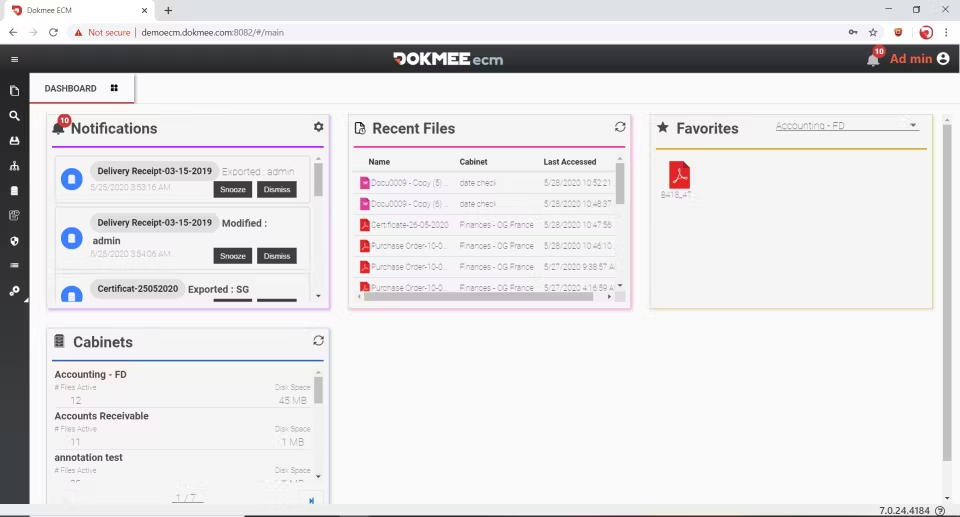
On the other hand, Dokmee does offer more organizational power thanks to advanced indexing and metadata tagging.
Additionally, Dokmee provides a modular design where you only pay for what you need, so you can access eForms and advanced document capture with OCR when you need it.
These capabilities make Dokmee particularly effective for large organizations that manage large amounts of documents and need precise, customizable storage and retrieval options.
When Is FileBound a Good Choice?
FileBound is a good option if you want to digitize your business’ processes quickly and can’t afford to waste time learning how to implement and use complex tools.
FileBound promises simple document storage with automated workflows and electronic forms.
This means it is usefuul for HR departments, schools, and nonprofits.
However, if you require more advanced storage, capture, retention capabilities, and security measures, perhaps you should consider stronger systems such as Dokmee.
If you’re ready to give it a go, contact the team now.