Full M-Files Review for 2026 with Features and Pricing
Written by Christina Miranda · Reviewed by  Dokmee
This M-Files review covers features, pricing, pros, and cons. See if this intelligent document management system beats modern alternatives like Dokmee.
The idea behind M-Files’ ECM is a whole new concept centered around metadata tagging.
M-Files delivers an interactive document library where you can access documents by asking “what they are”.
But what does this mean exactly? Is this system suitable for every organization?
In this M-Files review, we'll examine its features, pricing, strengths, and weaknesses, analyze real user feedback.
The idea behind M-Files’ ECM is a whole new concept centered around metadata tagging.
M-Files delivers an interactive document library where you can access documents by asking “what they are”.
But what does this mean exactly? Is this system suitable for every organization?
In this M-Files review, we'll examine its features, pricing, strengths, and weaknesses, analyze real user feedback.
What is M-Files?
M-Files was founded in 2001 with a different approach to document management systems.
This software moves away from traditional static folders and implements a metadata-based system for document organization.
Instead of organizing documents by where they belong, M-Files organizes them by what they are such as document type, customer, project, department, or other business attributes.
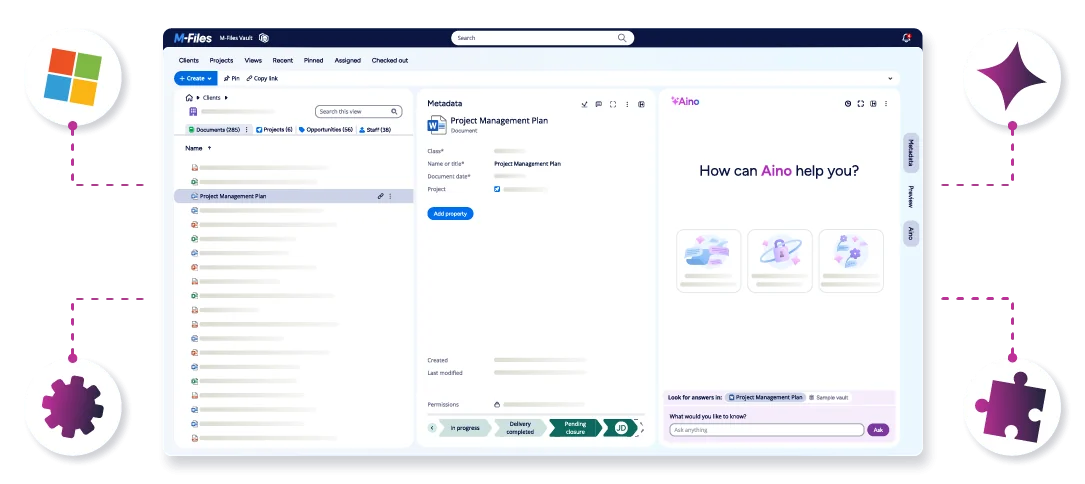
The platform combines this metadata-based approach with workflow automation, artificial intelligence capabilities, and an interface designed to integrate natively with the Microsoft 365 ecosystem.
However, feature availability varies by subscription tier.
The Essentials plan provides core document management functionality and includes access to M-Files Aino, the platform's AI assistant. But it does not include AI agents, advanced version control capabilities, or the extended audit log available in higher-tier plans.
Automation features are also significantly more limited in the Essentials edition compared to more advanced subscriptions.
M-Files Essentials plan is designed primarily as an internal document management platform and offers fewer capabilities for external collaboration and broader enterprise use cases than the higher-tier offerings.
Which is something to take into account if you work closely with clients and their feedback or input.
Who is M-Files for?
M-Files is best suited for organizations that use the same documents for different purposes and across different departments.
This approach works well for professional services firms, manufacturing companies, and other organizations where the same information is used by different teams.
However, the metadata model can introduce additional setup and administrative requirements.
Organizations that prefer a more familiar folder-based structure, faster user adoption, and simpler document management processes may find traditional DMS platforms such as Dokmee easier to implement and manage.
For businesses that already have clear document hierarchies and established filing practices, the added complexity of a metadata-driven system may not provide enough benefit to justify the change.
M-Files' features
M-Files offers your basic ECM features in a simple and intuitive interface that is similar to Windows File Explorer for added familiarity.
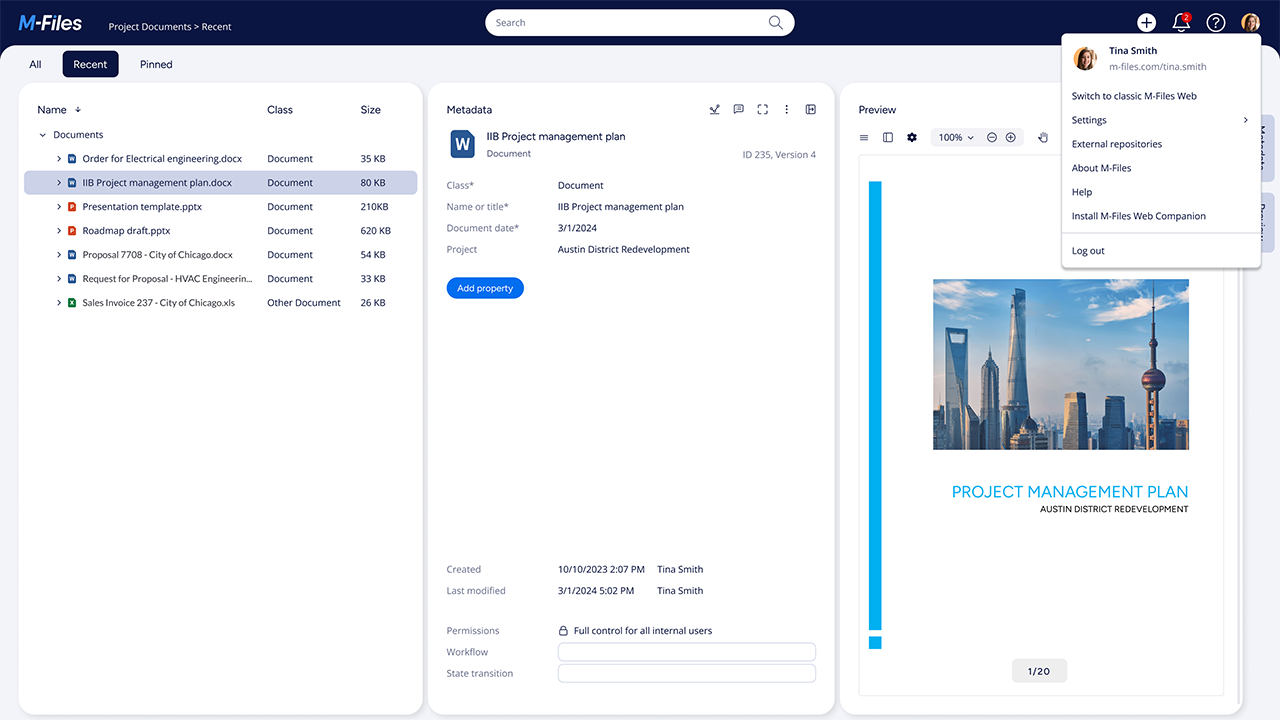
Workflow Automation
With M-Files you can create approval chains, automatic notifications, and conditional routing using the workflow builder.
The visual workflow builder is well-designed, and the system handles both simple approval processes and complex multi-stage workflows effectively.
Integrations include DocuSign, which can be included in the workflows chains.
However, the workflow features aren't as powerful as dedicated Business Process Management (BPM) platforms.
If you need highly complex process automation, you might outgrow M-Files' capabilities.
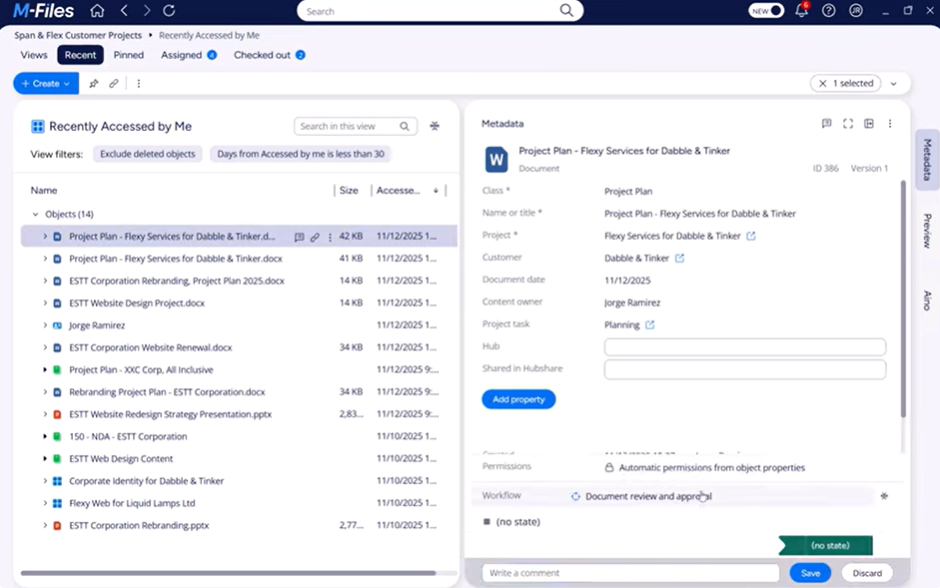
Content collaboration
M-Files includes content collaboration tools that allow teams to work on documents together.
Users can securely share files with other team members, collaborate on the latest version of a document, and automate approval or review processes through built-in workflows.
The platform also supports integrations with applications such as Microsoft Teams, SharePoint, and Salesforce, helping organizations collaborate without moving content between multiple systems.
It is important to note that M-Files’ built-in collaboration tools only works internally. If you need collaboration tools with external members, such as freelancers or clients, you will need to purchase the supplemental tool Hubshare.
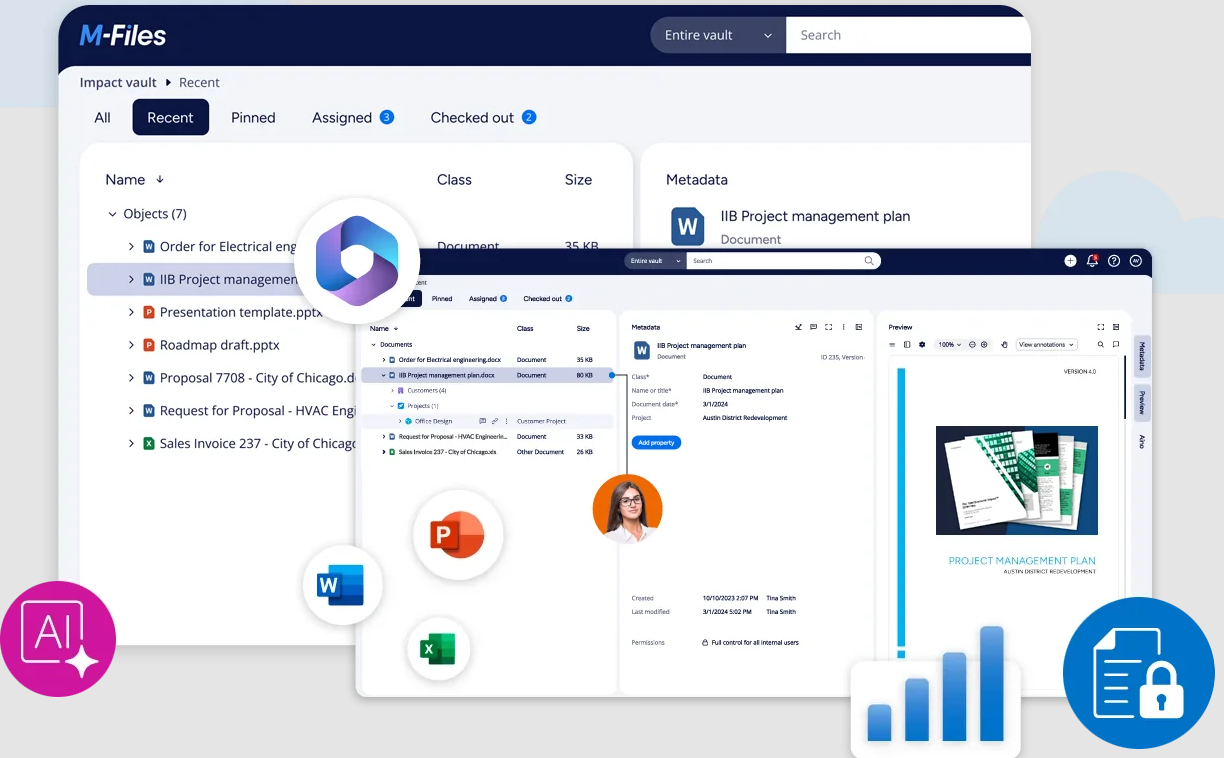
Aino
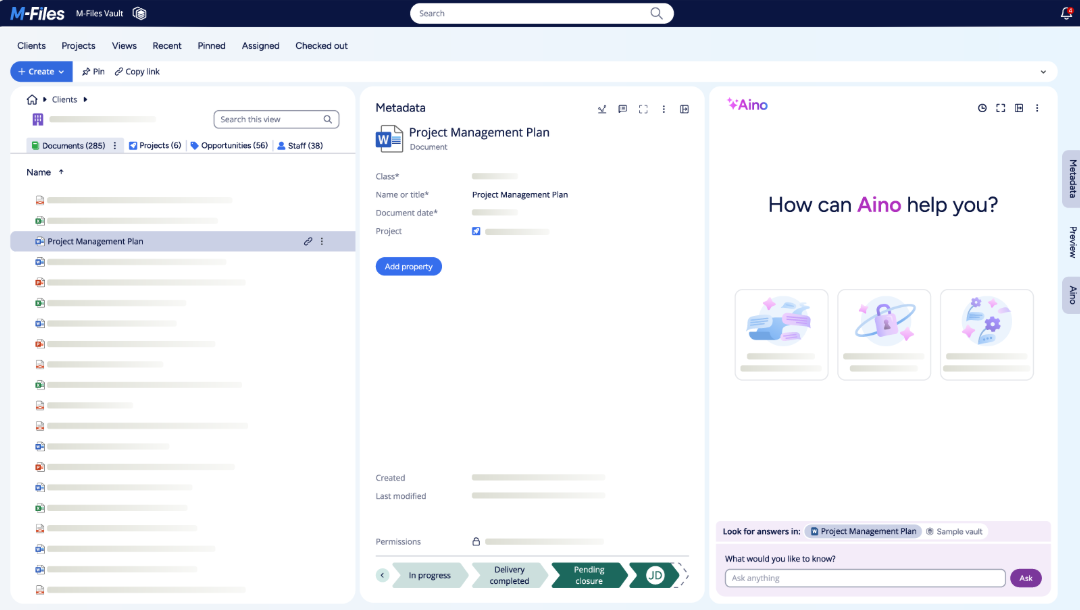
M-Files Aino is the platform's AI assistant, designed to help users find information faster, automatically classify documents, generate summaries, answer questions across stored content, and extract insights from enterprise data.
It combines generative AI with M-Files' metadata-driven architecture to provide context-aware responses while respecting existing permissions and security controls.
It also supports conversational search, source citations, document summarization, and automated metadata tagging.
While M-Files Essentials includes access to Aino's core AI capabilities, it does not include AI agents, which are reserved for higher-tier plans and provide more advanced autonomous task execution and workflow automation features.
Pricing
With M-Files you can choose between 2 different plans.
M-Files Essentials starts at $65 per seat and grows as you add supplemental features.
Although it is a decent starting point for a DMS it lacks many of the more advanced features you might need for more regulated industries or larger organizations.
M-Files Enterprise has custom pricing, and offers all of M-Files’ advanced features such as enterprise-level governance, AI-agents, advanced version control, or extended audit logs among others.
M-Files Reviews
⭐⭐⭐⭐ Ratings
G2 4.4/5 | Capterra 4.4/5 | Gartner 4.5/5
Users consistently highlight the search capabilities as transformative. Being able to find documents by asking "What is this?" rather than "Where did I put this?" is a favorite feature among teams that manage diverse content types.
The user’s experience with M-Files highlights significant challenges, particularly when dealing with more complex implementations.
They note that while the system handles basic functionality reasonably well, creating advanced structures or multi-step workflows quickly becomes difficult due to limited and overly simplistic documentation that lacks practical examples.
Although M-Files allows for customization through Visual Basic event handlers, the development environment is described as outdated and impractical, offering no debugging tools, breakpoints, or logging capabilities.
✅ Pros | ❌ Cons |
|---|---|
It feels like a complete document workflow system | The DMS fails without proper metadata setup and document organization |
Metadata based search, document collections and version history | New features are often not ready for production use |
User-friendly platform | Although UI is user-friendly, it can still feel outdated at times |
Permission control is very straight forward | Custom workflows require some technical guidance |
M-Files vs. Dokmee
M-Files’ selling point is intelligent organization and AI capabilities, while Dokmee provides enterprise functionality with traditional, intuitive, super-powered navigation. Here's how they compare:
Feature | M-Files | Dokmee |
|---|---|---|
Organization Method | Metadata-driven, no folders | Traditional folders with modern search |
AI Integration | Advanced AI tagging and extraction | Smart capture with practical automation |
User Interface | Intuitive but requires mindset shift | Familiar, immediately productive |
Workflow Builder | Visual, user-friendly workflows | Comprehensive workflow automation |
Mobile Access | Mobile access with fewer features compared to desktop environment | Complete mobile functionality |
Integration Options | Good (Office, DocuSign, Salesforce) | Extensive (Office, QuickBooks, CRM) |
Pricing Model | Custom quotes, estimated $60/month for named user licenses | Transparent pricing tiers |
Implementation Time | Moderate, requires user training | Quick deployment, minimal training |
Learning Curve | Low technical, high conceptual | Minimal across all levels |
Best For | Knowledge workers, metadata-heavy organizations | All business types, practical efficiency |
M-Files excels when your organization is ready to welcome metadata-driven thinking and benefits from AI-powered document processing.
Dokmee, however, provides similar functionality with traditional navigation that requires no philosophical adjustment from your team. It’s as easy as walking into a familiar home.
Check out more M-File alternatives
Is M-Files Worth It?
M-Files delivers on its promise of intelligent document management, though success hinges on organizational fit and change management.
Pricing is quote-based, with named user licenses starting at $65 per month and seat.
M-Files makes sense for organizations that genuinely struggle with traditional folder structures and have team members willing to embrace a new approach to information organization. Knowledge-intensive businesses that deal with complex, interconnected documents often find the metadata approach revolutionary.
However, M-Files may not be the right choice if your team values familiar navigation patterns and wants to minimize change management challenges. The metadata-driven approach requires a fundamental shift in how people think about document organization.
Dokmee, on the other hand, combines enterprise-grade document management with the familiar navigation patterns your users already understand.
Our platform delivers advanced workflow automation, intelligent capture, and comprehensive security without requiring your team to learn an entirely new way of organizing information.
Why force your team to think differently when technology should adapt to how you work best?
Book a free demo with Dokmee today.