Best Alternatives to
M-Files
If you’re considering M-Files but aren’t looking forward to designing entirely new governance policies, you probably should consider other options.
Here you can find 5 M-Files alternatives that vary between DMS and ECM and include metadata tagging, indexing, and workflow automation.
What is M-Files?
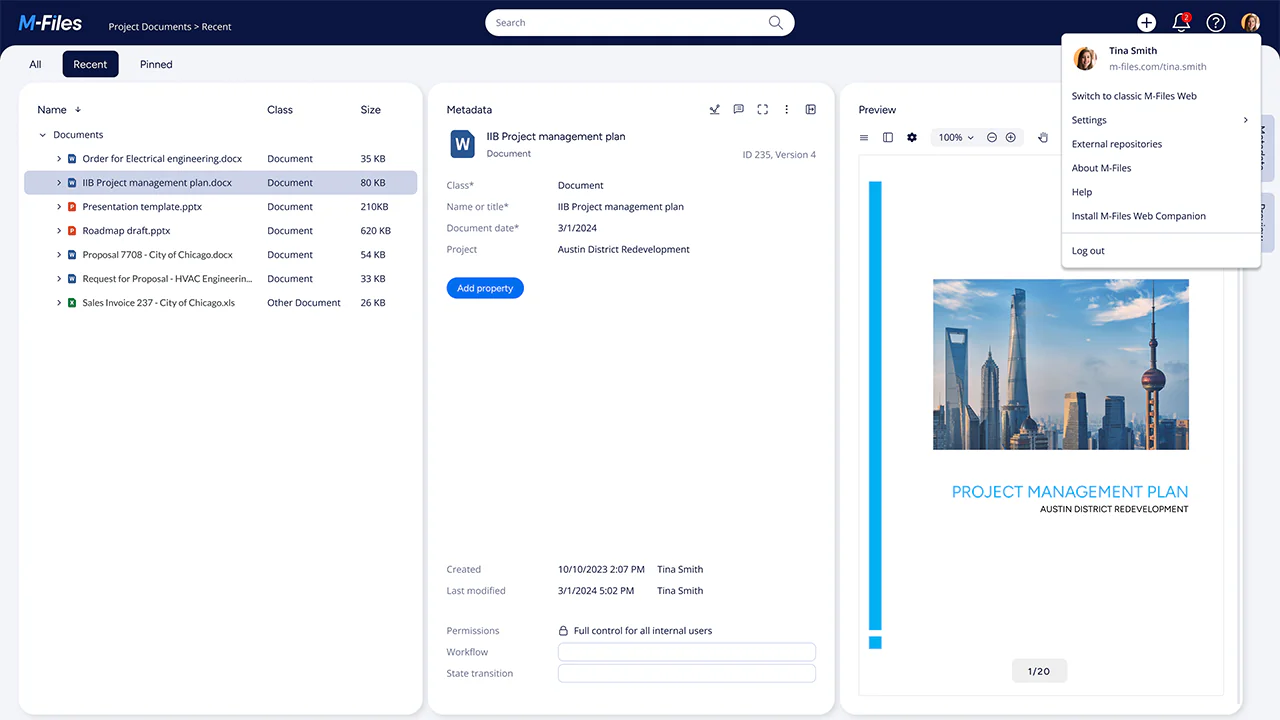
M-Files is a DMS that organizes files using metadata instead of traditional folders.
Rather than storing documents in locations like "Project A" or "Client X," you categorize them based on what they are, such as contracts, invoices, or engineering drawings.
This metadata-first approach set M-Files apart as they were first to rely solely on metadata and move away from static files.
For some, it was a revolutionary approach that made things easier, for other it was a little too out there and it meant updating entire document management processes.
M-Files is popular with organizations like law firms, accounting firms, consulting companies, and manufacturers that work with large volumes of shared documents.
M-Files also includes features like AI-powered search, workflow automation, compliance tools, and integrations with platforms such as Microsoft 365, Salesforce, and Google Workspace.
Why do you need an M-Files alternative?
M-Files isn't the right fit for every organization. Many businesses start looking for an alternative because:
The metadata-based structure requires a major change in how your team works. If your employees are used to folders and file paths, adoption can be challenging.
Setup and governance can be time-consuming. To get the most value from M-Files, you'll need clear metadata standards, processes, and ongoing management.
The interface can feel outdated. While it's designed to resemble Windows File Explorer, some users find the experience less modern than newer document management platforms.
The learning curve can be steeper than expected. Teams need to understand metadata, document classes, and workflows before they can work efficiently.
You may need more advanced automation or collaboration tools. Some organizations outgrow M-Files' workflow capabilities and look for platforms with stronger process automation or project collaboration features.
Cost and complexity may outweigh the benefits. If your document management needs are relatively straightforward, M-Files can feel more powerful, and more complicated, than necessary.
If you're considering purchasing document management software, it's worth checking whether M-Files' metadata-first approach matches how your team prefers to work.
For some organizations, it's a powerful way to manage information. For others, a more intuitive, folder-based, or collaboration-focused solution may be a better fit.
5 best alternatives to M-Files
Users enjoy M-File’s powerful search and discovery functions and enjoy its document storage.
However, there are some challenges that M-Files can present including disciplined metadata tagging, outdated development environment, and high pricing.
If these are challenges you with to avoid or are currently experiencing, you may be interested in discovering 5 alternatives to M-Files that can take care of your document management and storage without M-Files’ challenges.
1. Dokmee
Rating ⭐⭐⭐⭐⭐
G2 4.5/5 | Capterra 4.7/5
Overview
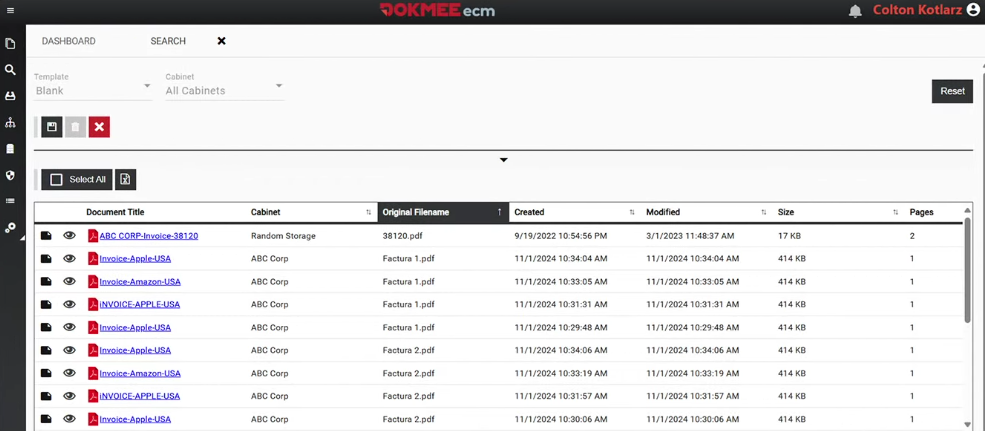
Dokmee is a DMS and ECM platform designed to give you flexibility an full customization to manage your organization’s documents.
Unlike systems that rely entirely on metadata-driven organization, Dokmee supports both traditional folder structures and metadata tagging, making it easier for you to adopt without changing your current processes.
The platform includes advanced indexing, version control, role-based permissions, document search, and workflow automation. Depending on your needs, you can also add OCR-powered document capture, electronic forms, AI-assisted search and chat, records management, and other advanced modules.
Because of its modular pricing model, you only pay for the features you need, making Dokmee a scalable option for both small businesses and large enterprises.
When should you choose Dokmee over M-Files?
Dokmee is a strong M-Files alternative if you're looking for a document management solution that is easier to implement and more familiar for end users.
Choose Dokmee if:
You want to keep your existing folder structure
Unlike M-Files' metadata-first approach, Dokmee lets you combine folders and metadata, allowing your team to work the way they're already used to.
You want a faster rollout
You can begin using Dokmee without completely redesigning your document organization strategy or retraining every employee.
You need a more gradual transition to digital document management
A hybrid folder-and-metadata approach can reduce disruption during migration.
You want more predictable pricing
Dokmee's modular subscriptions allow you to add advanced features only when you need them.
You operate in a regulated industry
Healthcare organizations, government agencies, financial institutions, and other compliance-focused businesses can benefit from Dokmee's security controls, audit trails, and records management capabilities.
You need workflow automation that supports collaboration
Dokmee helps automate approvals, document routing, notifications, and other business processes to keep work moving efficiently across teams.
If M-Files feels too complex, requires too much organizational change, or doesn't fit your budget, Dokmee offers many of the same document management capabilities with a more familiar and flexible user experience.
2. Laserfiche
Rating ⭐⭐⭐⭐⭐
G2 4.7/5 | Capterra 4.5/5
Overview
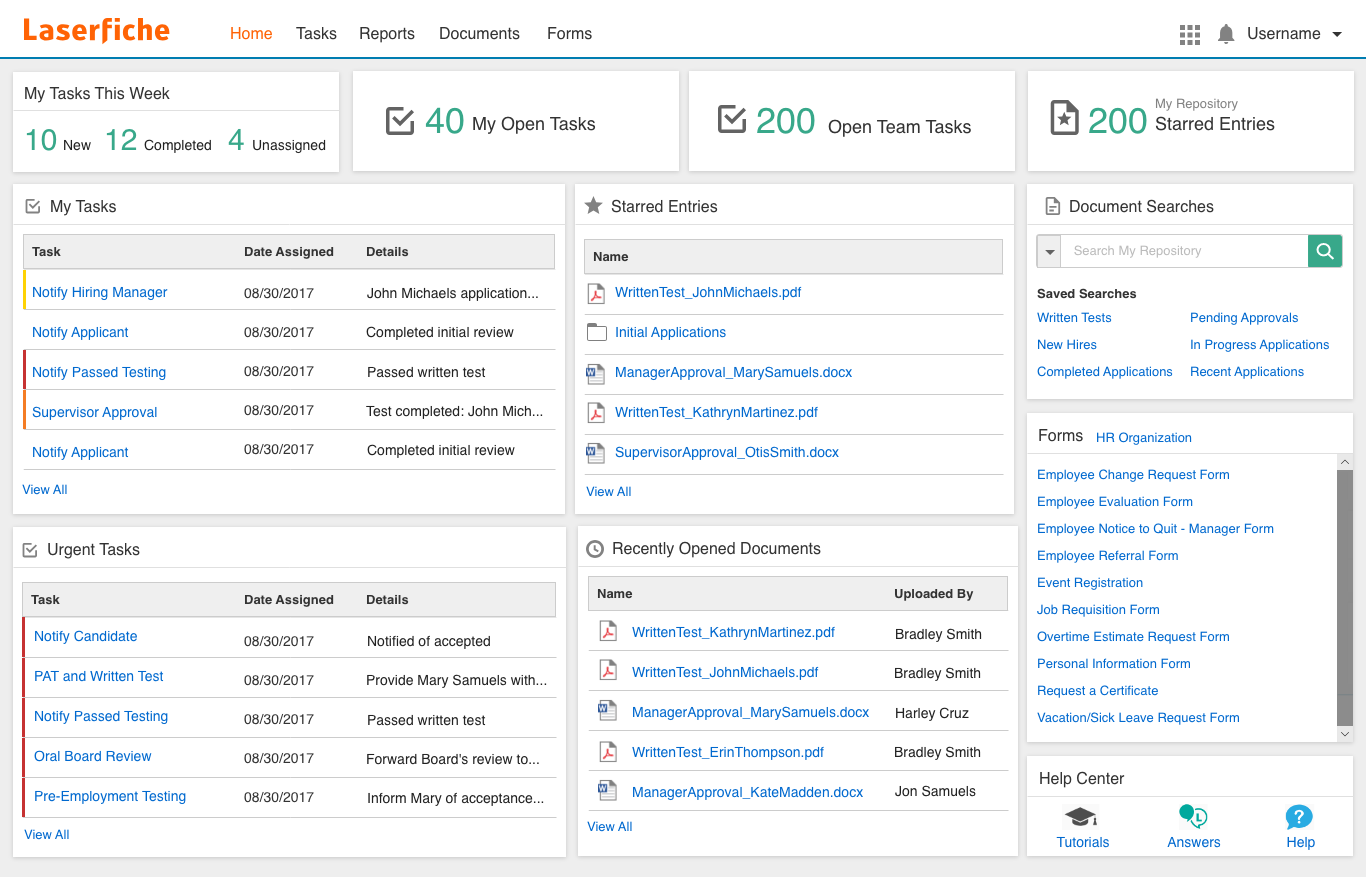
Laserfiche is an ECM platform built around strong process automation, compliance, and document governance.
Laserfiche allows you to automate complex business processes using workflows, electronic forms, approvals, notifications, and records management tools.
Laserfiche is particularly popular in government agencies, healthcare organizations, educational institutions, and other highly regulated industries.
However, its extensive feature set can make it more complex and expensive than solutions designed primarily for document storage and file sharing.
When should you choose Laserfiche over M-Files?
Laserfiche is a strong M-Files alternative if your priority is process automation and compliance rather than metadata-driven document organization.
Choose Laserfiche if:
You need advanced workflow automation
You operate in a highly regulated industry
You want pre-built templates and structured processes
You value long-term vendor stability and support
If M-Files feels too focused on metadata management and you need a platform that can automate business processes across your organization, Laserfiche may be the better fit.
3. DocStar
Rating ⭐⭐⭐⭐
G2 3.8/5 | Capterra 4/5
Overview
DocStar is an ECM platform built for organizations that need more than document storage.
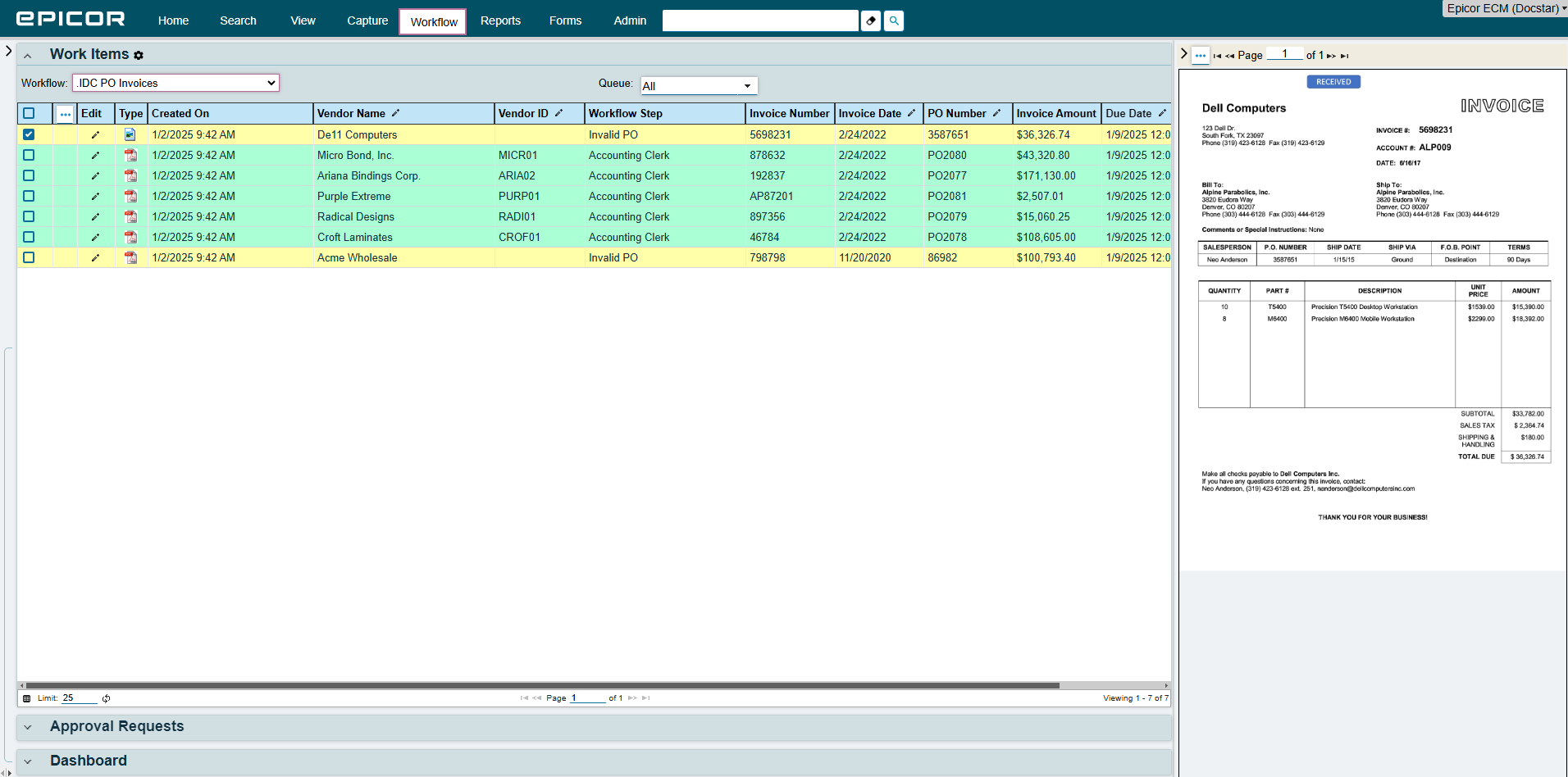
Unlike M-Files, which is primarily focused on metadata-driven document organization, DocStar places a stronger emphasis on document capture, invoice processing, workflow automation, and ERP integration.
The platform uses OCR and intelligent data capture to extract information from invoices, forms, purchase orders, and other business documents, reducing manual data entry and speeding up processing.
DocStar is particularly popular among manufacturers, distributors, healthcare providers, and finance teams that handle thousands of documents every month.
Why choose DocStar instead of M-Files?
DocStar is a strong M-Files alternative if your priority is document processing and ERP integration rather than metadata-driven document organization.
Choose DocStar if:
You rely heavily on ERP, accounting, or accounts payable systems
You process large volumes of scanned documents
You need workflows that span multiple departments
You have IT resources available for implementation
If M-Files feels too focused on metadata management and you need a platform centered around document capture, processing, and business workflows, DocStar may be a better fit.
4. FileHold
Rating ⭐⭐⭐⭐⭐
G2 4.6 | Capterra 4.7/5
Overview
FileHold is a classic DMS that focuses on secure document storage, version control, workflow automation, and compliance without unnecessary complexity.
It supports repository automation (automatic importing, repository carve-outs), OCR, and workflows, although less based on metadata than M-Files.
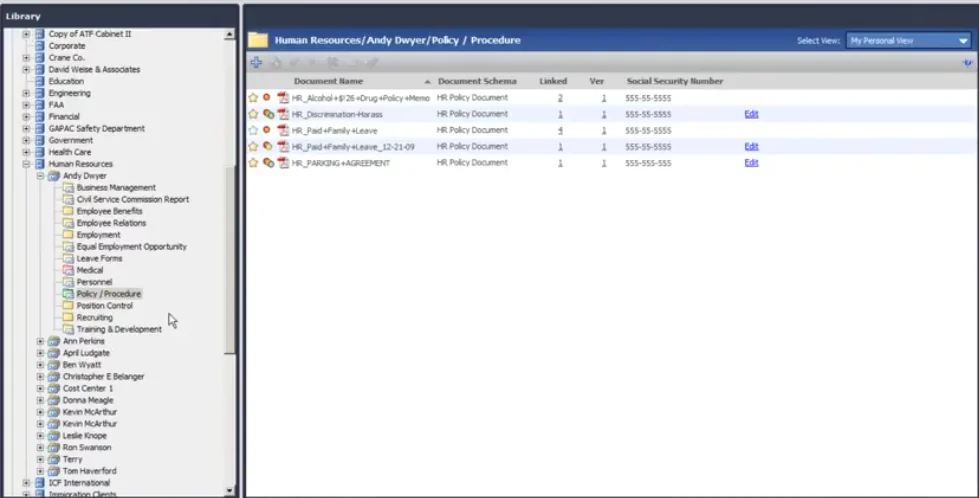
FileHold offers hierarchical document libraries with granular metadata tagging, role-based access, and full version history. It also has retention schedules and automated archiving.
FileHold is particularly popular with small and mid-sized organizations that want enterprise-grade document management without the learning curve of more complex ECM platforms.
When should you choose FileHold over M-Files?
FileHold is a strong M-Files alternative if you want straightforward document management with a familiar user experience.
Choose FileHold if:
You prefer folders over a metadata-first system
You want a simpler implementation
You run a small or mid-sized business
You need compliance and records management features
If M-Files feels overly complex for your needs, FileHold offers a more familiar approach while still providing the core features most businesses need.
5. DocuShare
Rating ⭐⭐⭐⭐
G2 4.5/5 | Capterra 4.3/5
Overview
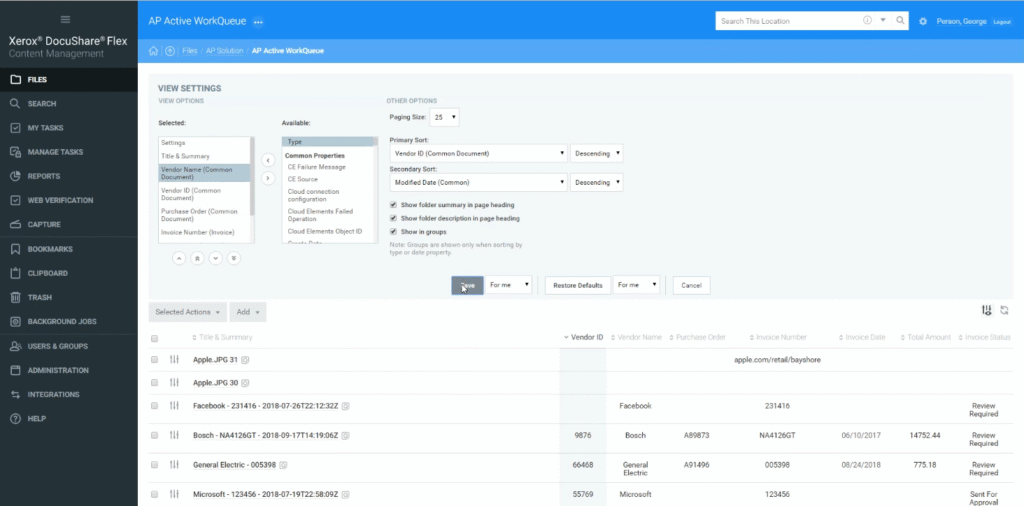
DocuShare (by Xerox) is an ECM platform from Xerox that helps organizations manage, store, share, and retain documents throughout their lifecycle.
The platform includes document capture, records management, collaboration tools, workflow automation, and long-term archiving capabilities.
Available both on-premises and in the cloud, DocuShare is commonly used by organizations that need centralized content management and strong retention controls.
Its strengths lie in document imaging, records retention, and managing large repositories of business content.
When should you choose DocuShare over M-Files?
DocuShare is a strong M-Files alternative if your focus is long-term content management, archiving, and document retention.
Choose DocuShare if:
You manage large document archives
Records management is a top priority
You rely heavily on scanning and document imaging workflows
If your organization values retention, archiving, and centralized content control more than metadata-driven document organization, DocuShare may be a better choice than M-Files.
So, what DMS do you need?
Whatever industry you’re in, you need a DMS that can effectively manage your documents throughout their entire lifecycle.
Capture → indexing → storage → editing → retention → archival
Your DMS or ECM should also support automated workflows to ensure that your whole team can work together, even if they are working remotely.
Lastly, choose a DMS or ECM that can scale with your business. Bonus points if you it offers granular subscription so you can add features and tools as you need them.
If you need... | Best Choice |
|---|---|
Strong metadata-driven document management | M-Files |
Flexible customization that allows flexible metadata tags | Dokmee |
Workflow automation and process management | Laserfiche |
Invoice processing and ERP integrations | DocStar |
Traditional folder-based document management | FileHold |
Document imaging, archiving, and content retention | DocuShare |
If you need more information, contact us today.