Full Filehold Review 2026 of Features, Pros, and Cons
Looking for an honest FileHold review? We analyze FileHold features, total cost of ownership, and how it compares to faster, cost-effective options.
FileHold is a classic document management system that helps you save your documents in centralized folders so your team can access and edit them when needed.
It offers a modular design where you can choose which advanced features you would like to include in your platform.
This Filehold review breaks down what the platform does, how it holds up according to real users, what it costs, and who it’s built for, so you can decide whether it belongs on your shortlist.
If you’re looking for great FileHold alternatives instead, we’ve got that covered too.
Yes, for the right team. Here’s the quick version if you only have a minute:
FileHold is a document management system (DMS) built for structured, secure, and easily searchable digital filing.
Rated 4.6 out of 5 on G2 (30+ reviews) and 4.7 out of 5 on Capterra (55+ reviews).
Best suited to small and mid-sized organizations in regulated industries: healthcare, legal, government, and finance.
Strong on audit trails, role-based security, and customer support.
A weaker fit if you specifically want built-in AI-driven document classification or a fully modern, cloud-native interface out of the box.
What is FileHold?
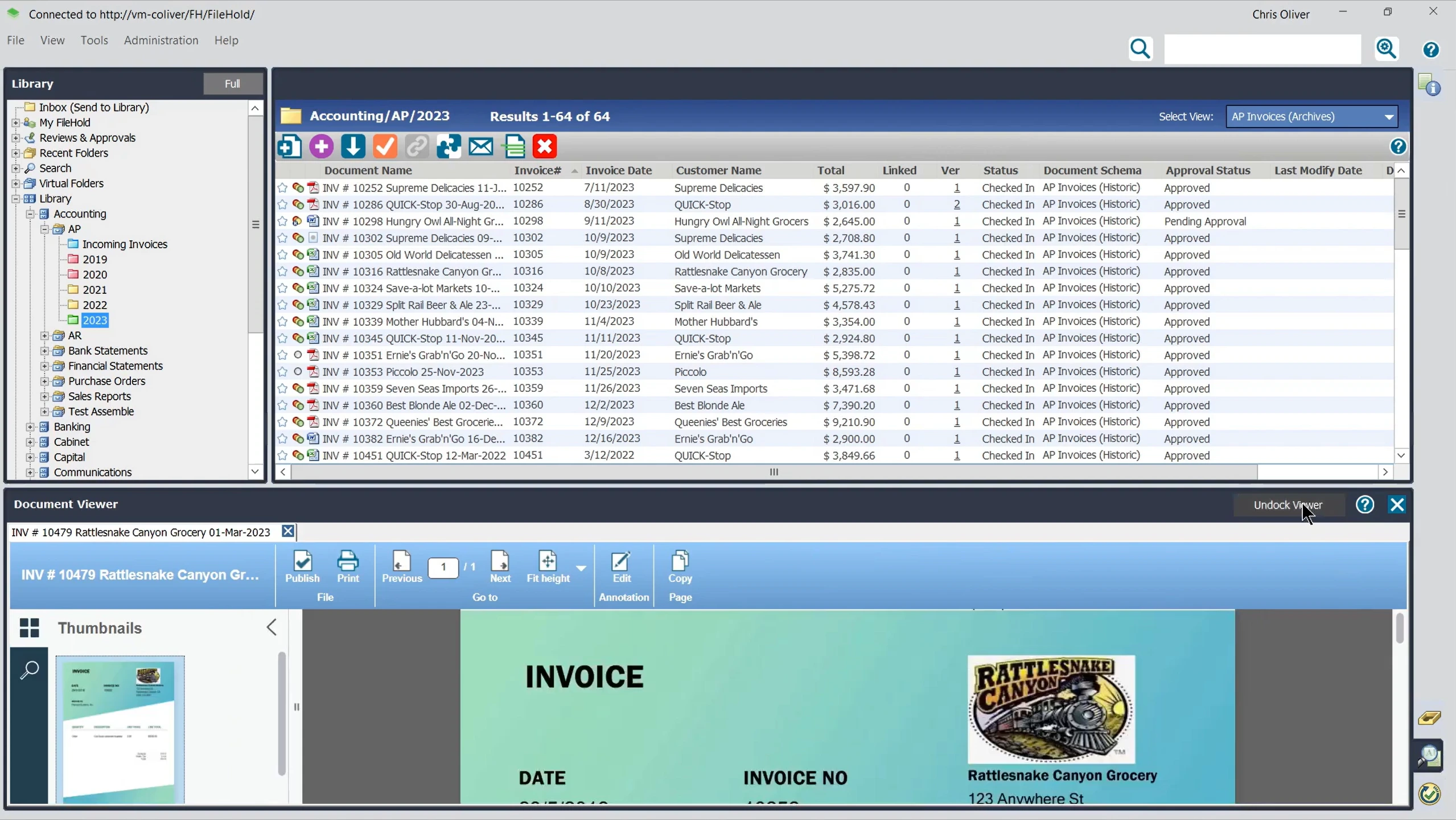
FileHold is a document management system that offers the basic features to allow you to capture, organize, store, secure, and retrieve digital documents.
Documents can be indexed with metadata and retrieved through search, reducing the need to rely on shared drives, physical filing systems, or manually locating individual files.
FileHold is used across industries including healthcare, legal, education, finance, manufacturing, and government, where organizations often need structured document storage, access controls, audit trails, and consistent records management.
FileHold is available on-premises, through FileHold Cloud, or in a hybrid setup.
This gives you flexibility over where documents are stored and how users access them. On-premises deployment can suit organizations that need greater control over their document environment, while cloud deployment can be more convenient for distributed teams.
Who is FileHold best for?
FileHold is best suited to organizations that want a structured DMS without relying exclusively on a cloud deployment.
Its cabinet, drawer, and folder hierarchy will feel familiar if you’re moving away from paper records or shared drives.
It can be a particularly good fit for:
Regulated organizations
Teams replacing paper or shared drives
Organizations with specific deployment requirements
Small and midsized teams that value customer support
However, FileHold's strengths come with some trade-offs.
Its interface is more functional than modern, and if you’re looking for a mobile-first experience or extensive built-in AI capabilities, you may find it less compelling than newer platforms.
FileHold may therefore be less suitable if you need:
Built-in AI classification and advanced AI capabilities
A modern, mobile-first interface
A low-cost solution for very small teams
A system that requires minimal initial configuration
Overall, FileHold makes more sense for organizations that prioritize structured document control, deployment flexibility, and established records management features over a highly modern interface or AI-first experience.
What are FileHold’s best features?
FileHold’s features focus on structured document storage, search, workflow, permissions, and document control.
The platform is updated regularly, with FileHold 17 adding new integrations and administrative, security, and usability improvements across the platform.
The 17.x releases introduced Microsoft Teams integration, expanded Microsoft Outlook support across desktop and web clients, external identity provider authentication, DocuSign integration, automatic document watermarking, and a range of interface and configuration improvements.
Features are broken down into several categories: Standard features, optional, custom, document scanning, and electronic forms.
Standard DMS Feature Set
FileHold covers most of the basic capabilities you would expect from a traditional document management system.
Its standard feature set includes:
Document search
Metadata and tagging
Version control
Records management
User roles
Audit logging
Document linking
Virtual folders
Web access
Document numbering
Reporting
Document subscriptions
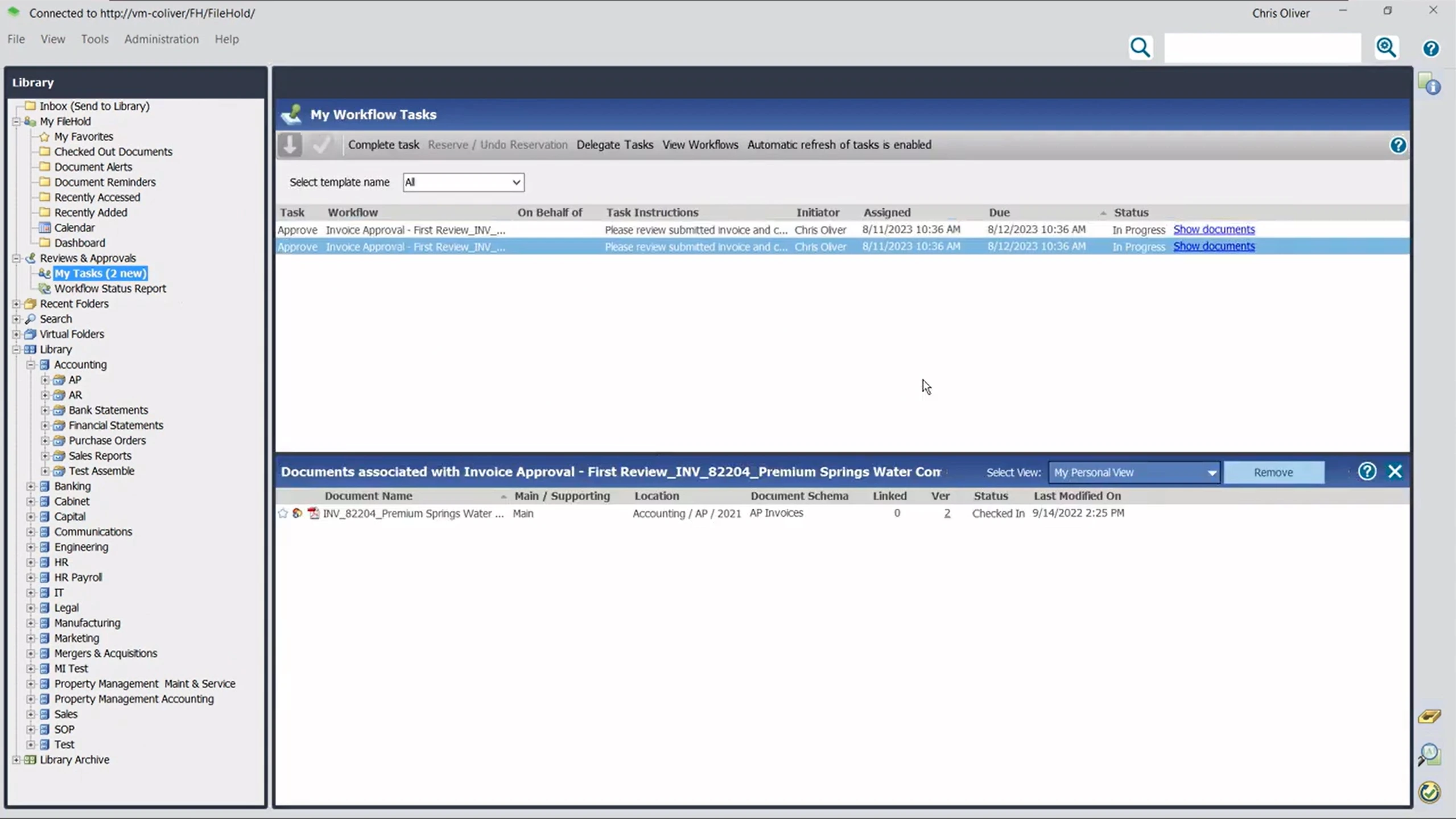
FileHold provides 11 user security roles, tracks user activity through audit logs, and supports records retention and disposition policies.
It also includes features such as document naming standards, automatic document control numbering, secure document links, and browser-based access.
This gives FileHold a solid foundation if you need structured document storage, controlled access, traceability, and records management.
The trade-off is that some capabilities that buyers may now consider standard in newer DMS platforms are separate optional features.
Workflow and routing
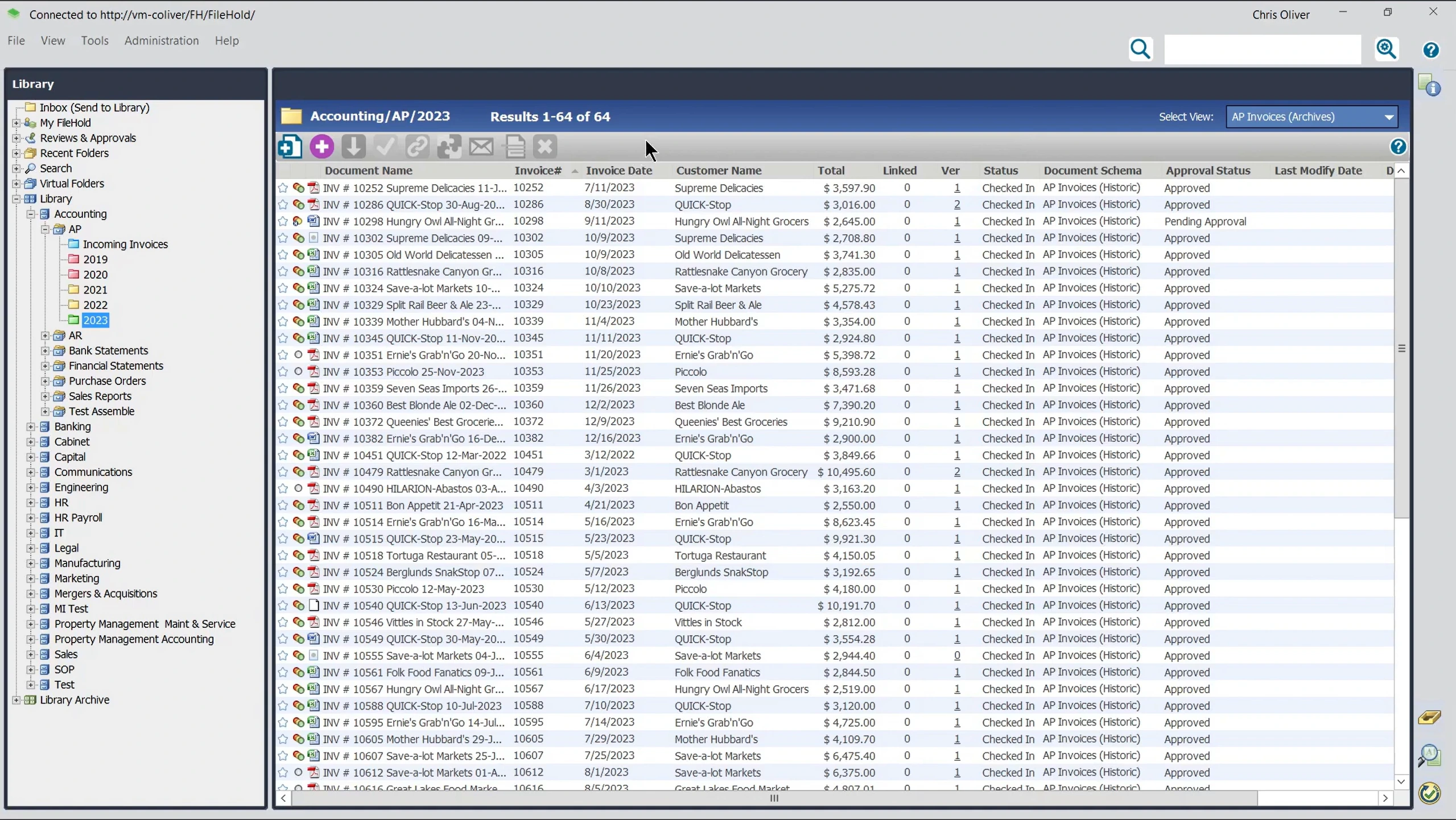
FileHold’s Workflow module is an optional feature for routing documents through structured review and approval processes.
Workflows can start automatically when a document is added or manually when needed, with up to 20 review or approval tasks assigned to one user, multiple users, or one of several eligible users.
The module supports digital sign-offs, automatic reminders for overdue tasks, and locked-down PDFs of approved documents to preserve the final version.
Email notifications keep workflow participants informed of activity, while FileHold’s Email Notification Export Script DLL can also notify users or external recipients who are not directly involved in the workflow.
For more complex processes, the optional Workflow Extender adds advanced routing based on metadata, departments, authorization levels, or document lifecycle events. It can select the appropriate workflow or participants, skip unnecessary approval steps, attach related documents, copy approved files, and chain multiple workflows together.
FileHold also integrates Adobe Acrobat Sign and DocuSign into its workflow process.
FileHold offers solid workflow and routing capabilities for organizations with structured approval processes, but the more advanced automation comes through optional modules rather than the standard DMS package.
Authentication and Security
FileHold offers basic security measures in the standard package, but more advanced security capabilities are optional modules with additional fees.
External identity provider integration supports OAuth/OIDC authentication with providers such as Microsoft Entra ID, Okta, SecureAuth, and Auth0, allowing single sign-on.
FileHold also supports Active Directory integration for authentication, user provisioning, and synchronization of users, groups, roles, and permissions.
For multi-factor authentication (MFA), FileHold can integrate with Duo Security to add MFA for local FileHold users. This provides an additional layer of authentication, but it is worth noting that MFA is not simply built into FileHold's standard package.
External identity provider and Active Directory integrations also carry fixed additional fees and include professional services support.
Document scanning
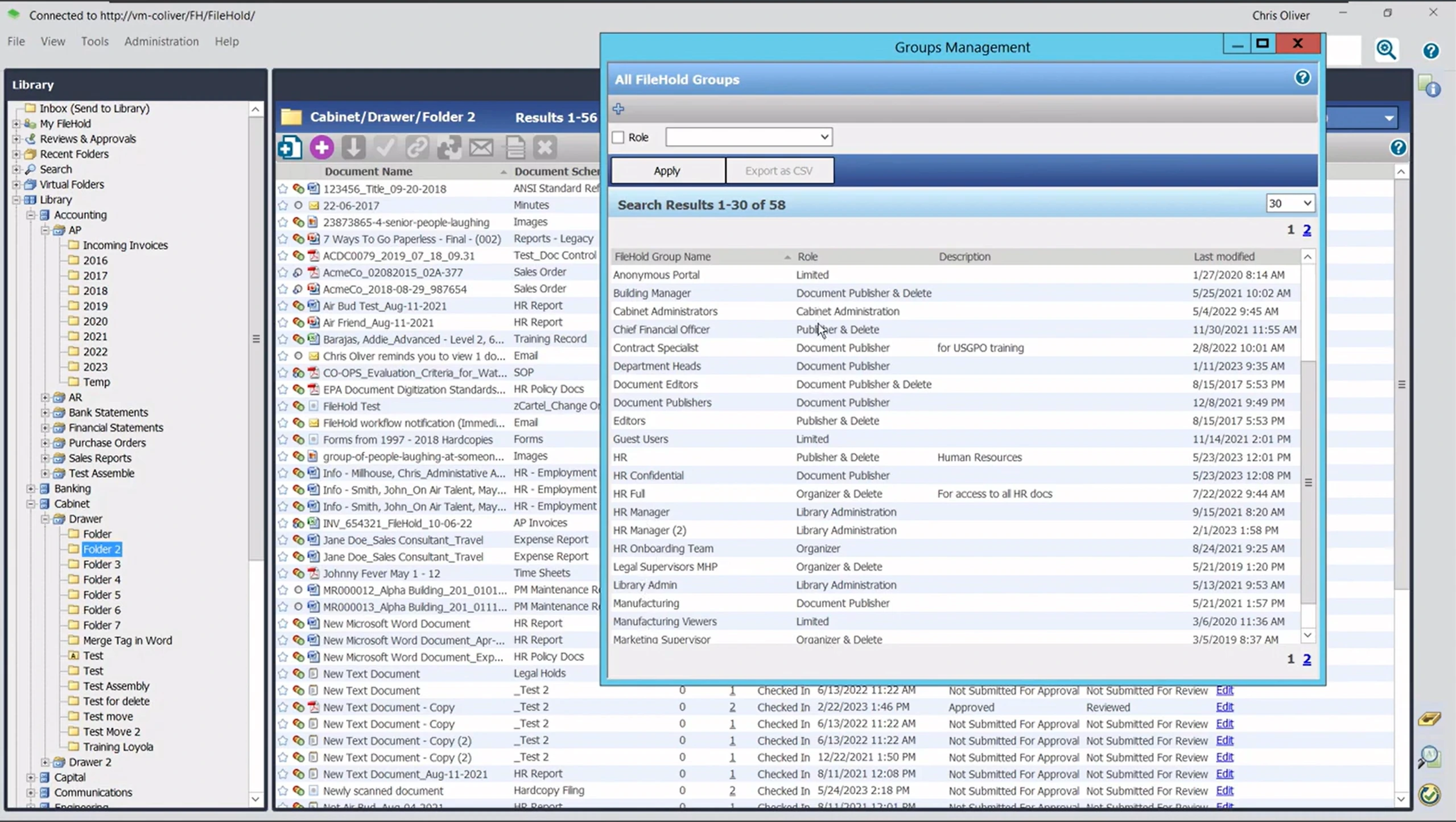
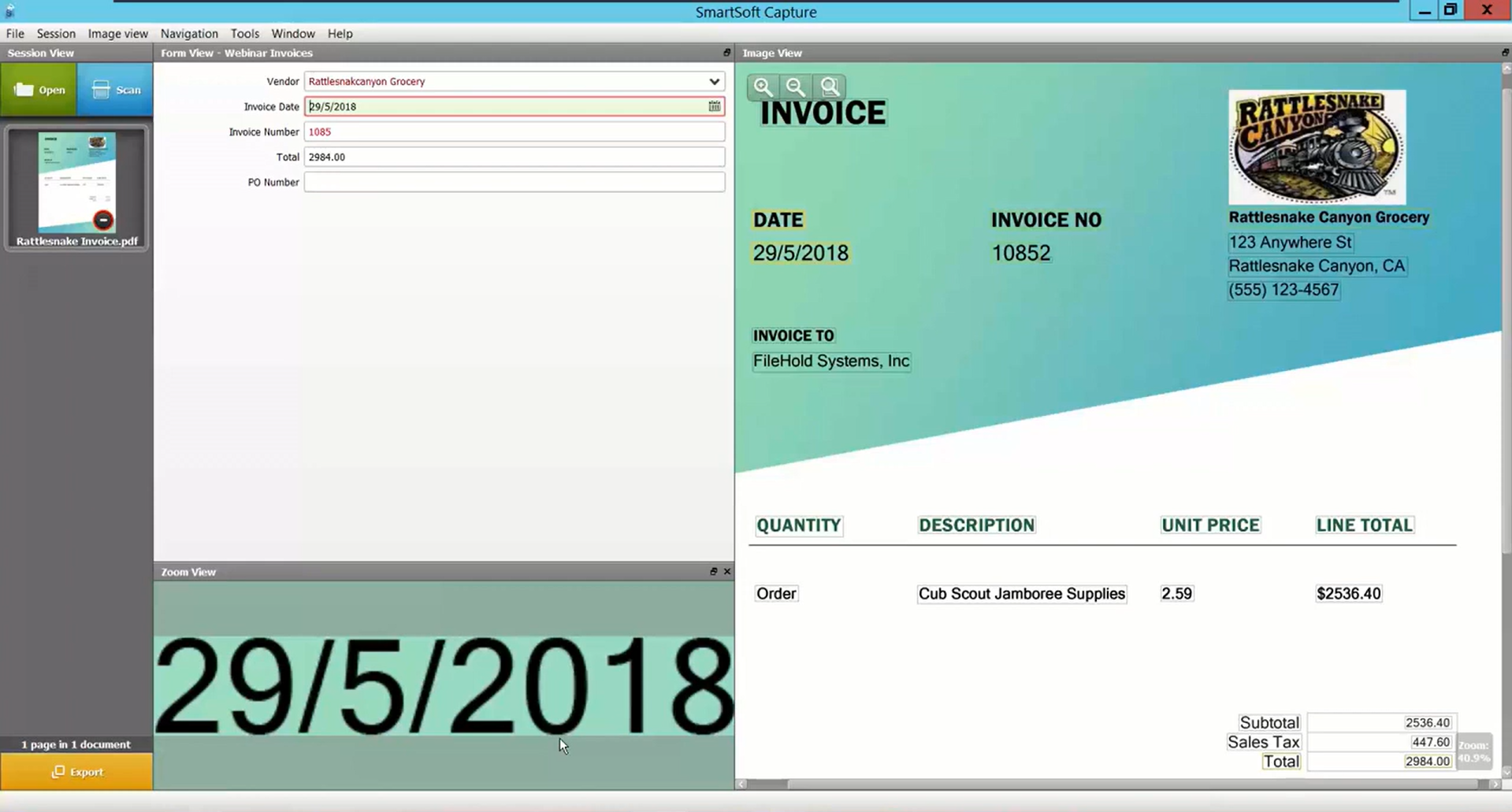
FileHold’s document supports document scanning through tools designed to capture paper documents and add them to the central repository.
WebCap allows remote users to scan and store documents from anywhere with internet access, which can be useful when your organization has multiple offices or mobile workers handling contracts, expenses, estimates, and other paper records.
For more advanced capture and indexing, SmartSoft Capture helps users index scanned documents, while Capture Plus adds enhanced OCR and barcode recognition. Capture Plus can improve indexing accuracy when working with lower-quality scans.
The main limitation is that some of FileHold's more capable scanning and capture functionality sits outside the core DMS.
Electronic forms
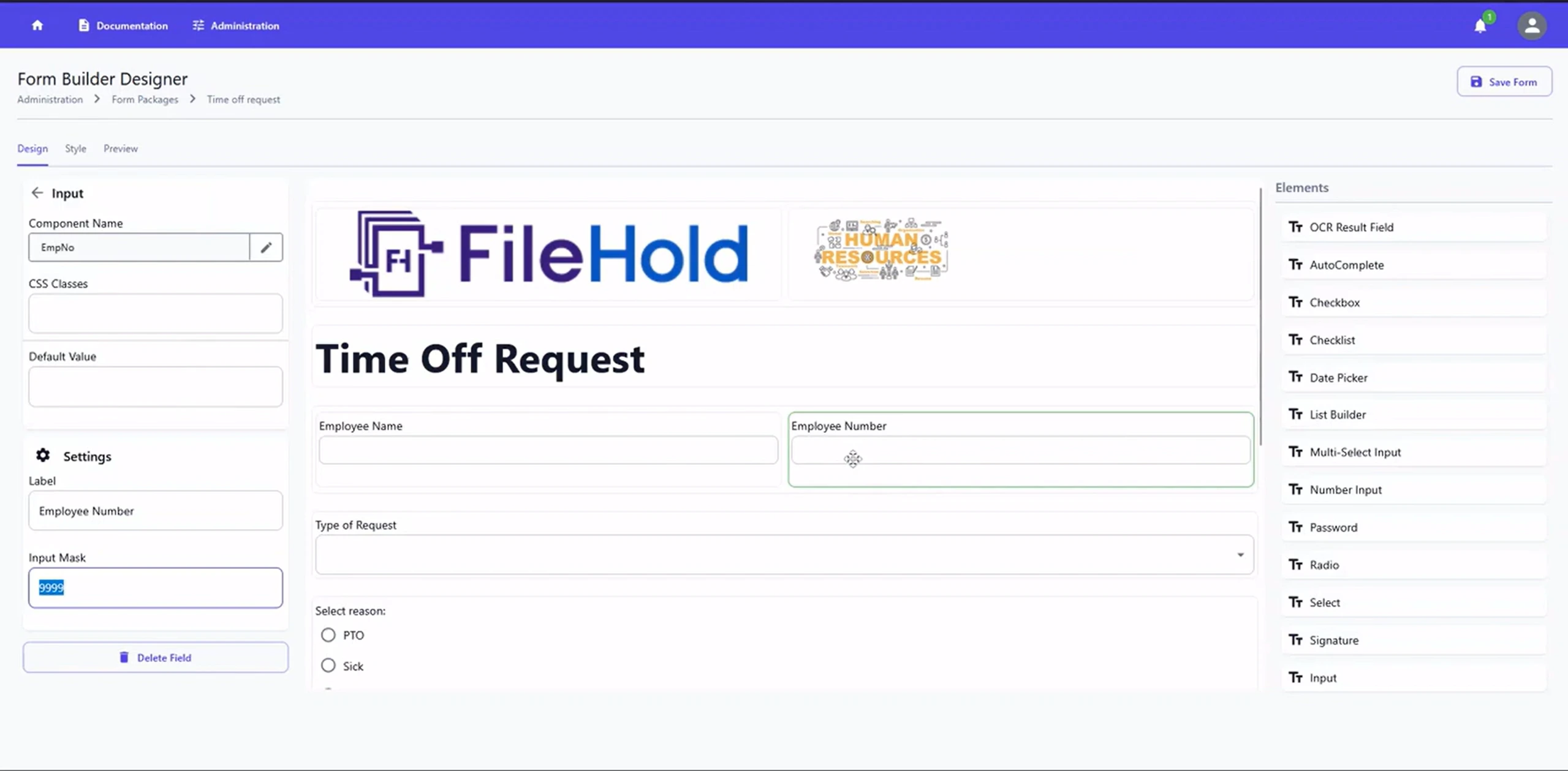
FileHold supports electronic forms (e-forms) for invoices, expense reports, applications, permits, and internal requests, then stored in FileHold and sent through a workflow for review or approval.
Forms can be created using InForm Form Builder, custom HTML, or third-party tools such as Adobe Acrobat Professional.
Fields can include options such as drop-down menus and date pickers, while validation rules help ensure information is entered in the correct format. Once submitted, form values can be extracted into FileHold's metadata fields, reducing manual data entry.
E-forms can also be made available through web pages, FileHold's Anonymous Portal, or the InForm portal, allowing users outside the main FileHold environment to submit information.
Integrations
FileHold supports integration with a range of business applications, including:
Microsoft Office
Salesforce
SAP
QuickBooks
Sage 300
Microsoft Dynamics GP
JD Edwards
SharePoint
Adobe Acrobat Sign
DocuSign
It also connects with scanning and capture tools such as ABBYY FlexiCapture, Kofax Capture, Kodak Alaris, and SmartSoft Pro.
Beyond these named integrations, FileHold uses a service-oriented architecture and web services API to connect with third-party and custom applications.
The main limitation is that FileHold's integration model can require more technical work than modern DMS platforms with extensive plug-and-play app marketplaces.
FileHold pricing
FileHold doesn't publish set pricing on its website. It uses a contact-us model: you request a quote based on user count, deployment type, and which optional modules you need.
FileHold's own pricing page does confirm how billing works, even without exact numbers:
Available as license-based (one-time) or pay-per-user subscriptions
No limits on scan or document volume
Available self-hosted or through FileHold Cloud
Unlimited support and upgrade assistance on subscription plans
Subscription plans include FileCare, ongoing service packs, feature updates, and the ability to add licenses as you grow
Credits available for replacing a legacy system, which can offset transition costs
FileHold offers a two-week, full-featured free trial for up to 10 users, including two hours of free technical support
Optional and custom features priced separately, so you're not paying for a bundle you don't need
FileHold's G2 listing states that FileHold Cloud starts at $50 per month, per user, with a 5-user seat minimum. That figure isn't published on FileHold's own site, so treat it as a directional estimate rather than a confirmed quote, and verify it directly with FileHold's sales team before budgeting around it.
FileHold user reviews
⭐⭐⭐⭐⭐ Ratings
G2 4.6/5 | Capterra 4.7/5
Overall, user feedback suggests that FileHold is reliable and practical for day-to-day document management, particularly after the initial configuration is complete.
The trade-offs tend to appear around the user experience, implementation effort, licensing model, and newer capabilities rather than fundamental document management functionality.
One G2 reviewer summarized the experience as making it easy to “scan, store, and index documents,” while a Capterra reviewer described the platform as “very well structured.” At the same time, reviewers point to areas such as metadata setup, workflow configuration, search behaviour, and interface design as considerations when evaluating the platform.
The result is a fairly consistent picture: FileHold delivers the structured document management fundamentals well, but some of its more advanced or modern capabilities may require additional configuration, modules, or a willingness to work with a less contemporary interface.
✅ Pros | ❌ Cons |
|---|---|
Ease of use | Dated interface |
Search and retrieval | Search works better with exact or full-word terms than with more flexible fuzzy matching. |
Responsive customer support team | Licensing costs can become more significant as the number of users increases. |
Audit trails, permissions, and structured document management | Configuring metadata, permissions, and workflows can involve a learning curve |
Microsoft integration | Limited built-in AI |
Best alternative to FileHold
Dokmee stands as one of the best FileHold alternatives because of its extensive feature set, modular design, and AI features.
FileHold and Dokmee both cover the core requirements of secure document management, including structured storage, permissions, document search, workflow, and flexible deployment.
The differences become more noticeable when you look at AI, indexing, scanning, workflow configuration, and pricing.
FileHold takes a modular approach, with several advanced capabilities available as optional features.
While Dokmee also has a modular design, it includes advanced document management features, including AI-powered indexing and search capabilities, within its platform.
Feature | FileHold | Dokmee |
|---|---|---|
Deployment | On-premises, cloud, or hybrid | On-premises, cloud, or hybrid |
AI and indexing | Metadata-based indexing and search, with optional FastFind and capture tools | AI-assisted Magic Indexing, AI Search, and AI Scripting for custom classification logic |
Document scanning | SmartSoft Capture, with additional Capture Plus capabilities for enhanced OCR and barcode recognition | Scanning included without per-click charges |
Workflow | Optional workflow module supporting up to 20 tasks per workflow, with advanced routing available through an additional extender | Drag-and-drop workflow builder, with custom workflow development available on request |
Security | Granular roles, audit trails, and optional integrations for external authentication and MFA | Role-based permissions, with additional document security and watermarking capabilities |
Starting price | Not publicly listed; contact FileHold for pricing | $39/user/month for Dokmee Cloud |
The AI difference is particularly relevant if you're evaluating a DMS for more than basic storage and retrieval.
FileHold provides automated capture and indexing tools, but its approach remains centered on metadata, structured filing, and keyword-based retrieval.
Dokmee adds AI-assisted indexing, AI Search, and AI Summary with capabilities designed to identify and retrieve information from documents using their content and context.
FileHold may suit teams looking for a structured DMS with flexible deployment and established document control, while Dokmee offers an alternative for organizations that place greater emphasis on AI-assisted indexing and search, included scanning, and transparent cloud pricing.
Is FileHold the right choice for your team?
FileHold earns its ratings honestly: it’s dependable, secure, and straightforward once configured, making it a solid choice for regulated teams that need rock-solid audit trails.
Where it shows its age, however, is in modern automated processing. As document volumes grow, relying on standard metadata tagging over native AI indexing creates a noticeable bottleneck, and its quote-only pricing leaves total costs up in the air.
Want automated AI search, unlimited scanning, and transparent pricing?
Upgrade to a modern platform built to handle heavy document loads without the bottlenecks.