Magic Indexing with AI
Dokmee features Magic Indexing, which uses AI to scan the content of uploaded documents, including handwritten notes and company logos, to automatically assign tags and metadata, cutting administrative data entry to zero.
FileHold

FileHold does dedicated document management well: structured cabinets, solid audit trails, and genuine deployment flexibility.
What it doesn’t do is publish its pricing, offer AI-driven document classification, or look like it was built in the last five years. All these are valid reasons to start looking elsewhere.
These five FileHold alternatives each solve a different bottleneck. Here’s what each one does better, what it costs, and who it’s built for.
👍 If you’re looking for a complete FileHold review, we’ve got that covered too.
What Are the Best FileHold Alternatives? That depends on whether your business needs AI-driven auto-indexing, folderless metadata search, enterprise compliance governance, or flexible licensing, with top choices including Dokmee, M-Files, Laserfiche, Revver, and DocuWare.
Dokmee is best for organizations wanting AI-powered Magic Indexing, transparent published pricing, and flexible cloud or on-premise deployment.
M-Files is ideal for teams wanting to replace traditional cabinet-and-folder structures with a metadata-driven architecture inside Microsoft 365.
Laserfiche is suited for regulated enterprises needing native records lifecycle management, legal holds, and certified compliance.
Revver is designed for growing businesses seeking a modern interface, automated handwriting OCR, and flexible mix-and-match licensing tiers.
DocuWare is the top choice for companies automating complex, document-heavy workflows like invoice processing and HR onboarding.
Teams report the same handful of issues with FileHold whenever they start evaluating a switch:
No published pricing anywhere; every quote requires a sales conversation.
No built-in AI-driven document classification; reviewers consistently flag this as a gap compared to newer platforms.
A 5-user minimum license that doesn't fit every team shape.
An interface reviewers describe as functional but dated compared to newer cloud-native competitors.
Each of these five platforms solves a different FileHold limitation well. Here’s a quick side-by-side comparison before the full breakdown of each.
Tool | Best For | Capterra Rating | Starting Price |
|---|---|---|---|
Dokmee | AI-powered indexing with transparent pricing | $39/user/mo. | |
M-Files | Metadata-driven organization | €65/user/mo. | |
Laserfiche | Enterprise-grade compliance and records management | $42–$93/user/mo. | |
DocuWare | Document-heavy process automation | £10–£60/user/mo. | |
Revver | Modern, flexible per-user licensing | $25/user/mo. on average |
If FileHold’s quote-only pricing and manual metadata tagging are the sticking points, Dokmee answers both: published pricing and AI-assisted indexing built in from the start.
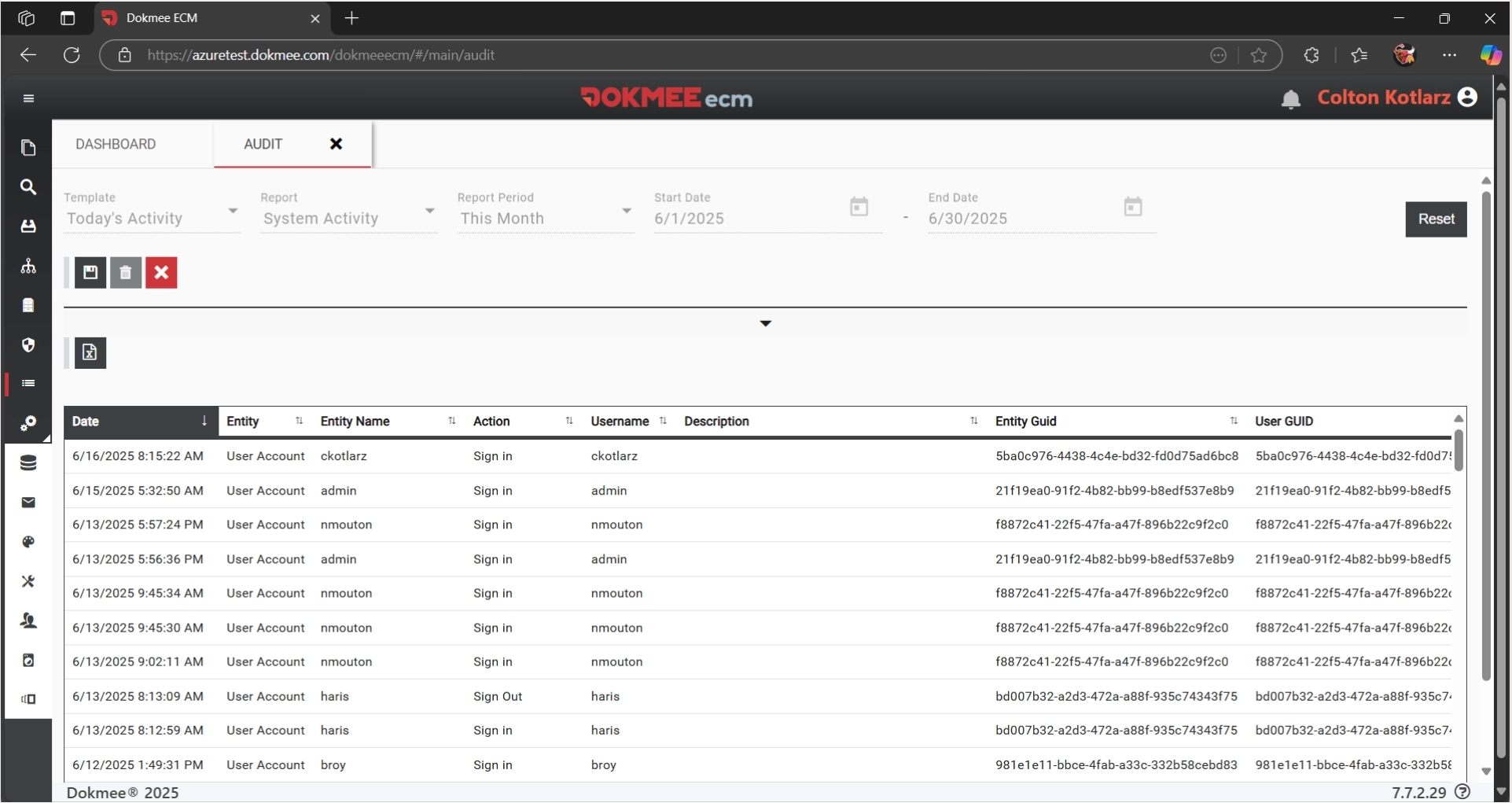
Dokmee covers the same primary ground as FileHold: structured document storage, role-based security, and audit trails. But it closes two gaps FileHold reviewers mention most; Magic Indexing automatically tags documents by analyzing their content instead of relying on manual metadata entry, and every plan comes with a published price instead of a quote-only sales process.
It also matches FileHold’s deployment flexibility rather than trading it away. It deploys on the cloud, on-premise, or following a hybrid model, with full feature parity across all three, so switching doesn’t mean giving up the control regulated industries specifically chose FileHold for in the first place.
Notable Features
Magic Indexing (AI-assisted) and AI Scripting for automated, code-based document classification
Unlimited scanning included, no per-click charges
Built-in retention policies with automated archive, relocate, or delete actions
No-code workflow designer, or custom builds available from the Dokmee team
Cloud, on-premise, or hybrid deployment with full feature parity
Pros and Cons
Pros | Cons |
|---|---|
✅ Published, transparent pricing instead of quote-only | ❌ Advanced features like AI Scripting have a learning curve |
✅ AI-powered indexing that FileHold doesn't offer natively | ❌ On-premise or hybrid performance depends on your own infrastructure setup |
✅ Flexible deployment across cloud, on-premise, and hybrid | ❌ Customization for complex workflows may need Dokmee's support team |
Pricing
Plan | Price |
|---|---|
Dokmee Cloud | $39/mo. per user |
Dokmee Cloud+ | $59/mo. per user |
Dokmee Enterprise | Contact for a quote |
For a full breakdown of Dokmee and its features, read our complete Dokmee review.
If FileHold’s cabinet-and-folder hierarchy still means digging through the wrong drawer, M-Files replaces folders entirely with searchable metadata.
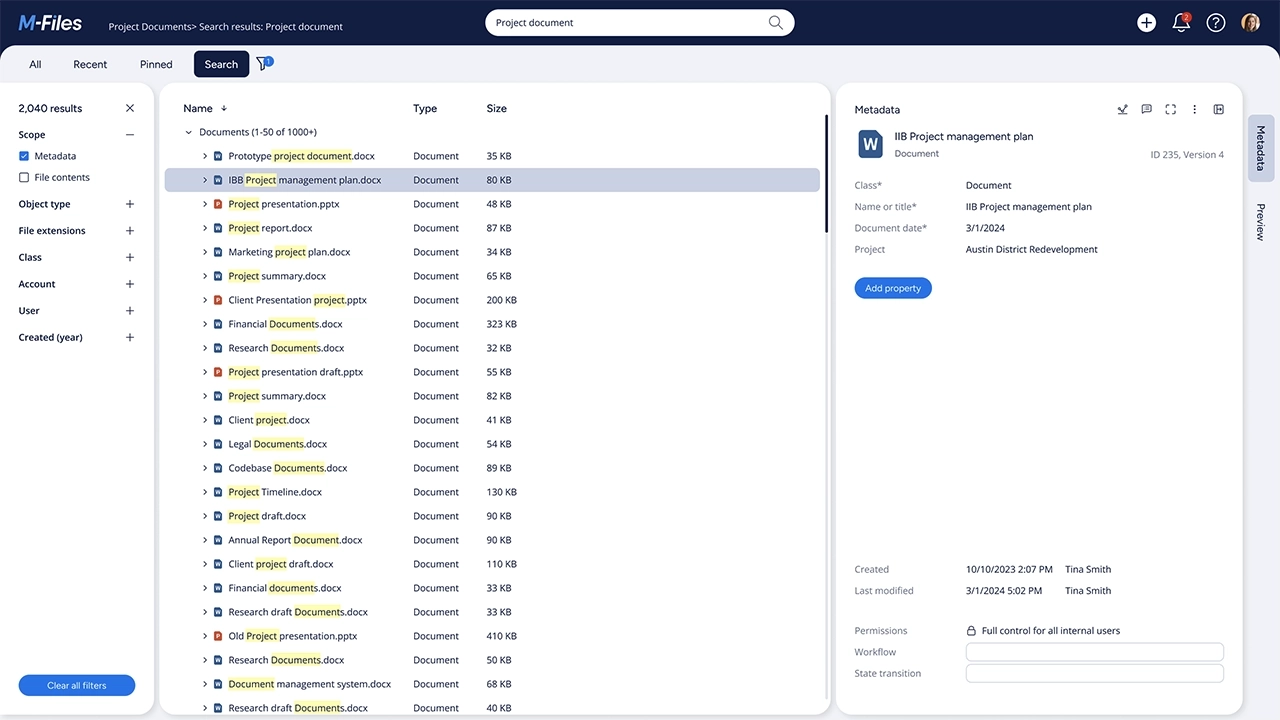
FileHold organizes documents the way a physical office would (cabinets, drawers, and folders), which is exactly the model M-Files abandons.
Instead, M-Files tags documents by what they are (client, project, and document type) so the same file surfaces in every relevant context without anyone needing to remember which drawer it's filed under.
It also runs natively inside Microsoft 365, extending Teams, Outlook, and Copilot. That’s a deeper integration than FileHold's connector-based approach to Office.
Notable Features
Metadata-driven organization instead of folders; the same document can surface in multiple business contexts
Aino AI assistant for conversational search, automated tagging, and document summarization
Native Microsoft 365 integration, including grounding Microsoft Copilot in governed content
Automated retention, audit trails, and role-based permissions built into the platform
No-code workflow automation for approvals and document routing
Pros and Cons
Pros | Cons |
|---|---|
✅ Metadata search finds documents instantly once tagging is consistent | ❌ A real learning curve, more so than FileHold's already-familiar folder structure |
✅ Runs natively inside Microsoft 365 rather than as an add-on | ❌ Pricing sits at the premium end of the category |
✅ Strong compliance and audit automation built in | ❌ AI tagging accuracy varies by document type |
Pricing
Plan | Prce |
|---|---|
M-Files Essentials | €65/user/month |
M-Files Enterprise | Custom quote |
For a full breakdown of M-Files and its features, check out our dedicated M-Files review.
If FileHold’s audit trails cover the basics but your organization needs full records lifecycle management, Laserfiche goes several steps further natively.
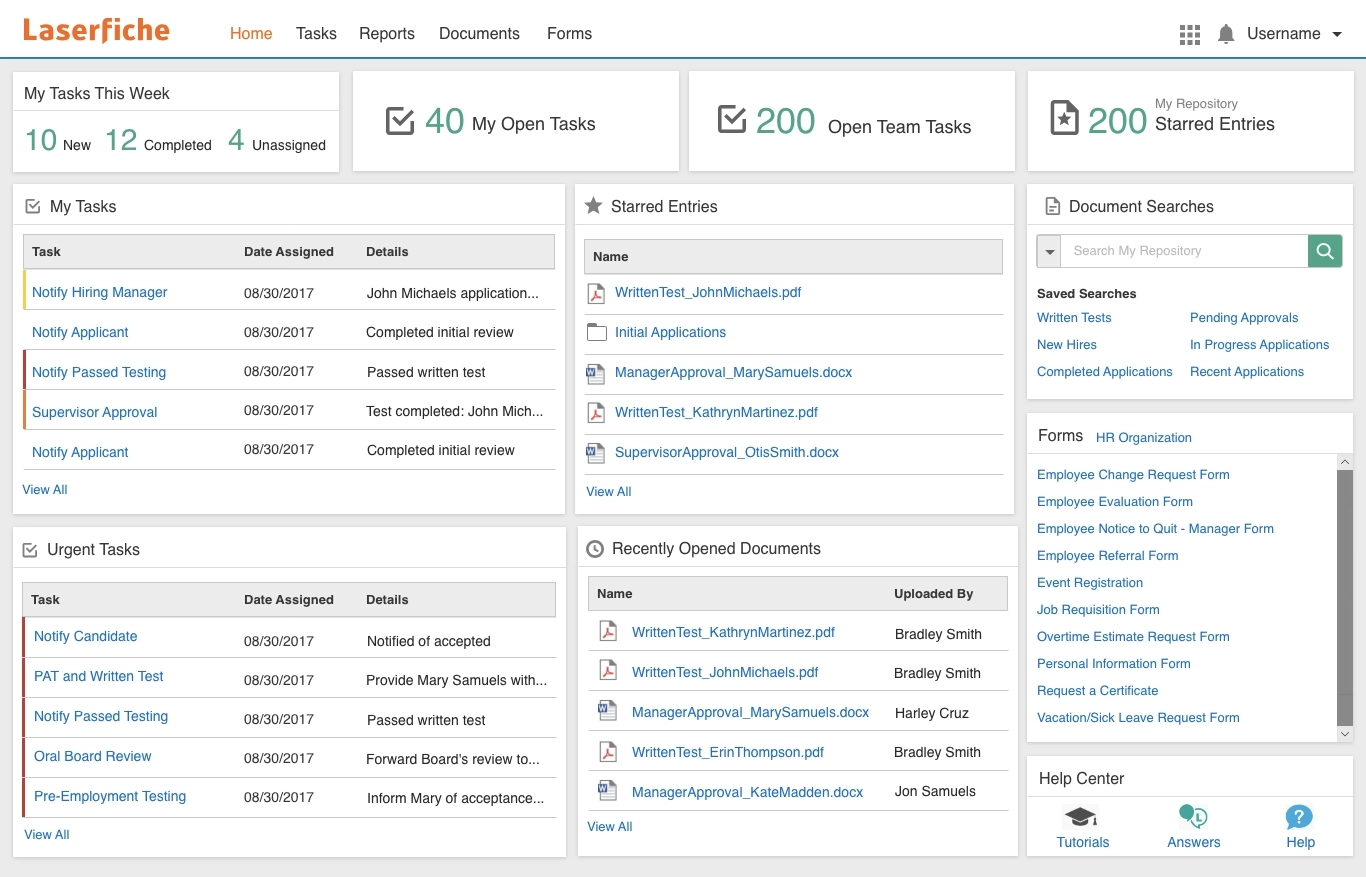
FileHold handles audit logging and retention well for small to mid-sized regulated teams, but Laserfiche was built for organizations that need records lifecycle management, legal holds, and compliance reporting at enterprise scale.
Where FileHold's retention scheduling is straightforward, Laserfiche adds SOC 2 Type 2+, HIPAA, and ISO 27001 certification alongside AI-powered document classification FileHold doesn't offer.
The tradeoff is scale and cost. Laserfiche's entry tier starts at a 5-user minimum similar to FileHold, but its higher tiers are built for organizations FileHold was never really sized for: government agencies, large healthcare systems, and enterprise finance teams managing far higher document volumes.
Notable Features
Native records lifecycle management, legal holds, and audit trails
AI-powered intelligent document capture, classification, and metadata extraction (Laserfiche AI Agents)
Low-code workflow designer for complex, multi-step business processes
Cloud security certified to SOC 2 Type 2+, HIPAA, and ISO 27001
Native Microsoft 365 collaboration alongside its own repository structure
Pros and Cons
Pros | Cons |
|---|---|
✅ Deeper native compliance and records management than FileHold | ❌ Steep learning curve for configuration |
✅ AI-powered capture and classification built-in | ❌ Meaningfully more expensive than FileHold at every tier |
✅ Scales cleanly from small teams to enterprise | ❌ Higher tiers require a 25- to 500-user minimum |
Pricing
Plan | Price (billed annually) | Minimum Users | Notable Inclusion |
|---|---|---|---|
Professional | $73/user/mo. | 5 users | 1,000 AI Units/year, 100GB/user |
Business | $93/user/mo. | 25 users | Records management, SSO/MFA/SCIM |
Business+ | $42/user/mo. | 500 users | 30TB/account, multi-region failover |
We review Laserfiche in more detail in your complete Laserfiche review.
If FileHold’s 5-user minimum and dated interface feel like a mismatch for a smaller, growing team, Revver was rebuilt in 2023 specifically to modernize this category.
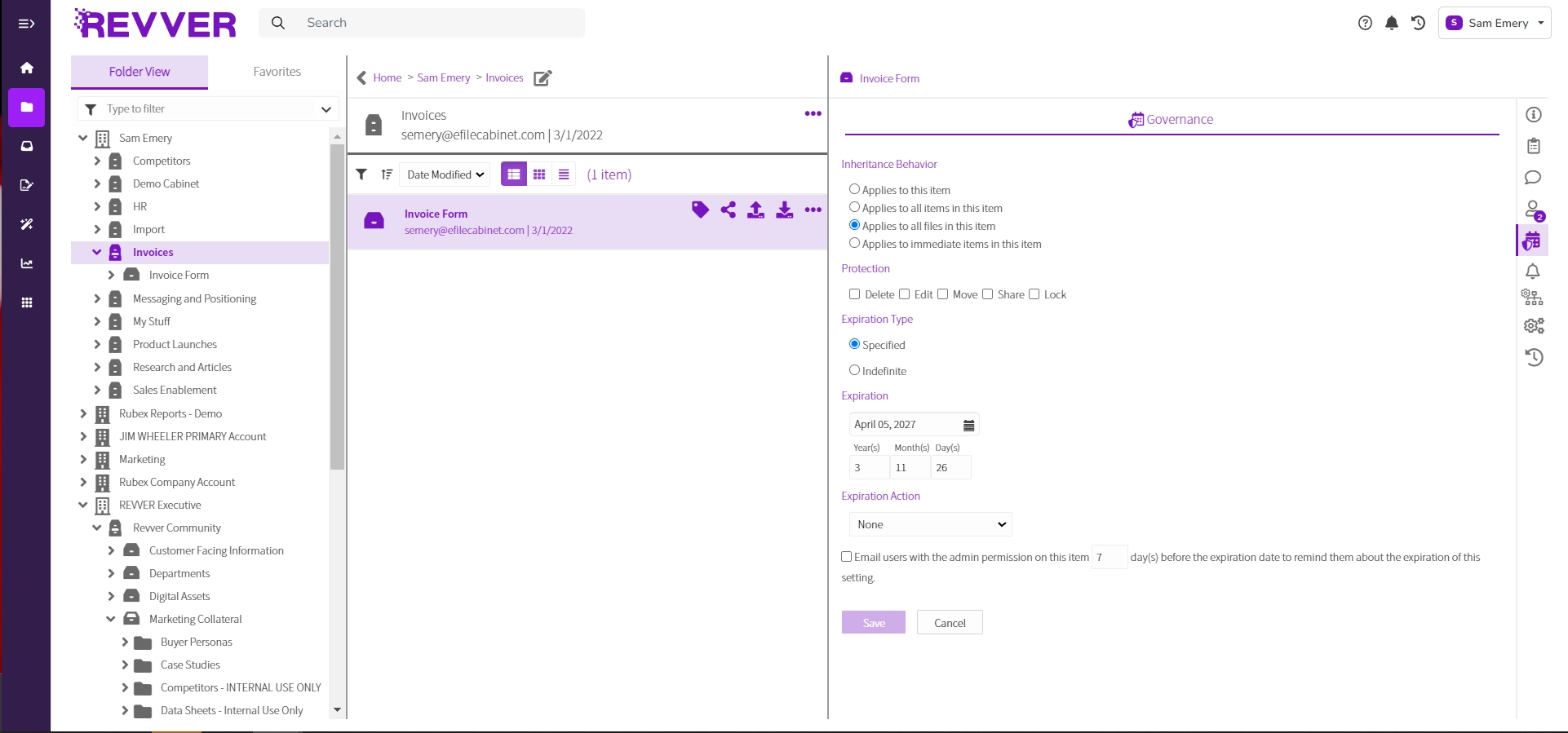
Revver, formerly eFileCabinet, went through a full product refresh in 2023 focused on automation and a genuinely modern interface, addressing the exact complaint FileHold reviewers raise most often.
Its mix-and-match license tiers (Guest, Basic, Essentials, and Full) also mean a growing team doesn't have to put every user on the same plan just to give a few people full access. It’s more flexible than FileHold's flat per-user licensing.
Revver's zonal OCR with handwriting recognition applies automatically to every uploaded file, comparable to FileHold's SmartSoft Capture, but paired with a Document Request system that makes collecting files from clients or external partners considerably more self-service.
Notable Features
Mix-and-match license tiers (Guest, Basic, Essentials, and Full) so teams pay only for what each person actually needs
Zonal OCR with handwriting recognition applied automatically to every uploaded file
Document Request system for secure, trackable file collection from clients or external partners
No-code, enterprise-grade workflow automation with container-level triggers
Dual Screen Previewer for comparing document versions side by side
Pros and Cons
Pros | Cons |
|---|---|
✅ More flexible per-user licensing than FileHold's flat structure | ❌ No free trial, unlike FileHold's two-week trial offer |
✅ Modern interface following a full 2023 product rebuild | ❌ Mobile app has been poorly received by users |
✅ Strong Microsoft 365 and DocuSign integrations | ❌ Pricing rises quickly at the Essentials and Full tiers |
Pricing
Tier | Price | Best For |
|---|---|---|
Guest | Included with a package | Client or external access only |
Basic | $25/user/mo. (avg.) | Document access and storage |
Essentials | $67/user/mo. (avg.) | Participating in and driving document work |
Full | $87/user/mo. (avg.) | Work, process, and account management |
⚠️ Note: Revver’s published pricing excludes professional services and implementation fees, and figures are shown as averages that vary by the number of purchased licenses. e.g., the Basic plan can be as low as $4/user/mo?
To learn more about this platform, check out our complete Revver review.
If FileHold’s no-code workflow builder feels basic for what you’re actually trying to automate, DocuWare’s Workflow Manager and Task Manager go considerably deeper.
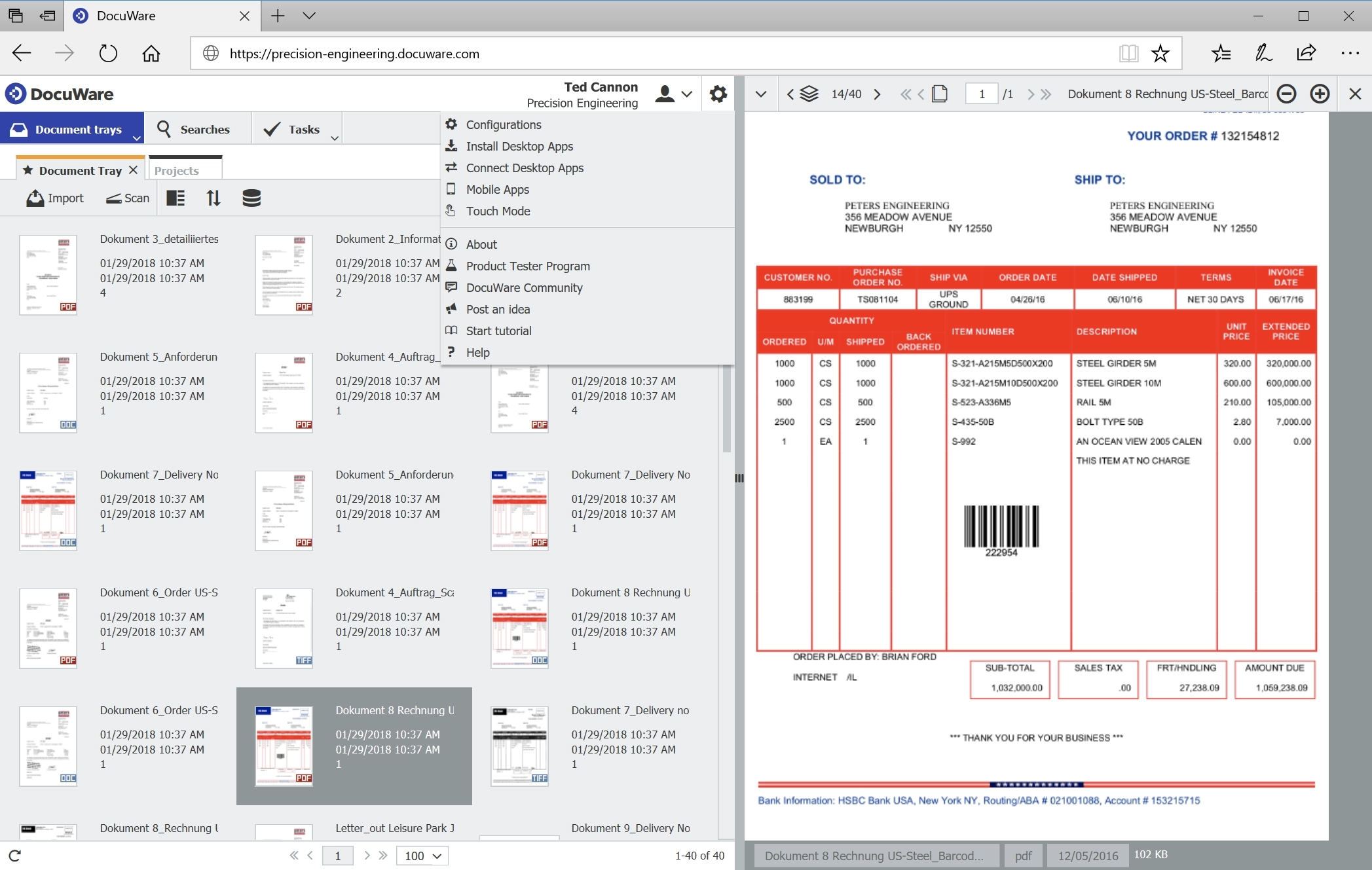
FileHold's workflow tool covers straightforward approval chains well: up to 20 sequential tasks with reminders and digital signatures.
DocuWare pushes further into genuine process automation: Intelligent Indexing auto-classifies incoming documents and extracts data, while its Task Manager gives teams a centralized dashboard for tracking every pending assignment across departments.
Every DocuWare Cloud plan includes the full feature set regardless of tier. That’s an important difference from FileHold's optional add-on modules that get priced and licensed separately.
Notable Features
Intelligent Indexing with AI-powered data extraction and automatic classification.
Drag-and-drop Workflow Manager for invoice approvals, contract routing, and onboarding
Task Manager centralizes pending assignments with automated email notifications
No-code DocuWare Forms for structured data capture
Full feature set included on every cloud plan; no feature-gated tiers
Pros and Cons
Pros | Cons |
|---|---|
✅ Full feature set on every plan; no tier-gating like FileHold’s optional modules | ❌ Complex admin setup and steep learning curve |
✅ Deeper workflow and task automation than FileHold’s basic builder | ❌ Pricing scales quickly with named users |
✅ Flexible cloud or on-premise deployment | ❌ Implementation costs are separate and stage-based. |
Pricing
License Type | Price | Notes |
|---|---|---|
Named (Full) Users | £20 to £57/user/mo. | Sliding scale by volume |
Workflow Users | £9.20/user/mo. | Sold in packs of 5 (£46/mo. per pack); limited functionality |
Overall Cloud Range | £10 to £60/user/mo. | Varies by functionality and Scale |
For a full breakdown of DocuWare and its features, read our complete DocuWare review.
The right pick depends on what FileHold isn’t giving you.
M-Files fixes the folder hierarchy,
Laserfiche fixes compliance depth,
DocuWare fixes workflow automation, and
Revver fixes licensing flexibility and interface age.
Dokmee is built to cover the most common combination of those: AI-powered indexing and transparent pricing, without giving up the deployment flexibility FileHold got right in the first place.
Whichever direction you go, migrating off FileHold means a genuine data migration, not a settings change, so it’s worth confirming export and onboarding support before committing.
Ready to see how Dokmee’s AI-powered indexing and published pricing compare to FileHold’s manual metadata and quote-only model? Get a live walkthrough built around your team’s actual document volume.
Request Your Free Dokmee Demo Today →
Dokmee features Magic Indexing, which uses AI to scan the content of uploaded documents, including handwritten notes and company logos, to automatically assign tags and metadata, cutting administrative data entry to zero.
Dokmee publishes transparent, per-user pricing starting at $39/user/month with unlimited scanning included and no surprise add-on fees, allowing growing businesses to budget accurately.
Dokmee delivers a clean, intuitive user interface paired with a dual-layer workflow engine: an accessible no-code drag-and-drop designer for standard routing and custom API/scripting capabilities for advanced enterprise pipelines.
Like FileHold, Dokmee offers full deployment parity across Cloud, On-Premise, and Hybrid setups, ensuring regulated sectors maintain complete data sovereignty without missing out on modern AI capture tools.