Full 2026 Microsoft SharePoint Review
Written by Christina Miranda · Reviewed by  Dokmee
Complete Microsoft SharePoint review covering collaboration features, pros and cons. See if this Microsoft 365 platform beats modern alternatives.
Microsoft sharePoint became a popular DMS platform due to its native integration within the Microsoft 365 package and has since evolved.
The thing is it kept its focus mostly around communication and team collaboration.
Which is a vital component of a DMS and ECM, but not the only component. In this Microsoft SharePoint Review we will help you determine if its features can benefit your organization.
Is SharePoint worth it? Yes, it is worth it if your organization already runs on Microsoft 365. Here’s the quick version:
SharePoint is a web-based collaboration and content management platform built into Microsoft 365.
Rated 4.0 out of 5 on G2 (8,975+ reviews) and 4.4 out of 5 on Capterra (5,400+ reviews).
Best suited to organizations already standardized on Microsoft 365 that need team sites, intranets, and document collaboration.
Strong on Microsoft integration, real-time co-authoring, and enterprise compliance tooling through Purview.
Weaker on document capture, OCR, native records management, and ease of administration at scale.
What is Microsoft SharePoint?
Microsoft SharePoint is a web-based collaboration and document management platform that helps organizations store, organize, share, and manage business content.
As part of the Microsoft 365 ecosystem, it offers features to collaborate on documents, create internal intranet sites, automate business processes, and securely access information from virtually anywhere.
While SharePoint includes document management capabilities such as version control, permissions, metadata, search, and co-authoring, its primary focus is broader than document management alone.
It is designed as a collaboration and content management platform that brings together documents, communication, and different teams or departments.
It's also worth noting that Microsoft's strategic focus has shifted almost entirely to SharePoint Online.
Although SharePoint Server remains available, SharePoint Server 2019 version reached the end of mainstream support in January 2024 and stopped receiving extended support as of July 2026.
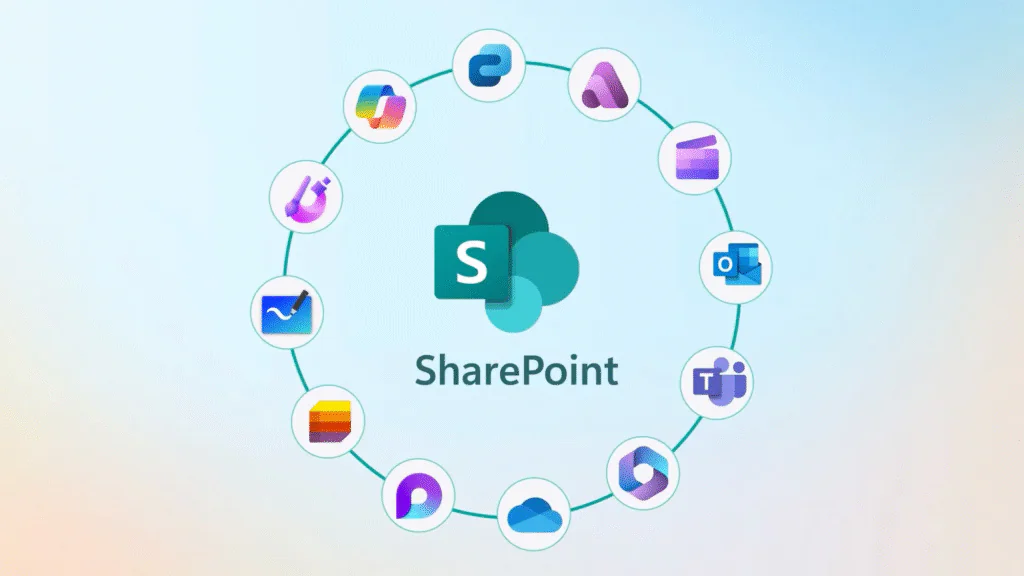
One of SharePoint's biggest strengths is its deep integration with Microsoft applications including Word, Excel, Outlook, Teams, OneDrive, Power Automate, and Power BI.
Who is Microsoft SharePoint for?
Microsoft SharePoint is best suited to organizations that need a central platform for collaboration, document sharing, and internal knowledge management, particularly those already using Microsoft 365.
Small and medium-sized businesses often use SharePoint to create shared document libraries, department sites, and company intranets without investing in a separate collaboration platform.
Larger enterprises use it to support cross-functional collaboration, manage internal communications, and provide employees with secure access to business information across multiple locations.
SharePoint is also widely adopted across industries including:
Government
Education
Healthcare
Financial services
Manufacturing
Common use cases include document collaboration, policy and procedure management, project documentation, employee onboarding, knowledge bases, contract libraries, and internal portals.
Organizations that need employees to co-author documents in real time or collaborate across distributed teams typically benefit from SharePoint's Microsoft 365 integration.
However, SharePoint is not always the best fit for organizations that need a more advanced ECM platform.
While Microsoft has expanded its document management capabilities over the years, many advanced ECM functions require additional Microsoft services, third-party applications, or significant customization.
Complex document capture, high-volume scanning, intelligent indexing, records management, case management, and sophisticated workflow automation often extend beyond SharePoint's core strengths.
A common issue is that SharePoint's flexibility creates governance challenges. Without careful planning, document libraries, permissions, metadata, and site structures can become difficult to manage as the environment grows.
If your primary goal is team collaboration within the Microsoft ecosystem, SharePoint is one of the strongest options available.
However, if document management, compliance, workflow automation, and information governance are your core business requirements, a dedicated ECM platform such as Dokmee, M-Files, Laserfiche, or Hyland OnBase may provide a more complete solution with less reliance on custom development or additional Microsoft services.
If this doesn’t seem like the right fit for you, check out the best 5 alternatives to SharePoint
Best Microsoft SharePoint features
SharePoint combines document management, collaboration, content management, and business process automation within the Microsoft 365 ecosystem.
However, the more advanced ECM features rely on Microsoft's wider platform, such as Power Automate, Microsoft Purview, and SharePoint Premium.
These are some document management features you can find in SharePoint.
Document management
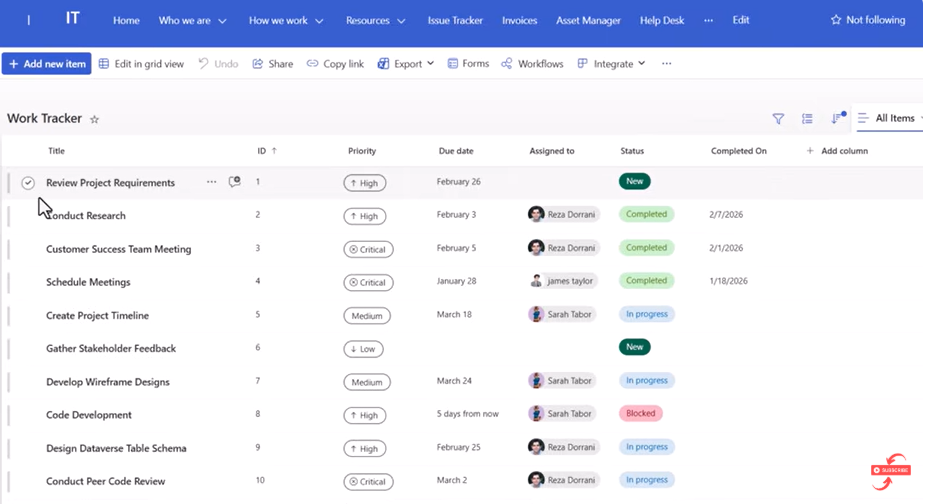
SharePoint provides centralized document storage through Document Libraries, where files are securely stored and organized.
It includes version history, check-in/check-out, metadata, permissions, document search, and real-time co-authoring, making it easier for teams to collaborate directly from the platform.
Rather than relying solely on folder structures, documents can be organized using metadata such as customer, project, department, or document type.
SharePoint's native integration with Word, Excel, PowerPoint, Teams, and OneDrive creates a seamless document collaboration experience.
The main limitation is that effective document management depends heavily on well-planned information architecture and consistent metadata.
Without proper governance, document libraries and permissions can quickly become difficult to manage as content grows.
Team sites and intranet
One of SharePoint's biggest strengths is its ability to create team sites and company intranets.
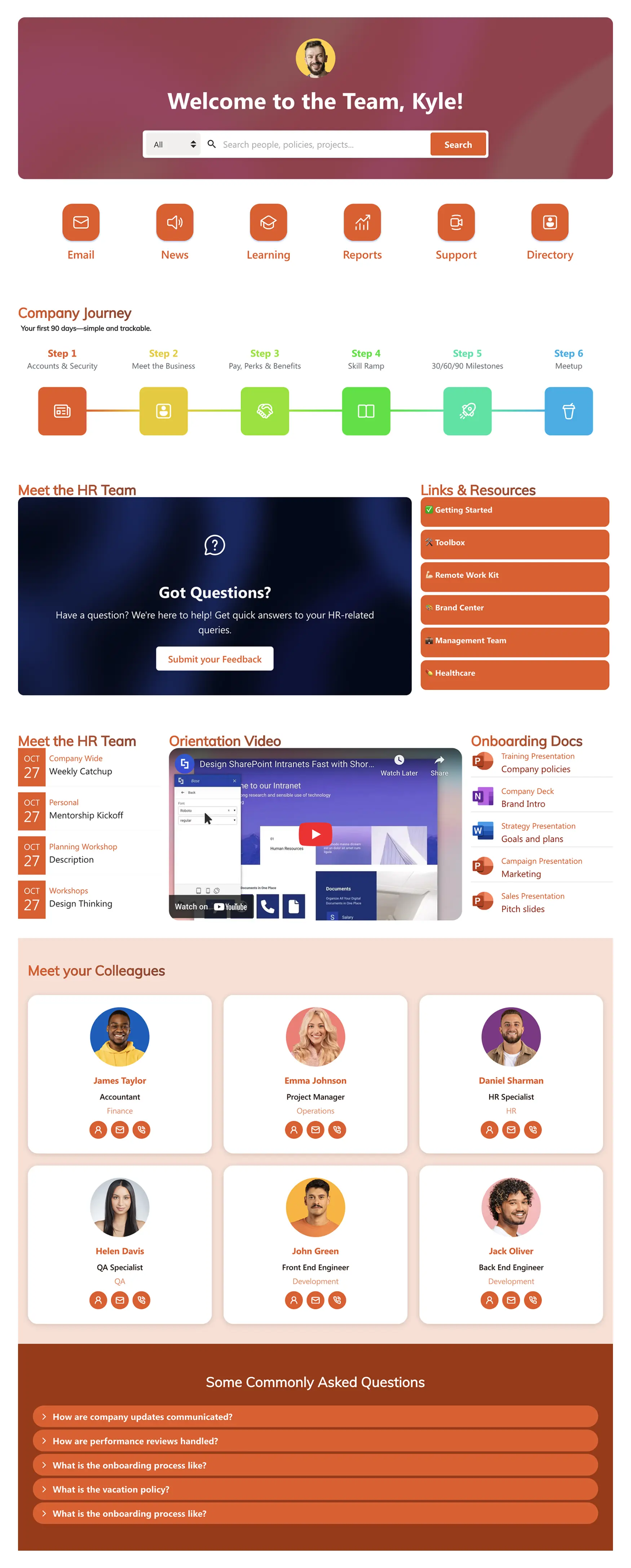
Departments, project teams, and business units can build dedicated workspaces that contain document libraries, calendars, announcements, task lists, dashboards, and shared resources.
These sites provide a central location for collaboration where you can share company news, policies, procedures, and internal knowledge through a modern intranet experience, they are also a good tool for specific projects.
For example, a Human Resources department could create an employee portal where team members can easily find onboarding documents, company policies, training materials, and internal announcements.
Although SharePoint offers templates and no-code page creation tools, highly customized intranets or branded experiences often require support from IT teams or SharePoint developers.
Workflow automation
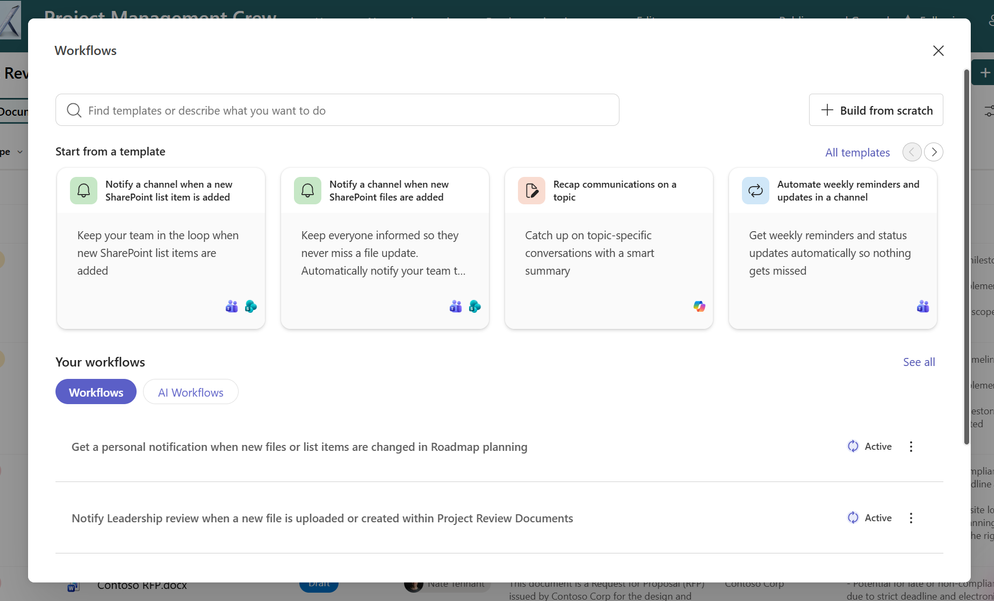
SharePoint supports workflow automation through its integration with Microsoft Power Automate.
These workflows allow you to automate document approvals, notifications, file routing, document reviews, and business processes.
For example, uploading a contract to a SharePoint library can automatically trigger an approval workflow, notify reviewers, collect approvals, and archive the final document once the process is complete.
While simple workflows are relatively easy to build using Power Automate's visual interface, more complex automations involving multiple systems, business rules, or custom integrations often require technical expertise.
Unlike dedicated ECM platforms, workflow automation is delivered through Microsoft's wider ecosystem rather than being entirely native to SharePoint.
Security and Compliance
SharePoint includes enterprise-grade security features designed to help you protect sensitive information and meet compliance requirements.
Administrators can apply granular permissions at the site, library, folder, or document level, ensuring employees only access information relevant to their roles.
Microsoft also provides compliance capabilities through Microsoft Purview, including data loss prevention (DLP), retention policies, sensitivity labels, audit logs, legal holds, and records management.
However, managing permissions, retention policies, and governance across large SharePoint environments can become complex. You may need to invest in dedicated governance strategies or third-party management tools to protect all content.
AI and Automation
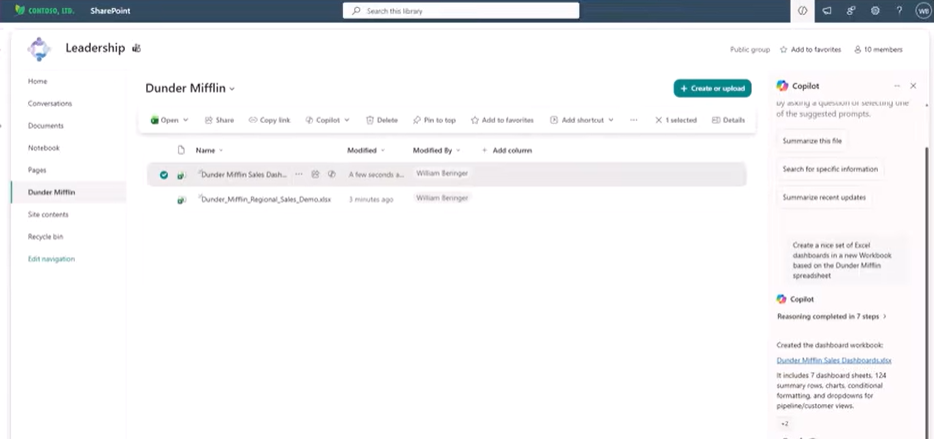
SharePoint’s newer AI features lean heavily on Microsoft 365 Copilot and Work IQ.
Work IQ grounds Copilot in your organization’s SharePoint content for more relevant answers.
AI-powered search aims to understand intent rather than just matching keywords.
A SharePoint Admin Agent assists with AI-powered governance at scale.
Copilot can draft pages and sites from natural language descriptions.
Several of these features remain in public preview and may require additional licensing beyond a standard plan.
It's also worth knowing that this is general-purpose AI assistance, not the specialized AI document indexing or AI document search that a purpose-built document platform provides.
Microsoft SharePoint User Reviews
⭐⭐⭐⭐⭐ Ratings
G2 4/5 | Capterra 4.4/5
Microsoft SharePoint’s users frequently praise its ability to centralise documents, support real-time collaboration, and integrate seamlessly with familiar Microsoft applications such as Teams, Outlook, Word, Excel, and OneDrive.
Many reviewers also highlight its flexibility, noting that it can be adapted to a wide range of business needs, from simple document sharing to company intranets and knowledge management.
At the same time, user reviews show that SharePoint has a steeper learning curve than many dedicated document management systems.
While the platform is highly capable, configuration, permissions management, and site administration require planning and technical expertise.
Smaller businesses and non-technical users, in particular, sometimes find the platform more complex than necessary for straightforward document management tasks.
✔️ Pros | ✖️ Cons |
|---|---|
Native integration with Microsoft 365 | Licensing costs can increase when additional Microsoft products are needed for ECM features |
Strong document collaboration with real-time co-authoring | Initial setup, information architecture, and permissions can be time-consuming |
Flexible platform | User interface can feel complex |
Powerful search capabilities when metadata is correctly assigned | Advanced workflows and business automation require Power Automate |
Granular permissions and enterprise-grade security features | Performance can be affected when managing large document libraries |
Customizable through Microsoft Power Platform and other integrations | Customization requires IT support |
Best alternative to SharePoint
Dokmee is a DMS and ECM platform that also provides centralized file cabinets for all your documents, workflow automation, full customization, metadata management, plus it includes AI-powered features to enhance document organization and search.
SharePoint is a broad collaboration and content management platform built around the Microsoft 365 ecosystem, making it a natural choice for organisations already invested in Microsoft's productivity tools.
Dokmee, on the other hand, is a purpose-built ECM platform focused on document management, workflow automation, compliance, and information governance with a simpler implementation and user experience.
However, choosing Dokmee does not mean giving up on the Microsoft 365 package. Dokmee also integrates with mostproducts and allows you to edit and co-author documents without having to leave your DMS.
If your organization primarily needs document collaboration, intranet sites, and seamless integration with Microsoft applications, SharePoint is a strong option.
If your priority is managing business-critical documents, automating document-centric processes, and reducing administrative complexity, Dokmee offers many of these capabilities.
Feature | Microsoft SharePoint | Dokmee |
|---|---|---|
Primary Focus | Collaboration, intranets, and content management | Enterprise content management and document management |
Deployment Options | Cloud (SharePoint Online), On-Premises (SharePoint Server), Hybrid | Cloud, On-Premises, Hybrid |
Document Management | Strong document management with collaboration features | Purpose-built document management with advanced governance |
Workflow Automation | Via Microsoft Power Automate | Native visual workflow designer |
AI Capabilities | Microsoft Copilot, Microsoft Search, SharePoint Premium (additional licensing may apply) | Built-in AI Search, AI Document Summary, AI-powered document discovery |
Integrations | Deep Microsoft 365 ecosystem integration | Microsoft 365 plus ERP, CRM, accounting, HR, and business applications |
Records Management | Available through Microsoft Purview and SharePoint Premium | Built-in records management and retention policies |
User Experience | Familiar for Microsoft users but can become complex | Clean, intuitive interface with minimal training |
Scalability | Excellent for organisations standardized on Microsoft 365 | Scales across SMBs, enterprises, and regulated industries |
Best For | Organisations centered around Microsoft 365 collaboration | Organizations that prioritize document management, compliance, and workflow automation |
Read the full Dokmee vs SharePoint comparison
Is Microsoft SharePoint your ideal DMS?
Deciding on SharePoint comes down to one question: does your organization prioritize deep Microsoft integration above all else?
If your team lives in Teams, Outlook, and Office, its seamless collaboration capabilities can justify the steep learning curve.
The platform's real-world cost, however, is often higher than the advertised $5 entry point. Business plans start at $12.50/mo (with Teams). If you add Copilot, the price per user per month climbs to $30.
The fundamental trade-off with SharePoint is its complexity. Its "Swiss Army knife" design is powerful but often makes simple tasks like navigation and permission management a challenge for everyday users.
If your goal is enterprise power without the user friction, modern ECM alternatives, like Dokmee, deliver comparable functionality with a much more intuitive approach. They also support Microsoft 365 integration and SharePoint itself, so you’re never missing out.
Dokmee is the modern ECM approach: comprehensive document-centric and process-centric capabilities delivered through interfaces that teams can use productively from day one, without requiring Microsoft ecosystem expertise.
Your team already has enough to learn. Why add unnecessary complexity when modern ECM can accelerate your work instead of complicating it?