Laserfiche vs Dokmee Feature Comparison
Written by Christina Miranda · Reviewed by  Dokmee
In this Laserfiche vs Dokmee comparison we analyze features, pros, and cons fro both platforms to help you decide which is best for you.
When you choose your DMS or ECM platform, you’re essentially choosing the most important tool in your box.
A DMS will manage every piece of information and content in your organization, but furthermore, it will also handle your task management, workflows and processes.
So, of course, you need to choose a platform that works with you and your team perfectly.
If you’re currently debating Laserfiche vs Dokmee, this comparison will help you decide.
What is Dokmee?
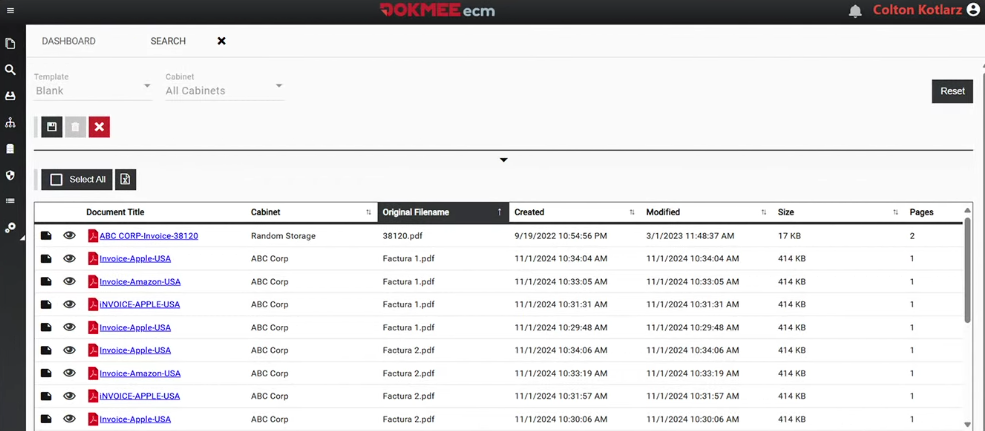
Dokmee is an ECM and DMS platform that brings together document capture, OCR, indexing, workflow automation, collaboration, security and records management with AI-powered features.
Dokmee can be used to digitize paper documents and organize digital files. Once documents are stored, you can locate information through search, manage different document versions, apply permissions, collaborate on files and route documents through predefined workflows.
The platform also supports forms, retention policies, audit trails and mobile access, allowing you to manage documents dynamically and automatically rather than simply storing them.
Dokmee offers both cloud and on-premises deployment options, giving organisations flexibility over how their ECM environment is hosted.
Dokmee stands out for its high level of configuration.
For example, administrators can create as many custom metadata and index fields needed, in any language.
Dokmee allows you to build the ECM you need thanks to full customization and a modular system.
What is Laserfiche?
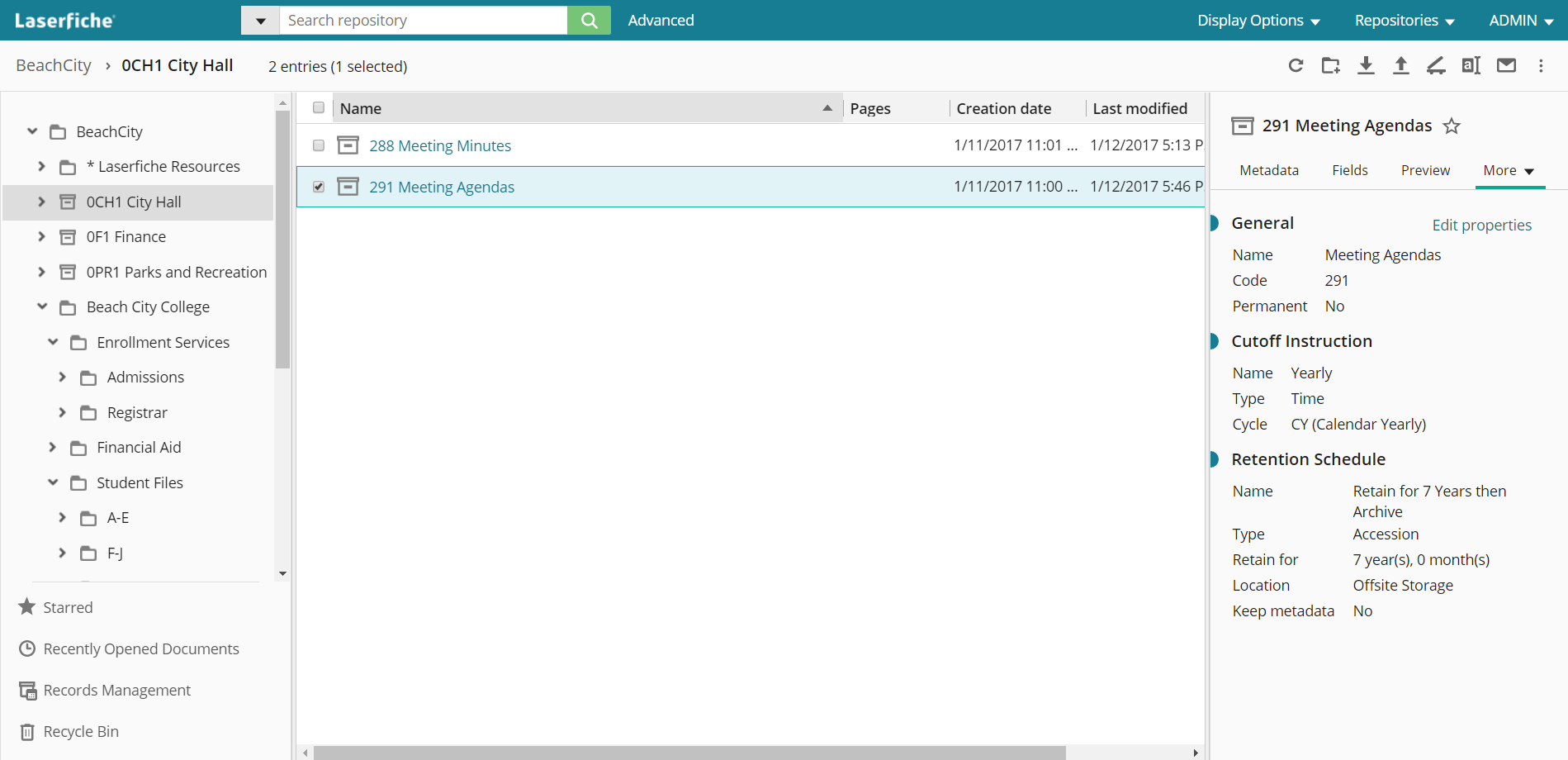
Laserfiche is an ECM platform that combines document and records management with document capture, process automation, AI, information governance, and integrations.
Laserfiche also includes records management capabilities so you can manage content thoroughly, including retention and disposition.
Security features include access controls, version history, and audit trails, while its mobile applications and capture tools provide additional ways to access and add content to the repository.
Laserfiche also supports process automation through low-code tools that allow you to build automated business processes, along with forms and intelligent data capture. These capabilities can be used to route documents, collect information, extract data, and trigger actions based on defined processes.
AI is integrated across several areas of the platform rather than being limited to a separate AI tool. Laserfiche AI supports functions such as document classification, data extraction, summarization, search, and content analysis. Its Smart Fields functionality can use natural-language instructions to identify document types, apply metadata templates, extract information, and classify content.
For integrations, Laserfiche provides prebuilt integrations, APIs, iPaaS options, and custom-built connectors.
Dokmee vs Laserfiche feature comparison
Dokmee and Laserfiche cover many of your basic and essemtial ECM requirements, including document storage, search, metadata, capture, OCR, workflow automation, and AI-assisted document processing.
The main differences lies in how each platform handles specific document management tasks and how much control organizations have over configuration.
The following comparison focuses on the capabilities most relevant to organizations evaluating the two platforms.
1. Document management
Both Dokmee and Laserfiche provide a centralized environment for storing, organizing, searching, and managing business documents.
Core capabilities include metadata, folders, version control, annotations, document history, and full-text search.
Dokmee uses dynamic file cabinets that follow classic folder structures. Documents are classified by metadata and indexing, allowing you to structure documents according to your own filing requirements.
It also supports version control, annotations, full-text search, and collaborative editing of Microsoft Office files.
Laserfiche provides folders, metadata, templates, version control, annotations, and full-text and metadata-based search within its repository.
Document management feature | Dokmee | Laserfiche |
|---|---|---|
Dynamic folder structures | ✓ | — |
Version control | ✓ | ✓ |
Full-text search | ✓ | ✓ |
Document annotations | ✓ | ✓ |
File sharing | ✓ | ✓ |
If you already have established filing structures, Dokmee's combination of metadata, dynamic folders, permissions, and configurable document organization provides flexibility in how content is structured and accessed.
The platforms otherwise have substantial overlap in their core document management functionality.
2. Document capture and OCR
Document capture is the starting point for organizations that need to bring paper records and digital documents into an ECM system.
Both platforms provide tools to extract and classify data, with AI supporting these processes.
Dokmee Capture uses OCR and AI-assisted processing to classify documents, extract data, and automate indexing. It supports batch processing and can export processed documents and associated metadata to ECM, DMS, and other business systems.
Laserfiche also provides intelligent capture capabilities that can classify documents and extract information using AI. Its capture tools are designed to process both scanned and electronic documents and convert their contents into structured information that can be used within workflows.
Capture and OCR feature | Dokmee | Laserfiche |
|---|---|---|
Document scanning | ✓ | ✓ |
OCR | ✓ | ✓ |
Batch processing | ✓ | ✓ |
Barcode recognition | ✓ | ✓ |
Handwriting recognition | ✓ | ✓ |
The two platforms therefore offer similar capabilities at a high level.
Dokmee's Capture product is particularly relevant if you need to process large volumes of documents while controlling how extracted information is indexed and routed into the ECM environment.
3. Indexing and metadata
Indexing determines how easily users can retrieve documents after they enter the system.
Both platforms support metadata-based organization and automated approaches to reduce manual indexing.
Dokmee provides manual and automated indexing, metadata fields, templates, and automated metadata tagging.
Its Magic Indexing functionality can help identify information within documents, while AI-assisted processing can be used to classify documents and extract relevant data. Dokmee also provides scripting capabilities for organizations with more specific indexing requirements.
Laserfiche uses metadata templates and Smart Fields to automate classification and information extraction. Smart Fields can identify information in documents and use that information to populate metadata.
Indexing and metadata feature | Dokmee | Laserfiche |
|---|---|---|
Automated indexing | ✓ | ✓ |
AI data extraction | ✓ | ✓ |
Document classification | ✓ | ✓ |
Custom indexing logic | ✓ | ✓ |
Scripting capabilities | ✓ | — |
Dynamic document organization | ✓ | — |
There is considerable functional overlap, particularly around AI-assisted classification and extraction. The difference is how organizations can configure the indexing process.
Dokmee provides options for custom indexing logic and scripting in addition to its standard metadata and AI features, which can be useful when documents do not follow a single standardized format.
4. Customization
Customization is particularly relevant when comparing ECM platforms because organizations often have different filing structures, metadata requirements, approval processes, and access rules.
Dokmee allows you to configure metadata fields, folder structures, workflows, user roles, permissions, forms, annotations, and other document-management elements. Its scripting and API capabilities provide additional options for organizations that need to adapt the system to specific processes or connect it with existing applications.
Laserfiche also provides configuration options through metadata templates, workflows, forms, security settings, Smart Fields, and integrations.
Customization area | Dokmee | Laserfiche |
|---|---|---|
Custom metadata fields | ✓ | ✓ |
Custom folder structures | ✓ | ✓ |
Dynamic folders | ✓ | — |
Custom user roles | ✓ | ✓ |
Granular permissions | ✓ | ✓ |
Custom forms | ✓ | ✓ |
Scripting/custom logic | ✓ | — |
API access | ✓ | ✓ |
Third-party integrations | ✓ | ✓ |
Both platforms can be configured to accommodate different organizational requirements.
Dokmee offers a broad set of configuration and customization options across document organization, indexing, workflows, forms, permissions, and integrations, giving you more ways to adapt the platform when standard configurations do not fully match an existing process.
5. Workflow and process automation
Both Dokmee and Laserfiche support workflow automation for document approvals, routing, notifications, and other recurring processes.
The main difference is how these capabilities fit into each platform.
Workflow feature | Dokmee | Laserfiche |
|---|---|---|
Rules-based workflows | ✓ | ✓ |
Notifications | ✓ | ✓ |
User inboxes | ✓ | ✓ |
Automatic stamping | ✓ | — |
Custom workflow design | ✓ | ✓ |
Low-code workflow builder | ✓ | ✓ |
Dokmee is designed to connect workflows closely with document management.
Workflows can use document metadata, permissions, indexing, and other document properties to determine how files are routed and processed. This allows you to create approval and review processes around existing document structures.
Laserfiche also provides workflow automation through its low-code workflow tools, with capabilities for forms, approvals, routing, notifications, and integrations.
For document-focused workflows, Dokmee provides a straightforward combination of document management and automation, with configuration options for organizations that need workflows to reflect their own metadata, filing structures, permissions, and approval requirements.
Laserfiche may be a better fit when the requirement is for broader enterprise process automation beyond document storage.
6. Collaboration
Collaboration in an ECM platform involves more than sharing files.
You need to be able to work on documents with other team members, track changes, maintain version history, add annotations, and control who can access or modify content.
Dokmee supports collaborative document work through document sharing, annotations, version control, and simultaneous editing.
You can collaborate on Microsoft Word, Excel, and PowerPoint files while keeping those documents within the central ECM environment.
Dokmee also provides permissions that can be applied to users and groups, giving organizations control over who can view, edit, approve, or manage documents. V
ersion history helps maintain a record of changes, while annotations and stamps allow users to provide feedback or mark up documents without altering the original content.
Laserfiche provides similar collaboration capabilities, including document sharing, annotations, version control, and Microsoft 365 integration.
The distinction is that Dokmee combines collaboration directly with its configurable document management environment, so sharing, editing, annotations, permissions, metadata, and workflows can all form part of the same document process.
Dokmee vs Laserfiche AI
AI is now incorporated into several areas of both Dokmee and Laserfiche, including search, document analysis, classification, data extraction, and summarization.
Dokmee's strongest AI-related advantage is the combination of AI with a highly configurable document-processing environment. AI can be used to find and summarize information, while also configuring how documents are captured, indexed, organized, routed, and secured.
Dokmee's approach is particularly well suited if you want AI capabilities but still want full control over your documents’ structure and processes.
The platforms have considerable overlap in their AI capabilities, although the terminology and implementation differ.
AI search and retrieval
AI-assisted search allows you to ask questions about documents or retrieve information based on the meaning and context of the content you need to pull up.
Dokmee AI Chat supports natural-language questions and semantic search across documents. You can ask questions about stored content and receive document-level responses with source citations, helping them trace an answer back to the underlying information.
Laserfiche also provides AI-assisted search and natural-language interaction through capabilities such as Smart Chat, allowing users to interact with repository content using conversational queries.
AI search capability | Dokmee | Laserfiche |
|---|---|---|
Natural-language queries | ✓ | ✓ |
AI-assisted document retrieval | ✓ | ✓ |
Source citations | ✓ | ✕ |
Permission-aware results | ✓ | ✓ |
Multilingual AI interaction | 100+ languages | ✓ |
Dokmee's use of source citations within AI Chat provides an additional way for users to verify where an answer comes from, which can be useful when AI is being used to retrieve information from business documents.
AI and security
AI features need to operate within the same access controls as the actual DMS.
Otherwise, natural-language search could potentially expose information to users who do not have permission to view it.
Dokmee AI Chat is permission-aware, so users only receive information from documents they are authorized to access. The platform does not use customer documents to train external AI models.
Laserfiche similarly states that its AI features respect existing security settings and that customer data is not used for internal or external AI training.
Both platforms therefore approach AI as part of the secured ECM environment rather than as a separate search layer.
Integrations
Both Dokmee and Laserfiche can connect with other business systems, allowing documents and data to move between the ECM platform and the applications an organization already uses.
Dokmee supports integrations with Microsoft 365, CRM and ERP systems, email platforms, DocuSign, and other business applications.
Its API and available connectors allow organizations to connect document management with existing business processes and applications.
Laserfiche also provides a broad integration environment, including connections with Microsoft 365, Salesforce, SAP, DocuSign, Workday, and SharePoint. It supports APIs, iPaaS, prebuilt integrations, and custom connectors for connecting Laserfiche with other applications.
Laserfiche offers a particularly broad selection of prebuilt integrations and enterprise integration options.
Dokmee, on the other hand, goes beyond and provides APIs and connectors allowing you to configure integrations around your own document workflows.
Pricing comparison
Dokmee and Laserfiche use tiered cloud pricing, but the entry points and included features differ significantly.
Plan | Price per user/month* | Key features |
|---|---|---|
Dokmee Cloud | $31 | 200 GB storage, Office 365 integration, Forms, unlimited cabinets, user controls, AI Search |
Dokmee Cloud+ | $47 | 400 GB storage, Cloud features, file retention, workflow, AI |
Dokmee Enterprise | Contact sales | Dedicated environment, private cloud or on-premises deployment, customization, custom integrations |
Laserfiche Professional | $73 | 100 GB/user, workflow, forms, AI, integrations, Microsoft 365, audit logging |
Laserfiche Business | $93 | Professional features plus records management, SSO, MFA, SCIM, portals |
Laserfiche Business+ | $42 | Enterprise security, 30 TB/account, advanced disaster recovery and monitoring |
Prices are based on annual billing.
Overall, Dokmee has the lower published entry price and offers more storage per user in its standard cloud plans. Cloud+ also brings workflow and retention into the package while remaining below Laserfiche Professional's published price.
Laserfiche's higher-priced plans include more extensive enterprise administration, security, process analytics, AI Agents, and compliance functionality.
These features can justify the additional cost for organizations that specifically require them.
Pros and cons
Both Dokmee and Laserfiche provide comprehensive ECM capabilities, but they differ in areas such as customization, workflow automation, AI, and integrations.
Dokmee is a strong fit for organizations that prioritize configurable document management, flexible indexing and organization, integrated AI, and document-focused workflow automation.
Its customization options allow organizations to adapt the platform to established document processes and requirements.
✔️Dokmee Pros | ✖️ Dokmee Cons |
|---|---|
Highly configurable metadata, folder structures, workflows, permissions, and indexing | Advanced configurations may require additional administrative resources |
Strong document capture, OCR, indexing, search, and document management capabilities | Its AI focus is primarily centered on document management rather than broader enterprise processes |
AI-powered search, summarization, classification, and data extraction | Smaller catalog of prebuilt integrations compared with Laserfiche |
Dynamic folder structures and flexible document organization |
Laserfiche is a strong fit for organizations that need a broader enterprise automation environment, particularly where document management needs to connect with complex business processes, numerous external applications, and low-code process automation.
✔️ Laserfiche Pros | ✖️ Laserfiche Cons |
|---|---|
Extensive workflow and low-code process automation capabilities | Organizations focused primarily on document management may not need its full automation ecosystem |
AI features for classification, extraction, search, chat, and summarization | Some capabilities are spread across different platform components and services |
Large selection of integrations and enterprise connectivity options | Customizing document structures and processing logic may require more configuration |
Strong Microsoft 365 integration | Some Microsoft 365 editing scenarios depend on the appropriate Microsoft subscription and Office Online compatibility |
Which ECM is right for you?
As you can imagine, there is no unique answer here. The right ECM depends on you, your organization, and your needs.
The most useful way to compare Dokmee and Laserfiche is to look beyond the feature checklist and consider how those features fit your organization’s document processes.
If customization is important, Dokmee offers extensive control over folder structures, metadata, indexing, workflows, forms, permissions, and document-processing logic.
If AI-powered document management is a priority, both platforms provide capabilities for natural-language search, document summarization, classification, and data extraction.
For workflow automation, both platforms support routing, approvals, notifications, forms, and automated document processes.
Laserfiche has a broader low-code process automation environment, but Dokmee focuses strongly on configurable workflows connected to document metadata, permissions, indexing, and other ECM functions.When integrations are a priority, both platforms can connect with Microsoft 365 and other business applications through connectors and APIs.
Laserfiche offers a particularly extensive integration ecosystem, and Dokmee provides integration options that can be incorporated into its configurable document workflows.
Ultimately, Dokmee and Laserfiche offer many of the same basic ECM capabilities, but they take different approaches to delivering them.
Laserfiche is well suited to organizations looking for a broad combination of ECM and enterprise process automation. Dokmee is particularly well suited to organizations that want flexible document management, extensive customization, integrated AI, configurable workflows, and a choice of deployment options.
If you need more to decide, book a free demo with Dokmee today so the team can answer your questions.