5 Best OnBase Alternatives in 2026: Fully Compared
OnBase is a strong ECM, however, many users find ir overwhelming, expensive, and hard to maintain.
This means that your team won’t use the platform properly, and this could lead to chaos. Missing documents, incomplete workflows, wasted resources.
In order to make the most out of your ECM you need to find the software that fits with your company’s culture.
Today, we bring the 5 best OnBased alternatives with different levels of complexity and automation.
Short Answer
If OnBase feels too expensive, complex to maintain, or overwhelming for your team, here is a quick summary of how the top 5 alternatives compare:
Dokmee is best for teams wanting powerful document capture, indexing, and workflow automation without the heavy administrative burden and high costs of enterprise ECMs.
M-Files is best for organizations looking to replace traditional folder hierarchies with AI-driven, metadata-based document discovery and deep Microsoft 365 integration.
DocuWare is best for finance, HR, and operations teams seeking a cloud-first DMS focused on automated task routing, invoice processing, and pre-built workflows.
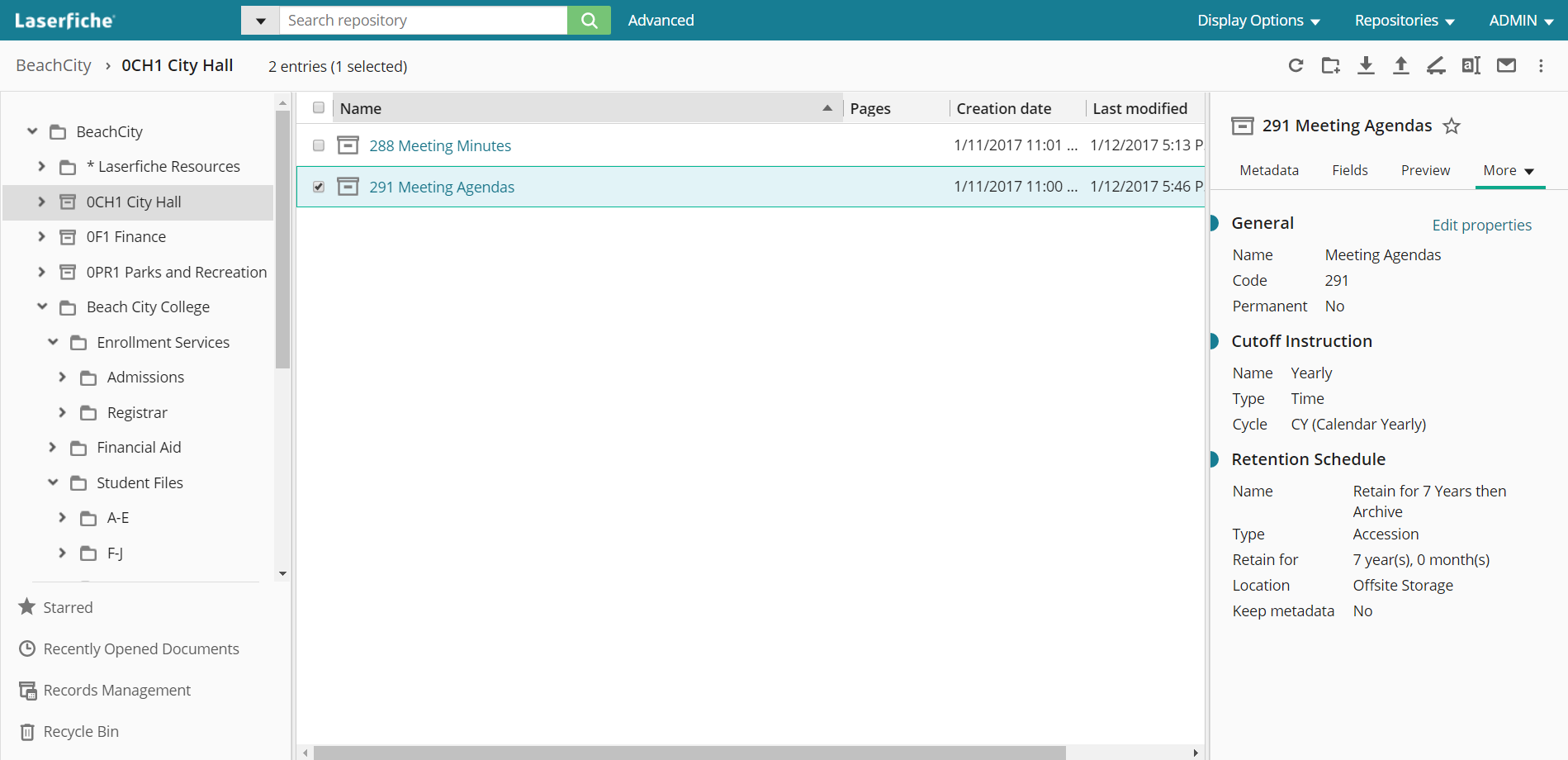
Laserfiche is best for government, education, and regulated enterprises that still need robust compliance, electronic forms, and enterprise-grade process automation with a slightly more approachable low-code builder.
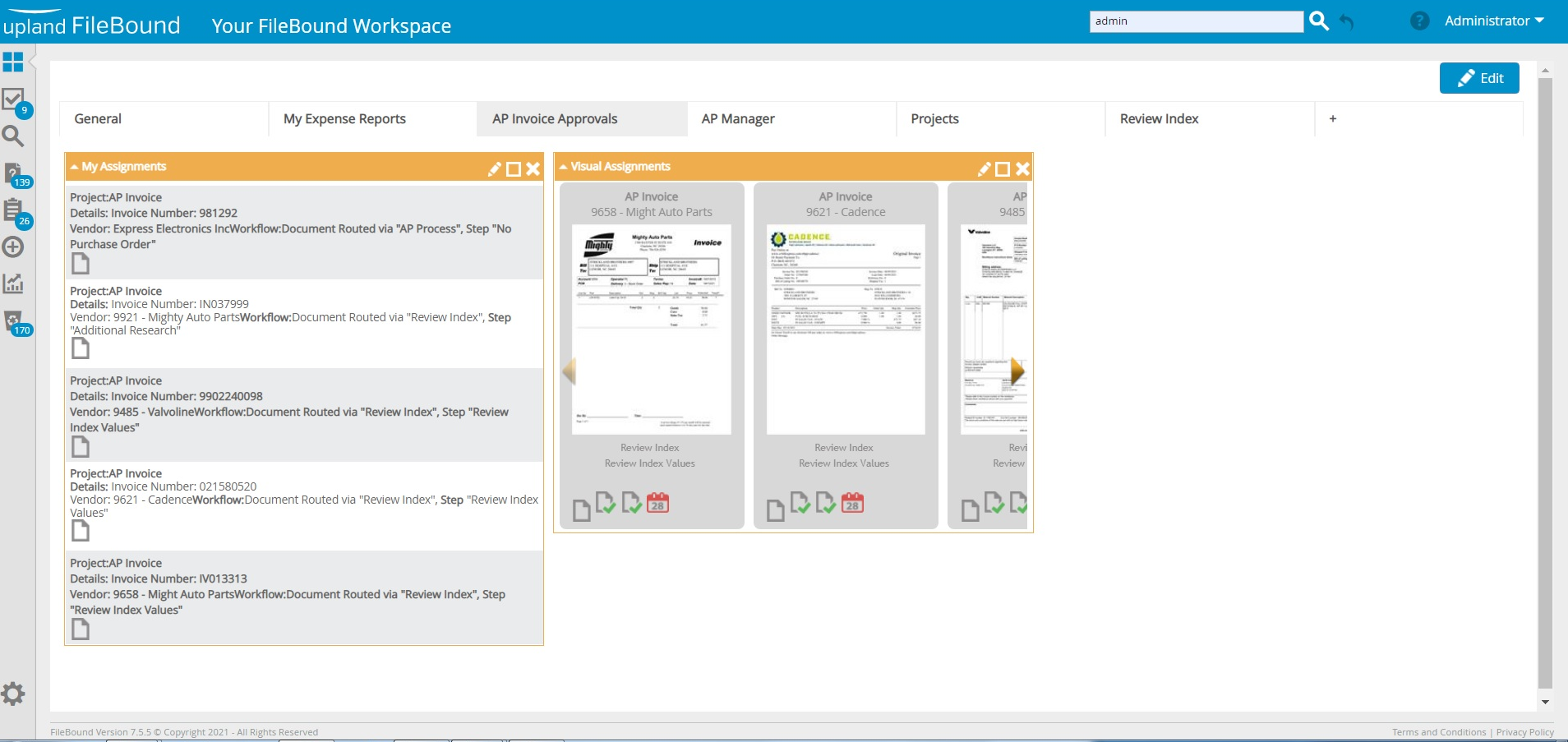
FileBound is best for small to mid-sized teams that need a lightweight, cloud-based platform strictly for simple document routing, eForms, and standard approval processes.
What is OnBase?
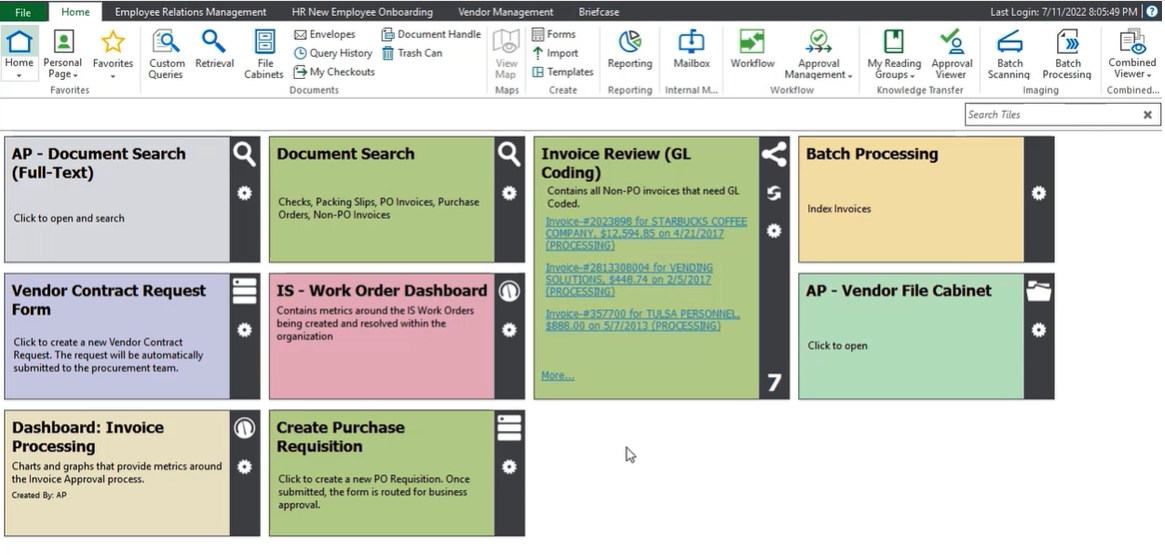
OnBase is Hyland's ECM and workflow automation platform. It helps organizations capture, store, manage, and automate business content through configurable, low-code workflows.
Read more on Hyland’s different document management products
With OnBase you can create basic workflows with no coding necessary, however, implementation and maintenance sometimes requires IT support for system configuration, integrations, security, and ongoing administration.
Beyond document management, OnBase includes:
Workflow automation
Case management
Records management
Document capture
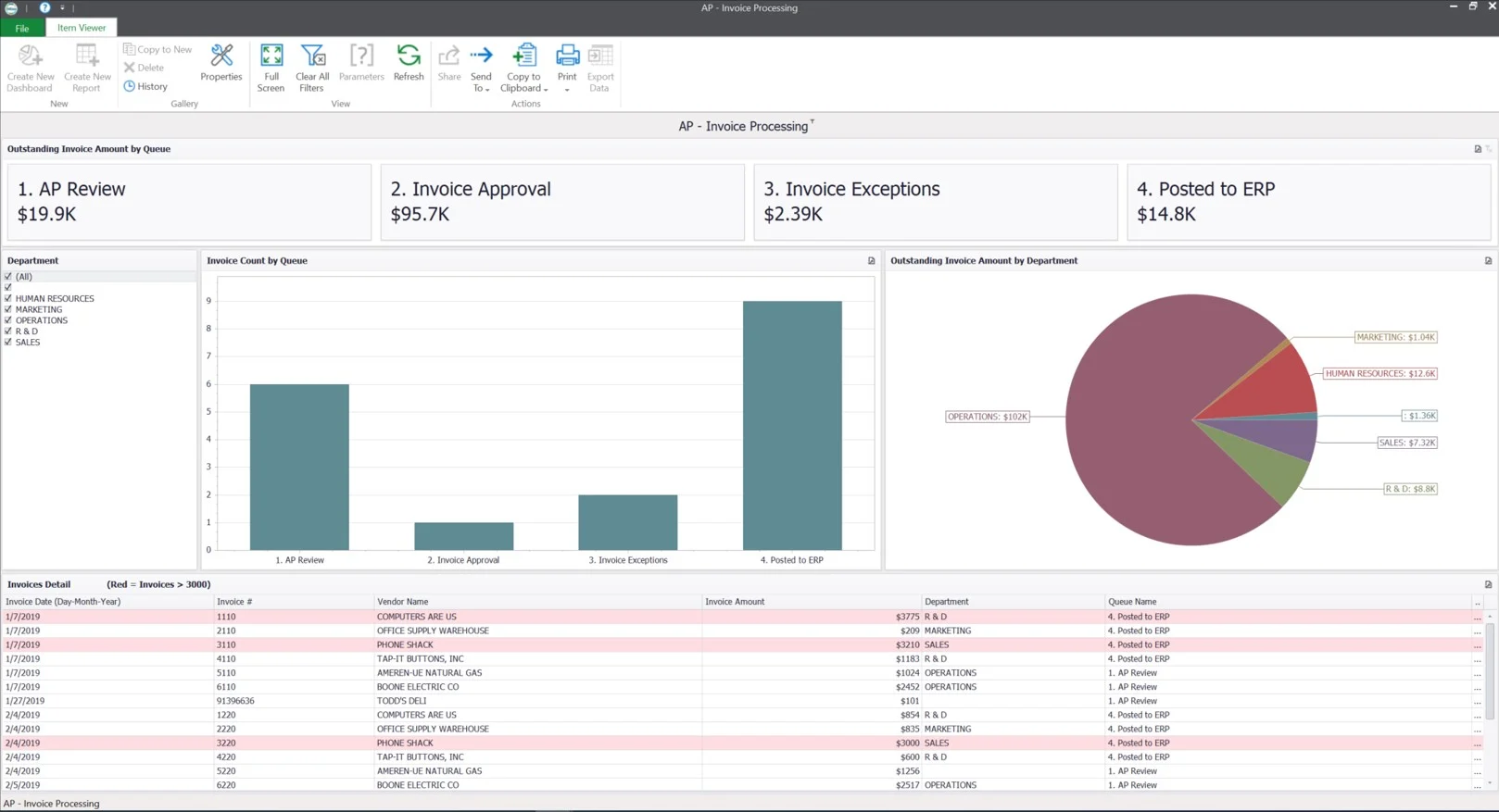
Reporting and dashboards
Integrations with enterprise systems such as SAP, Oracle, Workday, Epic, and Salesforce
One of OnBase's strengths is its ability to support industry-specific processes through configuration rather than custom development.
Organizations use OnBase to manage a wide range of business content, including invoices, contracts, applications, claims, HR records, patient files, and compliance documentation.
For example:
Healthcare organizations use OnBase for patient onboarding and EHR integration
Universities manage admissions and financial aid documents
Financial institutions automate loan origination and document processing
Government agencies manage permits, case files, and public records
OnBase also provides customizable dashboards that help users monitor documents, workflows, and key operational metrics.
When is OnBase a good fit?
OnBase is well suited for organizations that need more than basic document storage.
It is particularly valuable when documents play a central role in business operations and must be managed according to regulatory or retention requirements.
Typical use cases include:
Invoice processing and approval workflows
Case management
Employee document management
Contract lifecycle management
Compliance and records retention
OnBase also integrates with many enterprise tools, so you can still automate document-driven processes without replacing your existing systems.
It is commonly chosen by mid-sized and large organizations with:
High document volumes
Complex, multi-step workflows
Multiple departments or locations
Strict security, audit, or compliance requirements
Examples include healthcare providers subject to HIPAA, financial institutions that need compliance with SOX or FFIEC regulations, and government agencies with extensive records management requirements.
When might OnBase not be the best fit?
OnBase may not be the best choice if your organization:
✕ Primarily needs simple document storage
✕ Has straightforward workflows
✕ Has limited IT resources
✕ Prefers a cloud-native platform with minimal administration
✕ Wants a faster deployment and lower implementation costs
In these cases, a simpler ECM platform may provide better value while meeting your business requirements.
Why do users look for an alternative to OnBase?
OnBase is a mature and very capable ECM platform, but this doesn’t mean the platform is a “one-size-fits-all”.
There are some points that have led users to look for a better-suited alternative DMS or ECM platform.
One common consideration is implementation complexity. OnBase is highly configurable, but deployments often require experienced administrators, implementation partners, or ongoing IT involvement.
For small and medium-sized businesses, this can result in a steeper learning curve and higher administrative overhead.
Cost is another factor. Depending on the deployment, organizations may need to budget for software licensing, implementation services, hosting, maintenance, training, and additional modules.
Some users also report that upgrades require significant planning and testing, particularly in highly customized environments.
Although the user interface has improved over time, some organizations prefer newer cloud-native platforms that offer more modern interfaces and greater self-service configuration.
Finally, integration with other systems may require additional connectors, professional services, or custom configuration.
For organizations that prioritize ease of administration, faster deployment, lower total cost of ownership, or cloud-first architecture, evaluating alternative ECM platforms may be worthwhile.
5 best OnBase alternatives
If you're considering OnBase but are concerned about implementation complexity, ongoing administration, or cost (or even if you’re experiencing these issues firsthand) here are several ECM platforms worth evaluating outside the Hyland ecosystem.
The five alternatives below vary in their automation capabilities, deployment options, and technical requirements. While each is generally easier to implement than OnBase, they also involve trade-offs in scalability, customization, or advanced functionality.
1. Dokmee
⭐⭐⭐⭐⭐ Ratings
G2 4.5/5 | Capterra 4.7/5
What makes Dokmee a good alternative to OnBase?
Dokmee is an excellent option for organizations looking for document management and workflow automation without the implementation complexity often associated with ECM platforms.
It provides document management, workflow automation, secure storage, and document capture in a platform that is generally easier to deploy and maintain than OnBase.
Dokmee offers both DMS and ECM options, with optional modules such as Capture, eForms, and Page Counter that organizations can add as their requirements grow.
For small and mid-sized businesses, this modular approach allows them to start with core document management features and expand over time without replacing the platform.
Dokmee's best features
Clean, intuitive interface
Document scanning, indexing, and OCR
Secure document sharing and audit trails
Cloud and on-premises deployment
Workflow automation for approvals and routing
Advanced workflow designer for more complex processes
API support for integrations
Considerations: Dokmee is well suited for small and mid-sized organizations, but businesses with highly specialized enterprise workflows may require additional customization or implementation support.
2. M-Files
⭐⭐⭐⭐ Ratings
G2 4.3/5 | Capterra 4.4/5
What makes M-Files a good alternative to OnBase?
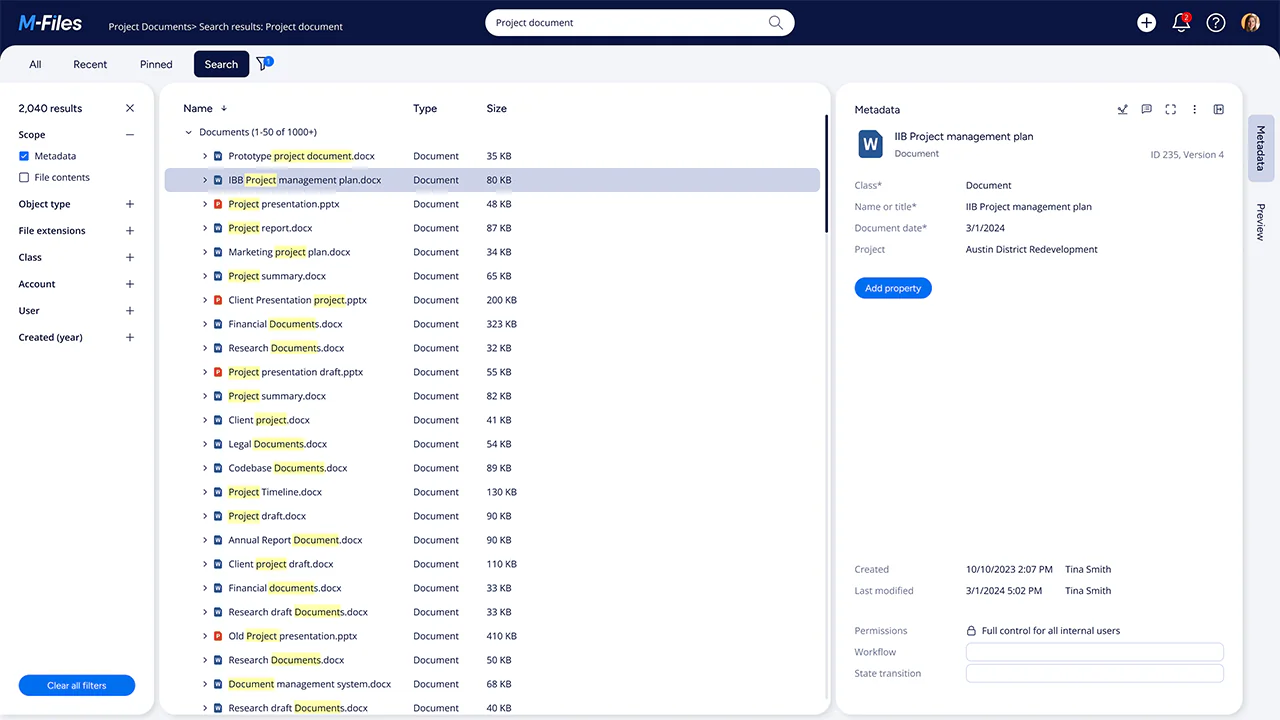
M-Files uses a metadata-driven approach to organizing information, meaning documents are classified by attributes such as customer, project, or document type instead of folders.
This approach can reduce duplicate files and make documents easier to locate across departments.
For example, a signed customer contract can be accessed by both Legal and Finance without creating multiple copies, since it is identified through metadata rather than its storage location.
Compared with OnBase, M-Files places greater emphasis on AI-assisted classification and integrates closely with Microsoft 365.
Organizations adopting M-Files should plan their metadata structure carefully, as this differs from traditional folder-based document management.
M-Files' best features
AI-assisted metadata and document classification
Workflow automation and lifecycle management
Microsoft 365 and Teams integration
Cloud, hybrid, and on-premises deployment
Compliance and governance tools
Advanced search
Considerations: Designing an effective metadata structure requires planning, and users may need time to adapt if they are used to folder-based systems.
3. DocuWare
⭐⭐⭐⭐⭐ Ratings
G2 4.4/5 | Capterra 4.6/5
What makes DocuWare a good alternative to OnBase?
DocuWare is designed for organizations that want cloud-based document management but require a higher focus on task and process management.
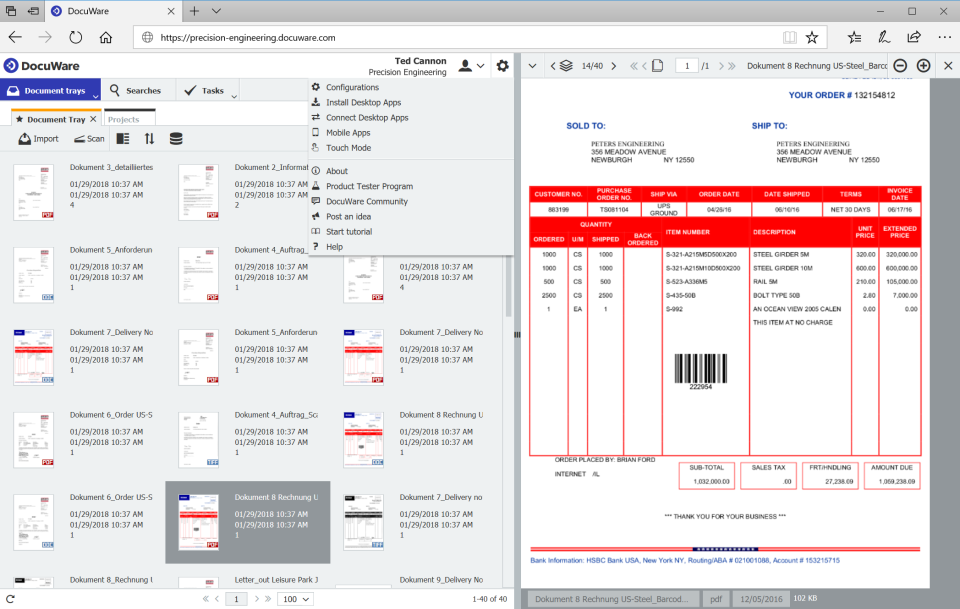
It is commonly used to automate processes such as accounts payable, employee onboarding, and contract approvals.
Compared with OnBase, DocuWare is generally easier to deploy and administer, making it attractive for organizations with limited IT resources.
However, its customization options are not as extensive as OnBase's, which may make it less suitable for highly specialized enterprise processes.
DocuWare's best features
Intelligent document capture and indexing
Invoice processing automation
Cloud-native architecture
Drag-and-drop workflow builder
ERP, CRM, and HR integrations
Considerations: Organizations with highly customized workflows or complex business processes may find its configuration options more limited than larger enterprise ECM platforms.
4. Laserfiche
⭐⭐⭐⭐⭐ Ratings
G2 4.7/5 | Capterra 4.5/5
What makes Laserfiche a good alternative to OnBase?
Laserfiche combines enterprise content management with workflow automation, analytics, and electronic forms.
It is typically used by government agencies, educational institutions, and large organizations that need to manage document-intensive processes while automating routine tasks.
Its low-code workflow designer is generally easier to use than OnBase's configuration tools and provides visibility into workflow performance.
However, Laserfiche remains an enterprise platform, and larger implementations often require experienced administrators or implementation partners.
Laserfiche's best features
Enterprise document management
Advanced workflow automation
Analytics and reporting dashboards
Electronic forms
Integrations with ERP, CRM, HR, and student information systems
Cloud, hybrid, and on-premises deployment
Considerations: Although easier to configure than some enterprise ECM platforms, Laserfiche can still require significant administrative expertise for larger deployments.
5. FileBound
⭐⭐⭐⭐ Ratings
G2 3.9/5 | Capterra 3.8/5
What makes FileBound a good alternative to OnBase?
FileBound focuses on document management and workflow automation for organizations that want a straightforward, cloud-based solution.
It is commonly used by departments such as Accounts Payable, Human Resources, and education administration to digitize documents and automate routine approval processes.
Compared with OnBase, FileBound typically requires less configuration and offers a shorter implementation timeline.
However, organizations with highly complex workflows or advanced compliance requirements may eventually outgrow the platform.
FileBound's best features
User-friendly interface
Cloud-based deployment
Workflow automation
Electronic forms and document capture
API and prebuilt integrations
Considerations: FileBound is best suited for organizations with relatively straightforward document management requirements rather than highly customized enterprise processes.
Choose the right ECM
Selecting an ECM platform depends on several factors, including your document volume, workflow complexity, compliance requirements, available IT resources, and long-term business goals.
OnBase remains a strong choice for organizations with complex enterprise requirements. However, businesses that prioritize faster implementation, simpler administration, or lower total cost of ownership may find that other platforms better match their needs.
Dokmee, M-Files, DocuWare, Laserfiche, and FileBound each take a different approach to enterprise content management, whether through cloud-native deployment, metadata-driven organization, workflow automation, or ease of use.
Rather than focusing solely on feature lists, evaluate how each platform fits your existing processes, technical resources, and future growth plans.
If you think Dokmee might check your boxes, book a free demo now.
Why switch from OnBase
Lower Total Cost of Ownership
Dokmee eliminates the expensive consulting fees, extensive IT infrastructure overhead, and heavy module licensing costs typical of OnBase deployments. You get enterprise-level document management and automation at a fraction of the implementation budget.
Rapid Deployment and Easier Administration
Unlike OnBase, which often requires dedicated systems administrators, specialized consultants, and months of setup—Dokmee is fast to deploy and simple for non-technical teams to manage daily.
Modular Scalability Without Shelfware
Dokmee lets you license only the exact modules you need (such as Capture, eForms, or advanced workflows) and add more as you grow. This prevents paying upfront for massive, overwhelming feature sets that your team won't immediately use.
Streamlined, User-Friendly Interface
Dokmee’s modern and clean UI reduces onboarding friction, avoiding the visual complexity and steep learning curve that lead to poor user adoption in OnBase environments.
Powerful Capture and OCR
Dokmee includes robust document scanning, automated indexing, and high-accuracy OCR tools natively. This allows teams to digitize, classify, and search paper or electronic records quickly without configuring complex third-party capture engines.
Flexible Deployment
Dokmee provides full feature parity whether you host on-premises for strict regulatory control or migrate to the cloud for simplified remote access. You maintain complete control over data sovereignty without being locked into a rigid hosting environment.