O SharePoint é uma plataforma de colaboração robusta, mas nunca foi construído para ser um sistema de gestão de documentos dedicado.
Não possui OCR nativo, automação de retenção integrada e governança que não dependa do Microsoft Purview além do plano básico.
Estas cinco alternativas ao Microsoft SharePoint resolvem cada uma uma parte diferente dessa lacuna. Veja o que cada uma faz melhor, quanto custa e para quem realmente foi construída.
Short Answer
Quais são as Melhores Alternativas ao Microsoft SharePoint? Isso depende se sua organização precisa de captura de documentos nativa, pesquisa de metadados sem pastas, governança de registros certificada ou controle de documentos puro, com as principais opções incluindo Dokmee, M-Files, Laserfiche, FileHold e DocuWare.
Dokmee é o melhor para equipes que desejam OCR integrado, indexação por IA e políticas de retenção automatizadas em uma única plataforma, sem pagar por Microsoft Purview separado ou complementos de captura de terceiros.
M-Files é ideal para organizações que buscam eliminar a proliferação de pastas do SharePoint através de uma arquitetura orientada por metadados que se integra diretamente ao Microsoft 365.
Laserfiche é adequado para governos e empresas regulamentadas que exigem gestão de registros de nível empresarial, retenções legais e conformidade certificada pronta para uso.
FileHold é projetado para empresas de médio porte que desejam controle de documentos focado e hierarquias de gabinete familiares, sem o inchaço de suítes de colaboração.
DocuWare é a melhor escolha para departamentos financeiros e de RH que automatizam o roteamento intensivo de documentos, como aprovações de faturas e fluxos de trabalho de integração de funcionários.
O SharePoint pode parecer o melhor e mais fácil sistema de gestão de documentos se você já usa produtos Microsoft 365, como Teams, Excel, PowerPoint, etc…
No entanto, não é o único com integrações fortes (ou nativas) com o pacote Microsoft.
Deixamos-lhe 5 alternativas ao Microsoft SharePoint para o ajudar a escolher o DMS e ECM perfeitos para si.
O que é o Microsoft SharePoint
Microsoft SharePoint é uma plataforma de gestão e colaboração de documentos que está nativamente integrada com o ecossistema Microsoft.
Oferece armazenamento centralizado de documentos, mas o seu ponto forte é que permite criar sites de intranet, gerir ficheiros, partilhar informações e colaborar com equipas e clientes.
O SharePoint pode ser implementado tanto no local através do SharePoint Server quanto na nuvem através do SharePoint Online como parte do Microsoft 365.
Mas tenha em mente que, se estiver a usar ou planear usar o SharePoint Server 2016 ou o SharePoint Server 2019, o suporte da Microsoft para ambos os produtos termina a 14 de julho de 2026.
Após essa data, estas versões deixarão de receber atualizações de segurança ou suporte técnico da Microsoft.
O SharePoint Online, no entanto, continuará a ser atualizado regularmente.
Portanto, se precisar de uma implementação no local, poderá ter de considerar outras alternativas.
Embora o SharePoint seja uma plataforma poderosa, pode não ser a solução ideal para todas as organizações.
Como é projetado principalmente em torno do ecossistema Microsoft, se depender muito de aplicações não-Microsoft, poderá achar sistemas de gestão de documentos alternativos mais fáceis de personalizar para os seus fluxos de trabalho específicos.
Além disso, algumas organizações consideram a estrutura do site e a administração do SharePoint mais complexas do que as plataformas dedicadas de gestão de documentos.
Se procura automação avançada de fluxos de trabalho, recursos de conformidade altamente especializados ou personalização mais profunda, explorar soluções alternativas pode valer a pena.
Embora o SharePoint tenha as suas desvantagens, possui muitos recursos que podem ser muito úteis, especialmente se estiver a começar com sistemas de gestão de documentos.
Gestão de documentos e controlo de versões
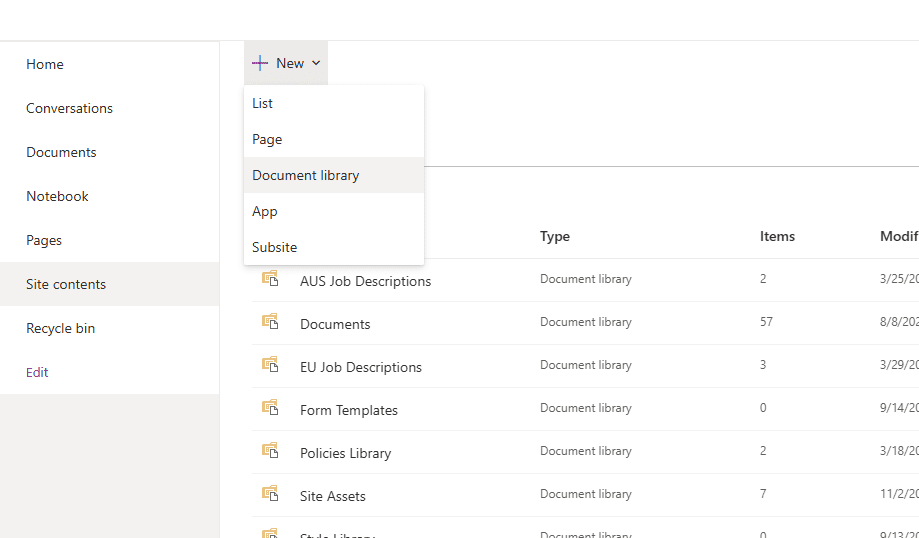
Com o SharePoint, pode armazenar os seus documentos em muitas Bibliotecas Bancárias diferentes que pode organizar usando metadados.
Inclui histórico de versões que permite aos utilizadores rastrear alterações, restaurar versões anteriores e manter um registo preciso das edições de documentos.
Automação de fluxos de trabalho
Embora a automação de fluxos de trabalho não seja o maior ponto forte do SharePoint, através do Power Automate (anteriormente Microsoft Flow), o SharePoint ajuda a automatizar processos de negócios repetitivos, construindo fluxos de trabalho que acionam ações com base em eventos específicos, como uploads de documentos, envios de formulários ou alterações de status.
Os fluxos de trabalho podem ser construídos com automações sem código e sequências complexas de várias etapas que se conectam com sistemas e aplicações externas.
Sites de intranet personalizáveis
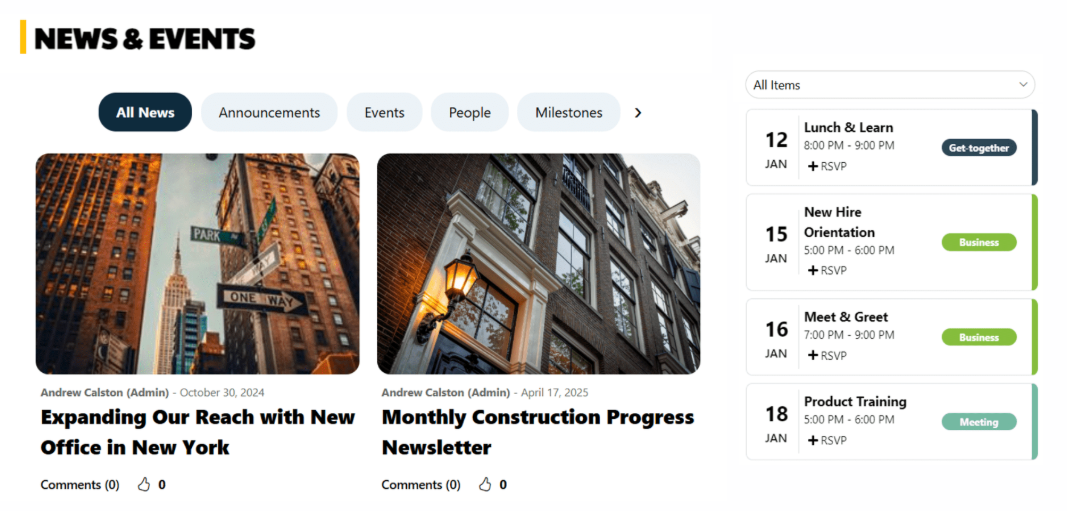
A solução de intranet do SharePoint permite construir sites e páginas para projetos específicos onde pode partilhar informações com a sua equipa e outros departamentos.
Pode construir estes sites com modelos e adaptá-los a necessidades específicas.
O SharePoint é amplamente utilizado por organizações de todos os tamanhos.
É particularmente adequado para empresas já investidas no Microsoft 365, pois integra-se perfeitamente com ferramentas como Teams, Outlook, Word, Excel, PowerPoint e Power Automate.
Embora possa lidar com grandes volumes de documentos, organizações com arquiteturas de informação complexas devem investir tempo no planeamento de estruturas de sites, permissões e estratégias de metadados para manter um forte desempenho e usabilidade à medida que o conteúdo cresce.
Com recursos de colaboração, controlo de versões e automação de fluxos de trabalho, o SharePoint é uma forte opção para equipas distribuídas e remotas.
É também comummente usado por agências governamentais, instituições de ensino, prestadores de cuidados de saúde e grandes organizações que necessitam de armazenamento seguro de documentos e capacidades de colaboração.
Dependendo da complexidade da implementação, o SharePoint pode exigir administração e governação de TI, particularmente para organizações que usam ambientes no local ou personalizações extensivas.
Por que os utilizadores procuram alternativas ao SharePoint?
O SharePoint é uma plataforma capaz de gestão de documentos e colaboração, mas nem sempre é a solução perfeita.
Um desafio comum é a complexidade.
À medida que as bibliotecas de documentos, sites e permissões crescem, manter um ambiente SharePoint bem organizado exige frequentemente uma governação cuidadosa e administração contínua. Sem padrões claros, as organizações podem experimentar conteúdo duplicado, convenções de nomenclatura inconsistentes e dificuldade em localizar documentos.
Algumas empresas também descobrem que as capacidades de gestão de documentos do SharePoint dependem fortemente do ecossistema mais amplo do Microsoft 365. Recursos como automação avançada de fluxos de trabalho, processamento de documentos impulsionado por IA ou gestão de registos podem exigir serviços Microsoft adicionais ou soluções de terceiros, aumentando tanto o custo quanto a complexidade da implementação.
Embora o SharePoint inclua automação de fluxos de trabalho através do Power Automate, organizações com processos altamente centrados em documentos preferem, por vezes, plataformas ECM dedicadas que oferecem captura de documentos, fluxo de trabalho, gestão de registos e recursos de conformidade numa única solução.
Finalmente, organizações que não estão fortemente investidas no Microsoft 365 podem procurar alternativas que forneçam integrações mais amplas prontas a usar, administração mais simples ou capacidades mais especializadas de gestão de conteúdo empresarial.
5 Melhores Alternativas ao SharePoint
Cada uma destas plataformas oferece vantagens distintas sobre o SharePoint, dependendo das prioridades da sua organização.
O Dokmee destaca-se pela sua profunda personalização, indexação avançada e fluxos de trabalho flexíveis, ideal para indústrias regulamentadas.
O DocuWare foca-se na simplicidade e facilidade de uso, tornando-o ótimo para equipas que desejam uma implementação rápida sem sobrecarga de TI.
O M-Files traz organização inteligente baseada em metadados e automação impulsionada por IA, oferecendo uma forma mais inteligente de gerir informações.
O Laserfiche é construído para escala e conformidade, fornecendo automação poderosa e análises adequadas para governos e grandes empresas.
Finalmente, o DocStar oferece uma solução equilibrada e prática com fortes integrações ERP/CRM, tornando-o perfeito para PMEs e organizações do setor público.
Comparado com a estrutura mais rígida do SharePoint e a dependência do Power Automate, estas alternativas proporcionam experiências de gestão de documentos mais focadas, eficientes e escaláveis.
Ferramenta
Principais Recursos
Preços
Para Quem É?
Capacidades de Indexação e Pesquisa
Fluxos de Trabalho Automatizados
SharePoint
Bibliotecas de documentos, sites de equipa, gestão de metadados, integração Microsoft 365, ferramentas de colaboração
Incluído nos planos Microsoft 365
Organizações que já usam Microsoft 365 e equipas focadas em colaboração
Pesquisa robusta baseada em metadados e integração com Microsoft Search
Fluxos de trabalho avançados disponíveis através da plataforma low-code/no-code do Microsoft Power Automate
Dokmee
DMS e ECM completos, metadados avançados, permissões personalizáveis, OCR, formulários eletrónicos, chatbot, fluxos de trabalho modulares
Baseado em cotação; gama média
Organizações de médio a grande porte em indústrias regulamentadas
Indexação e etiquetagem de metadados altamente personalizáveis
Construtor de fluxos de trabalho flexível com gatilhos e processos de aprovação personalizáveis
DocuWare
Armazenamento seguro de documentos, captura de documentos, OCR, integração Microsoft 365, fluxos de trabalho sem código, rastreamento de versões
Baseado em subscrição; gama média
Pequenas e médias empresas que procuram facilidade de uso
Indexação habilitada por OCR e recuperação de documentos
Automação de fluxos de trabalho sem código e fácil de usar
M-Files
Armazenamento baseado em metadados, classificação impulsionada por IA, controlo de versões, trilhas de auditoria
Baseado em subscrição; gama média-alta
Organizações de médio a grande porte com requisitos de conformidade
Pesquisa avançada de metadados e classificação assistida por IA
Automação e gestão de fluxos de trabalho aprimoradas por IA
Laserfiche
ECM, automação de fluxos de trabalho, OCR, análises, ferramentas de conformidade
Baseado em cotação; nível empresarial
Governos, universidades e grandes empresas
Pesquisa baseada em metadados com captura de documentos habilitada por OCR
Automação avançada de fluxos de trabalho com análises
DocStar
DMS na nuvem, captura de documentos, integração ERP/CRM, automação de fluxos de trabalho
Baseado em subscrição
PMEs e organizações públicas
OCR e indexação baseada em metadados
Fluxos de trabalho personalizáveis com notificações e aprovações
1. Dokmee
⭐⭐⭐⭐⭐ Classificações
G2 4.5/5 | Capterra 4.7/5
Visão Geral
Dokmee é uma plataforma DMS e ECM que oferece controlo total e personalização sobre a sua gestão de documentos.
O Dokmee pode ser adaptado a todos os aspetos dos seus fluxos de trabalho de documentos, incluindo permissões de utilizador e regras de automação.
Um dos maiores pontos fortes do Dokmee são as suas poderosas capacidades de indexação e gestão de metadados, que tornam a pesquisa e organização de documentos rápida e precisa.
O sistema suporta funções e permissões totalmente personalizáveis, permitindo que os seus administradores definam claramente os níveis de acesso para equipas, departamentos ou utilizadores individuais. Isso garante alta conformidade e segurança, particularmente para indústrias regulamentadas.
O Dokmee também inclui controlo de versões e trilhas de auditoria, para que possa rastrear cada edição, movimento ou ação do utilizador no documento.
Em relação aos fluxos de trabalho, com o Dokmee pode construir fluxos de trabalho detalhados e acionadores com um construtor de arrastar e largar sem código ou com um sistema mais avançado.
No entanto, se precisar de um fluxo de trabalho mais profissional, mas não tiver a equipa de TI para o fazer, pode recorrer à equipa Dokmee para o construir para si.
Esta flexibilidade dá-lhe uma grande vantagem sobre o SharePoint, que muitas vezes requer uma configuração significativa ou ferramentas de terceiros para alcançar uma sofisticação de fluxo de trabalho semelhante.
O Dokmee também incorporou mais recursos de IA na sua pilha, incluindo resumos de IA, pesquisa progressiva e, em breve, criação de conteúdo por IA.
Além disso, o Dokmee oferece uma ampla gama de recursos modulares, incluindo:
Captura de documentos com OCR integrado
Formulários eletrónicos
Software de chatbot
Funcionalidade ECM abrangente
O Dokmee integra-se perfeitamente com o Microsoft Word, PowerPoint e sistemas de e-mail, o que lhe permite abrir, editar e gerir documentos diretamente do seu ambiente Microsoft familiar.
Por que é melhor que o Microsoft SharePoint
O SharePoint fica aquém em usabilidade, personalização e profundidade de automação.
O Dokmee, por outro lado, é completamente personalizável e não requer uma forte dependência de desenvolvedores externos ou plugins. Basta projetar enquanto constrói o seu sistema de armazenamento.
Além disso, o Dokmee oferece muito mais opções em fluxos de trabalho, automação e permissões baseadas em funções.
Para quem é?
O Dokmee é mais adequado para organizações de médio a grande porte que gerem grandes volumes de documentos, exigem padrões de conformidade rigorosos ou precisam automatizar fluxos de trabalho de várias etapas.
É particularmente valioso para os setores financeiro, jurídico, de saúde, governamental e educacional, onde a responsabilidade, a rastreabilidade de documentos e a eficiência do fluxo de trabalho são prioridades máximas.
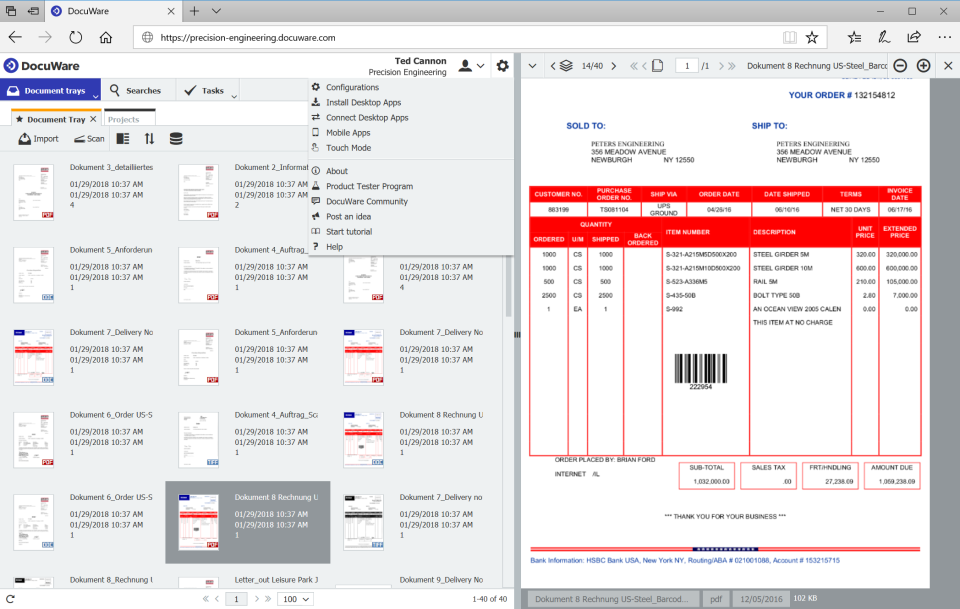
DocuWare é atualmente um dos sistemas de gestão de documentos mais populares disponíveis. Foca-se no armazenamento seguro de documentos, automação de fluxos de trabalho e eficiência de processos.
A plataforma oferece uma experiência de utilizador limpa e intuitiva, tornando fácil para as organizações organizar, gerir e partilhar documentos de forma segura.
Tal como o SharePoint, o DocuWare integra-se com aplicações Microsoft 365 como Outlook, Teams, Word e Excel, permitindo que os utilizadores trabalhem em ambientes familiares.
O DocuWare também inclui capacidades de captura de documentos e OCR, permitindo que as organizações digitalizem, extraiam, classifiquem e recuperem informações de documentos em papel e digitais.
O seu construtor de fluxos de trabalho sem código permite que as equipas automatizem aprovações, notificações e encaminhamento de documentos sem exigir grande conhecimento técnico.
Em termos de segurança, o DocuWare oferece controlos de acesso baseados em funções, histórico de versões, trilhas de auditoria e recursos de conformidade projetados para suportar ambientes de negócios regulamentados.
Por que é melhor que o Microsoft SharePoint
Para organizações focadas principalmente na gestão de documentos, em vez de sites de colaboração e desenvolvimento de intranet, o DocuWare oferece uma experiência mais específica.
A sua interface pode ser mais fácil de aprender e administrar, enquanto as suas ferramentas de captura de documentos e fluxo de trabalho estão disponíveis num ambiente de gestão de documentos dedicado.
Para quem é?
O DocuWare é mais adequado para pequenas e médias empresas que desejam gestão segura de documentos, automação de fluxos de trabalho e capacidades de captura de documentos sem uma administração de TI extensiva.
3. M-Files
⭐⭐⭐⭐ Classificações
G2 4.3/5 | Capterra 4.4/5
Visão Geral
M-Files é um DMS com uma abordagem única para o armazenamento de documentos. O M-Files não depende de estruturas de pastas rígidas.
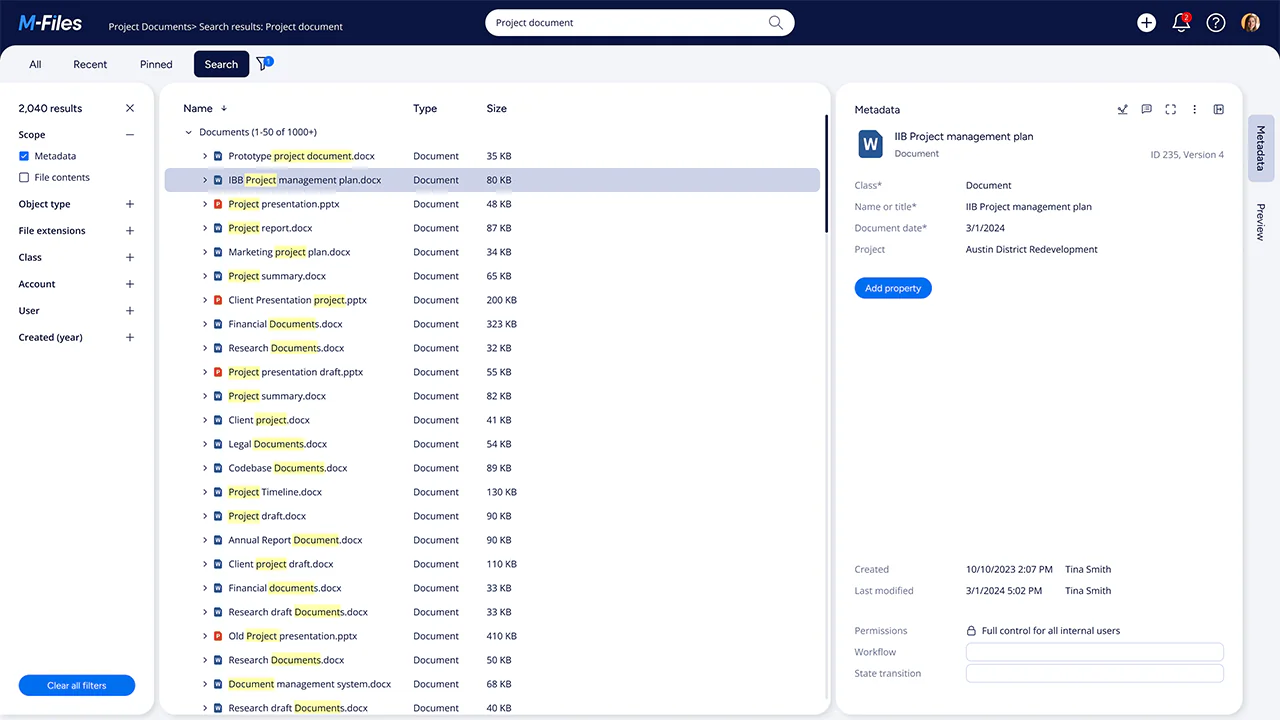
Em vez disso, usa organização baseada em metadados, permitindo pesquisar, categorizar e recuperar ficheiros com base no que o documento é, em vez de onde está armazenado. Este sistema único melhora muito a acessibilidade e garante que a informação permanece consistente e detetável em toda a organização.
Esta é uma boa opção para empresas que partilham os mesmos documentos em vários departamentos.
Além disso, a plataforma também se integra nativamente com ferramentas Microsoft 365, incluindo Word, Excel, Outlook e Teams. Esta profunda integração proporciona uma experiência mais suave do que a interface muitas vezes desordenada do SharePoint, mantendo ainda a conformidade e o controlo totais.
O M-Files também inclui controlo de versões, trilhas de auditoria, fluxos de trabalho automatizados e classificação de documentos impulsionada por IA, que ajudam a reduzir o tempo gasto na procura de ficheiros e a melhorar a precisão na gestão de conteúdo.
O principal obstáculo para novos utilizadores é o modelo de armazenamento e organização completamente diferente. Como o M-Files se afasta das pastas tradicionais, pode levar tempo para as equipas se adaptarem.
Por que é melhor que o Microsoft SharePoint
O M-Files destaca-se como uma das alternativas mais modernas e inteligentes ao SharePoint, oferecendo capacidades de pesquisa e automação superiores.
O M-Files coloca a classificação impulsionada por IA e a gestão de metadados no centro da sua plataforma, enquanto capacidades semelhantes em ambientes Microsoft são frequentemente entregues através de serviços Microsoft adicionais e ferramentas de automação.
A interface é mais limpa e moderna do que a do SharePoint, com mais foco na usabilidade e automação em vez da gestão de sites.
No geral, o M-Files oferece um ambiente mais inteligente, baseado em contexto e pronto para automação para a gestão de documentos.
Para quem é?
O M-Files é ideal para empresas de médio a grande porte com ciclos de vida de documentos complexos e necessidades rigorosas de conformidade.
É particularmente adequado para empresas de consultoria, empresas de engenharia, instituições financeiras e departamentos jurídicos.
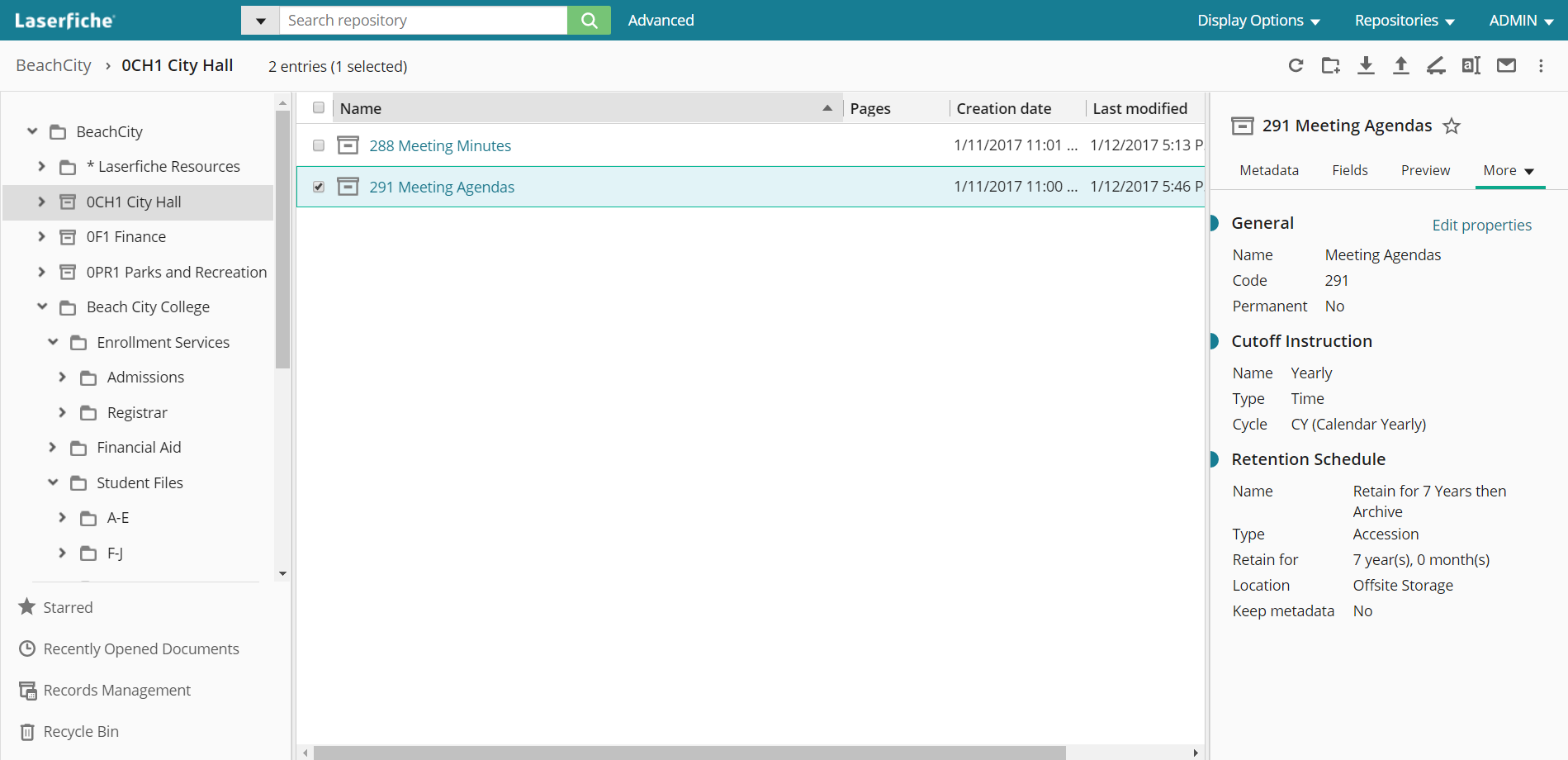
4. Laserfiche
⭐⭐⭐⭐⭐ Classificações
G2 4.7/5 | Capterra 4.5/5
Visão Geral
Laserfiche é um ECM popular e bem estabelecido que combina gestão de documentos, automação de fluxos de trabalho e ferramentas de análise.
É projetado com a transformação digital em mente. O Laserfiche foca-se em ajudar as organizações a eliminar processos baseados em papel através de automação inteligente e digitalização.
Tal como o SharePoint, integra-se com o pacote Microsoft 365 (incluindo Outlook e Teams), mas oferece uma experiência mais simples para armazenamento, recuperação de documentos e automação de processos.
O Laserfiche também inclui capacidades nativas de captura de documentos e OCR, tornando fácil digitalizar e digitalizar registos físicos diretamente em repositórios pesquisáveis e baseados em metadados.
Entre os seus recursos, também pode encontrar histórico de versões, trilhas de auditoria e permissões granulares.
O painel de análise da plataforma permite que as organizações monitorizem fluxos de trabalho, identifiquem gargalos e melhorem continuamente as operações.
Por que é melhor que o Microsoft SharePoint
O Laserfiche oferece uma abordagem mais coesa e automatizada para a gestão de documentos do que o SharePoint.
O construtor de fluxos de trabalho do Laserfiche é mais intuitivo e oferece mais opções para incluir lógica condicional.
O Laserfiche inclui insights nativos para ajudar a medir a produtividade e o desempenho do fluxo de trabalho sem integrações adicionais.
Para quem é?
O Laserfiche é ideal para governos, universidades, instituições financeiras e empresas que gerem grandes volumes de documentos e exigem conformidade certificada, auditabilidade e escalabilidade.
5. DocStar
⭐⭐⭐⭐ Classificações
G2 3.8/5 | Capterra 4/5
Visão Geral
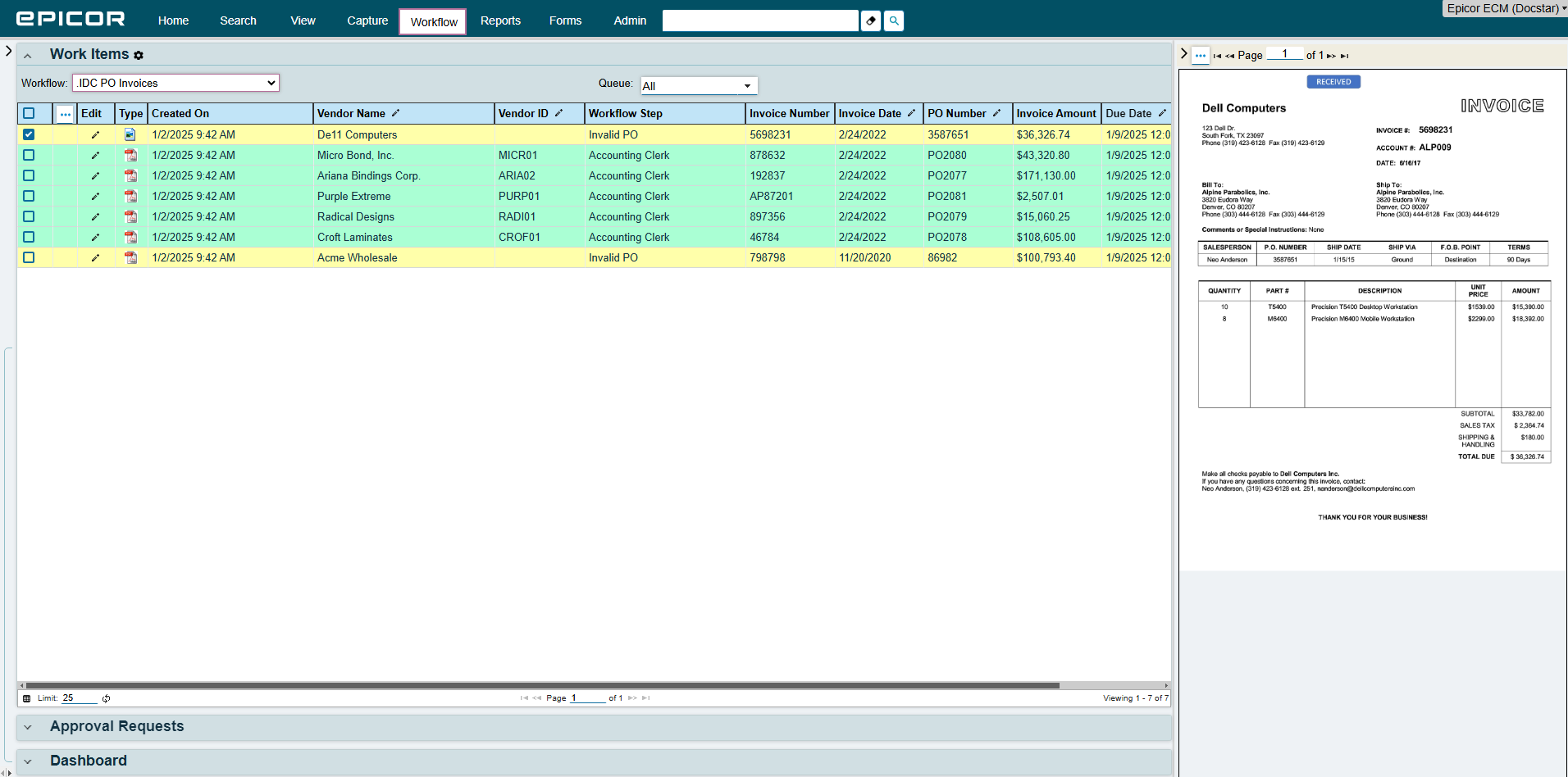
DocStar (da Epicor) é uma plataforma de DMS e automação de processos baseada na nuvem, fiável e construída para simplificar a captura, armazenamento e processamento de documentos.
É conhecido pela sua facilidade de uso e implementação rápida. O DocStar combina ferramentas ECM com forte automação de fluxos de trabalho, acesso baseado em funções e captura de documentos.
A plataforma integra-se bem com aplicações Microsoft, incluindo Outlook e Excel, permitindo que os utilizadores capturem e gerenciem conteúdo diretamente de interfaces familiares. Embora a sua maior vantagem sejam as suas integrações com sistemas ERP e CRM, dando-lhe uma vantagem para organizações que procuram automação de processos de ponta a ponta.
O construtor de fluxos de trabalho do DocStar suporta automações simples e avançadas, com gatilhos, notificações e ramificações de decisão personalizáveis.
Embora não seja tão moderno na conceção da interface como o M-Files, o DocStar destaca-se pela sua praticidade, fiabilidade e equipa de suporte ao cliente responsiva.
Por que é melhor que o Microsoft SharePoint
O DocStar oferece uma gestão de documentos mais eficiente para organizações que procuram digitalizar e automatizar processos sem grande dependência de TI.
O DocStar é uma solução melhor para indústrias como finanças, saúde e operações governamentais que exigem fluxos de trabalho estruturados.
O DocStar não é tão profundamente personalizável como o Dokmee ou tão impulsionado por IA como o M-Files, mas oferece uma solução equilibrada e fiável para empresas que valorizam a simplicidade, automação e conformidade em detrimento da complexidade técnica pesada.
Para quem é?
O DocStar é adequado para pequenas e médias empresas e organizações públicas que desejam um sistema prático e escalável para captura de documentos, fluxos de trabalho de aprovação e gestão de conformidade, sem a sobrecarga ou complexidade de sistemas de nível empresarial.
Como escolher a ferramenta DMS perfeita
Escolher a plataforma DMS ou ECM certa pode impactar significativamente a produtividade, conformidade e eficiência operacional.
Embora o SharePoint ofereça fortes capacidades de colaboração, armazenamento de documentos, automação de fluxos de trabalho e profunda integração com o Microsoft 365, não é a única solução disponível. A melhor escolha depende dos requisitos da sua organização, da pilha tecnológica existente, das obrigações de conformidade e dos planos de crescimento.
Antes de tomar uma decisão, considere estas questões:
A plataforma suporta gestão avançada de metadados, classificação impulsionada por IA ou pesquisa inteligente?
Oferece automação de fluxos de trabalho e processos de aprovação que correspondem às suas necessidades de negócio?
Cumpre os requisitos de segurança e conformidade da sua organização?
Integra-se com as aplicações que as suas equipas usam todos os dias?
Pode escalar à medida que o seu volume de documentos e os requisitos de negócio crescem?
Cada plataforma abordada neste artigo oferece diferentes pontos fortes.
Se procura personalização profunda e flexibilidade de fluxo de trabalho, pode achar o Dokmee atraente.
Se prioriza a facilidade de uso, pode preferir o DocuWare.
Para gestão de documentos baseada em metadados e capacidades de IA, o M-Files é uma boa escolha.
Se tem uma grande instituição que exige conformidade e automação, pode achar o Laserfiche particularmente convincente, enquanto o DocStar oferece um equilíbrio prático entre gestão de documentos e automação de processos de negócio.
Em última análise, a solução certa é aquela que melhor se alinha com os fluxos de trabalho da sua organização, requisitos de conformidade e objetivos de transformação digital a longo prazo.
Dokmee includes native OCR and AI-powered capture right out of the box with unlimited scanning and zero per-click charges. Scanned documents, invoices, and forms become fully searchable text the second they enter the system.
Magic Indexing
Dokmee’s Magic Indexing automatically scans document contents, including typed text, handwriting, and logos, to tag and classify files with custom metadata tags. Documents are retrieved instantly via full-text search, eliminating messy folder structures.
Automated Retention Policies
Dokmee builds retention governance directly into your core file cabinets. Set automated rules to archive, relocate, or permanently purge documents once a specific lifecycle milestone is met (e.g., 7 years after invoice payment), keeping your system audit-ready without extra software licenses.
Dedicated Workflow Automation
Dokmee features an intuitive, drag-and-drop workflow designer built specifically for document routing, multi-step reviews, and approval stamps. For complex enterprise environments, Dokmee also supports custom scripting without third-party connector fees.
True Deloyment Parity
Dokmee offers complete feature parity across Cloud, On-Premise, and Hybrid deployments with transparent per-user pricing starting at $39/user/month. You maintain full control over where your data resides without sacrificing advanced ECM capabilities.